Don’t waste time engaging random people on the feed. Kynzo helps recruiters focus on target customers, build stronger relationships, and create conversations that move deals forward.
See how Kynzo supports LinkedIn™ business development for agency recruiters compared with CommenTron.
| Features | CommenTron | Kynzo |
|---|---|---|
| Customer Feed | Not available | Included |
| Customize AI tones | ✕ | ✓ |
| Number of tones | ✕ | Up to 20 |
| Industry focus | General LinkedIn™ users | Agency recruiters |
| Sync client data from recruitment CRM | ✕ | ✓ |
| Social signals | ✕ | Coming soon |
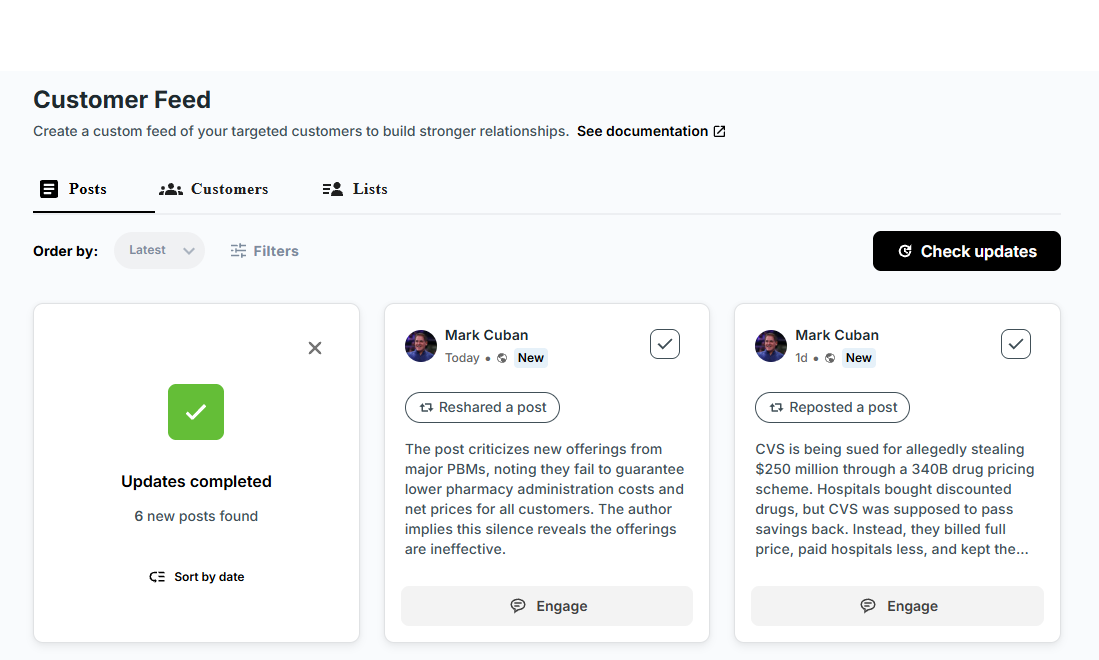
Kynzo helps recruiters focus on target customers instead of random posts. Customer Feed keeps the right accounts and conversations in front of your team so every comment has clearer business development value.
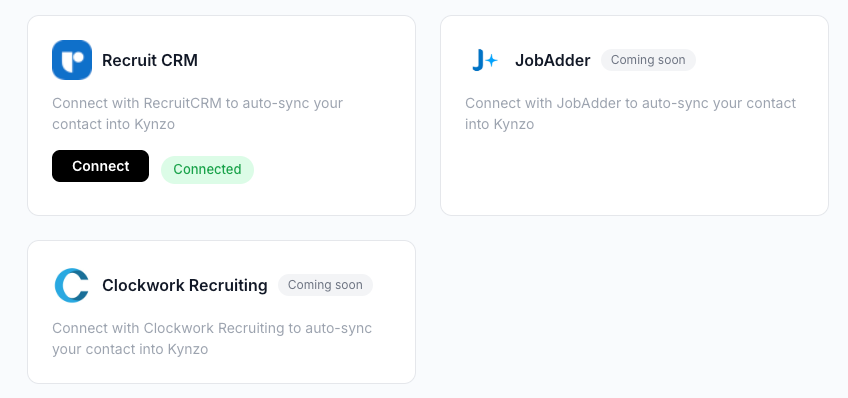
Built for recruiters by recruiters, Kynzo fits agency workflows from day one. CRM integrations connect client context, target accounts, and outreach priorities so follow-up is timely and relevant.
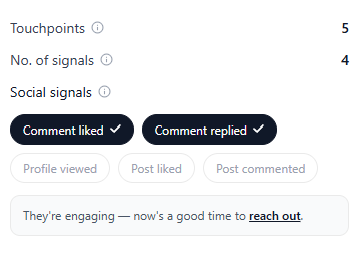
Social signals help recruiters understand whether LinkedIn™ engagement is actually creating momentum. They show where interest is building so your team knows who to follow up with next, and teams that want cost clarity can view our pricing.
SEO-friendly answers for recruiters comparing Kynzo vs CommenTron for LinkedIn™ business development.
The main difference is that Kynzo is built for LinkedIn™ business development for recruiters and agencies, while CommenTron focuses on generating comments faster. Kynzo adds recruiter-specific workflows like Customer Feed, recruitment CRM integrations, customizable AI tones, and social signals for follow-up.
Recruiters choose Kynzo because it helps them focus on target customers instead of random posts. Kynzo supports LinkedIn™ business development with Customer Feed, industry-specific workflows, customizable AI tones, recruiter-focused CRM integrations, and visibility into social signals.
Kynzo Customer Feed surfaces posts from the people, prospects, and accounts that matter most to your pipeline. This helps recruiters and recruitment agencies spend less time scrolling the general LinkedIn™ feed and more time engaging the right buyers, clients, and decision-makers.
Yes. Kynzo lets recruiters customize AI tones so comments and replies match their brand voice, agency positioning, and team guidelines. This is useful for firms that want more control than a fixed set of generic comment templates.
Yes. Kynzo is designed to work with recruitment CRM data so teams can connect target accounts, client context, and outreach priorities to their LinkedIn™ engagement. This makes follow-up more relevant and helps recruiters act on the right conversations faster.
Social signals in Kynzo help recruiters understand whether LinkedIn™ engagement is creating real momentum. They make it easier to identify which people are responding, which accounts show interest, and where follow-up can have the biggest business development impact.
Yes. Kynzo is built for recruiters by recruiters. It is designed for agency recruiters, recruiting leaders, and teams that use LinkedIn™ to build relationships, grow client accounts, and generate new business through consistent engagement.
If your goal is recruiter-led LinkedIn™ business development, Kynzo is the stronger CommenTron alternative. It goes beyond AI comment generation by helping teams prioritize target accounts, use recruiter-specific integrations, and track signals that support better follow-up.