Use the HubSpot integration with Kynzo to bring saved target customer contacts into a LinkedIn™ workflow
built to keep you visible, remembered, and in the right conversations when business development opportunities appear.
HubSpot is powerful for tracking pipeline stages and logging accounts, but CRM data alone does not create warm conversations. High-value target accounts rarely respond to cold, automated pitch sequences. They notice and engage with people who actively contribute value to their industry conversations on LinkedIn™.
The challenge is maintaining visibility across hundreds of HubSpot leads while managing daily deals and client delivery. If you only reach out when you have something to sell, outreach feels forced. If you wait for decision-makers to post without tracking them, you miss the crucial window to engage while their post is trending.
Kynzo bridges your HubSpot CRM with live LinkedIn™ activity, ensuring your team is present in the conversations that matter before you ever pitch a service.

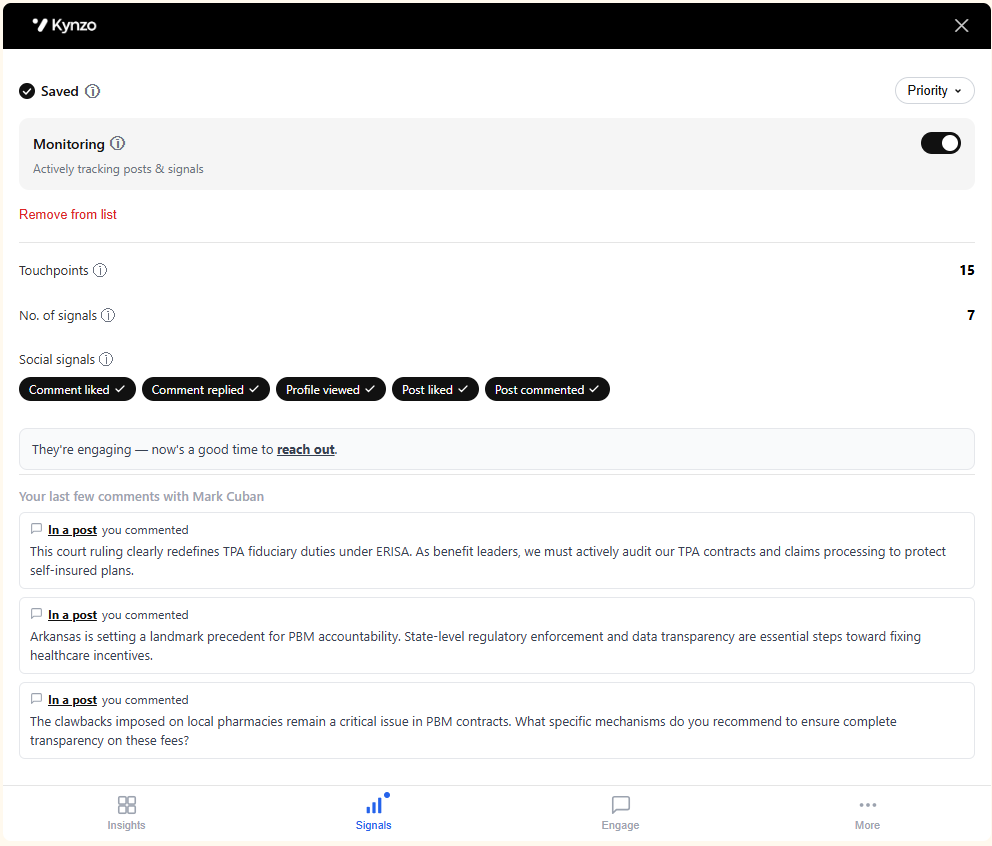
The most effective business development feels like a natural conversation, not an aggressive pitch. When your HubSpot target contacts respond to your comments or interact with your profile, Kynzo highlights these social signals so you can follow up with perfect timing and relevance.
We build integrations that help recruiters turn relationship signals into follow-up. If you want to partner with Kynzo, email us and we will share the integration plan and technical requirements.
The HubSpot integration helps recruiters bring saved target customer contacts and client accounts from HubSpot into Kynzo so LinkedIn™ engagement becomes part of a repeatable business development workflow instead of something teams try to remember manually.
It helps recruiters move saved target customer contacts from HubSpot into a LinkedIn™ workflow where they can spot the right moments to engage, stay visible, and follow up while the relationship is warm.
Because passive viewing does not make you memorable. Customers are far more likely to remember the recruiter who congratulated them, added an insightful comment, or showed up in the right conversation at the right time. That is what helps recruiters stay memorable when opportunities arise.
A useful comment can create visibility far beyond the original post because it can be seen by people in the customer's professional circle. The value is not just impressions or likes. The value is being remembered as someone who showed up with relevance.
No. That is the point of the HubSpot integration. If your team already saves target customers in HubSpot, you can bring those contacts into Kynzo and work from the relationships you already care about.
Kynzo brings target customer contact data from HubSpot together with LinkedIn™ profile context so recruiters can keep account visibility and engagement activity connected in one workflow. It is designed for business development contacts, not candidates.
No. The HubSpot integration is focused on target customer contacts and LinkedIn™ relationship-building workflows. It does not sync candidates or unneeded CRM records into Kynzo.
Kynzo helps recruiters spot activity from saved contacts so they can engage while the conversation is still relevant. That matters because timing is often the difference between being ignored and being remembered.
Kynzo syncs HubSpot daily so saved target customer contacts stay available in your workflow without your team having to rebuild lists manually.
Yes. The Kynzo Chrome extension supports the LinkedIn™ workflow and helps recruiters act on the contacts and conversations that matter after those contacts are brought in from HubSpot.
Get the Kynzo Chrome extension first, then follow the setup walkthrough video on this page to connect your HubSpot account and bring your saved contacts into Kynzo.
Recruitment team of 10+? Talk to us