

Comment Personalization on LinkedIn: A Recruiter's Playbook
A personalized LinkedIn comment does three things: it references one specific point from the post, adds a perspective only a recruiter in your niche would have, and ends with a question the hiring manager can answer. Aim for roughly five to ten of those a day, aimed at the people you want as clients. Anything thinner reads as noise, and noise costs you the reputation you are trying to build.
This guide shows how to write those comments, how many to post, how to keep AI inside the rules, and how to tell whether the effort is producing client conversations.
Key Takeaways
- Personalization means proving you read the post: quote or paraphrase one specific detail, add your own view, then ask one question.
- Quality beats volume. Five to ten substantive comments a day is a workable range, and past ten quality tends to collapse.
- LinkedIn does not allow tools that automate activity on its site, so use AI for drafting and screening, then edit and approve every comment yourself.
- Measure replies, profile views, connection accepts and inbound messages, then start warm outreach where the signals cluster.
- Build a target list of hiring managers first. Personalization only pays off when it is aimed at the right people.
Table of Contents
- What comment personalization actually means for recruiters
- A three-part structure for comments that get replies
- Length, tone and the details that make a comment credible
- Comment frequency: how many per day is right
- Choosing which posts deserve a personalized comment
- Using AI without sounding like AI or breaking the rules
- Build a 20-minute daily routine
- Measure whether comments are turning into conversations
- Where Kynzo fits
- FAQ
- Sources
What comment personalization actually means for recruiters
Generic praise is the baseline everyone ignores. "Great insight!" and "Totally agree, thanks for sharing" could sit under any post, so they say nothing about you. Fast Company's guidance on staying authentic on LinkedIn in the age of AI points the same way: offer value from your own experience, give praise tied to a unique insight or anecdote, keep it concise, and make sure the final text reflects your voice.
For an agency recruiter or search consultant, personalization has a second layer. You are not commenting to be liked. You are commenting so that a VP of Engineering, a COO or a head of talent starts to recognize your name before you ever send a message. That means the comment should show you understand their market: the hiring bottleneck behind a product launch, the compensation pressure in a region, the reason a role has been open for months.
Three levels of personalization are worth separating:
| Level | What it looks like | Effect on the hiring manager | |---|---|---| | Generic | "Great post, thanks for sharing." | Ignored | | Referenced | Mentions a detail from the post | Proves you read it | | Positioned | Detail + a market-specific insight + a question | Starts a conversation and shows your expertise |
Only the third level is worth your time with high-fee clients.
A three-part structure for comments that get replies
Gini Dietrich of Spin Sucks describes a 3S comment framework : Specific, Signal and Step. It translates well to recruiting.
Specific: pull one real thing from the post
Name the number, the claim, the product milestone or the hiring plan the author mentioned. One detail is enough. It proves a human read the post.
Signal: add your point of view
This is where your desk experience shows. Add a counterpoint, a nuance or a short example from your own market. A hiring manager posts about doubling the sales team. You might note what you see happening to time-to-fill for second-line sales leaders in that segment. You are contributing, not pitching.
Step: end with an invitation
Close with a question that a busy executive can answer in a sentence, such as how they are seeing a trend play out on their own team. Dietrich notes the whole process takes about a minute when you do it by hand.
A worked example
The post: a CTO announces a new data platform team and mentions the difficulty of hiring engineers with streaming experience.
- Weak: "Congrats on the new team! Exciting times."
- Personalized: "Streaming experience is the sticking point we hear about most when data platform teams scale past the founding group. Candidates who have run it in production are rarely on the market for long. Are you prioritizing production ownership or breadth when you screen?"
The second comment references the post, shows market knowledge, makes one point and asks one question. It also never mentions your agency, which is exactly why it works. Our LinkedIn comment examples cover more scenarios by role and industry.
Length, tone and the details that make a comment credible
Short and specific beats long and general. A 2026 newsletter from the National Association of Legal Search Consultants suggests comments of roughly 35 to 120 words that make one point, include one micro-example (a deal type, a jurisdiction, a common snag) and ask one question a lawyer would respect. The principle applies beyond legal search: your micro-example is what separates you from a template.
Some habits that keep comments credible:
- *One idea per comment. Two points dilute both.
- *Use the author's vocabulary. If they say "go-to-market" rather than "sales," mirror it.
- *Skip the pitch. Never mention open roles or your services in the comment itself.
- *Disagree politely when you have grounds. A respectful counterpoint stands out more than agreement.
- *Sound like yourself. If you would never write "game-changer," do not let a tool write it for you.
The same NALSC piece warns that templated phrasing and generic praise correlate with fewer replies and possible temporary visibility suppression. Treat that as a reason to vary your openings, not as a hack.
Comment frequency: how many per day is right
The frequency question and the quality question are the same question. Growtempo's analysis of 12,988 posts led it to recommend five to ten substantive comments a day , about 20 to 30 minutes, weighted toward the accounts whose audience you want to reach. It says quality collapses somewhere past ten for almost everyone, and that thin comments are worse than none. It describes three diminishing returns in order: quality per comment drops first, audience overlap saturates second, and reputation turns negative when the same name appears under every post with a throwaway remark.

NALSC's range for legal search consultants is higher, 8 to 12 meaningful comments a day spread across four to seven distinct profiles, so you stay visible in several clusters such as law firms and in-house teams.
A practical starting point for a recruiter:
- Start at five comments a day on weekdays.
- Spread them across at least three or four target accounts, not one.
- Raise toward eight only if every comment still carries a specific detail and a question.
- Cap yourself. If you catch yourself writing "Well said" to finish the session, stop.
Quality vs. quantity in one table
| Approach | Daily volume | Risk | Best for | |---|---|---|---| | Quality-first | 5 to 8 | Slow start, strong signal | Executive search, high-fee BD | | Balanced | 8 to 10 | Needs a tight routine | Agency teams with a defined target list | | Volume-first | 10+ | Thin comments, reputation drag | Rarely worth it |
If a hiring manager sees your name under every post with a one-liner, you have reduced your standing, not raised it. Consistency over weeks matters more than a heavy day. Our LinkedIn comment strategy guide builds a full weekly cadence.
Choosing which posts deserve a personalized comment
Personalization wastes effort on the wrong audience. Before you write anything, decide whose posts count.
- *Hiring managers who own the headcount for the roles you fill.
- *Company accounts for target clients, especially posts about funding, launches, expansion or leadership changes.
- *Peers and industry voices only as a minor share of your time.
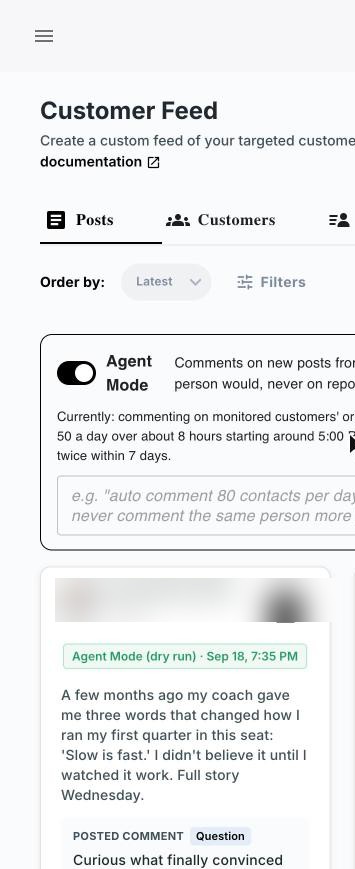
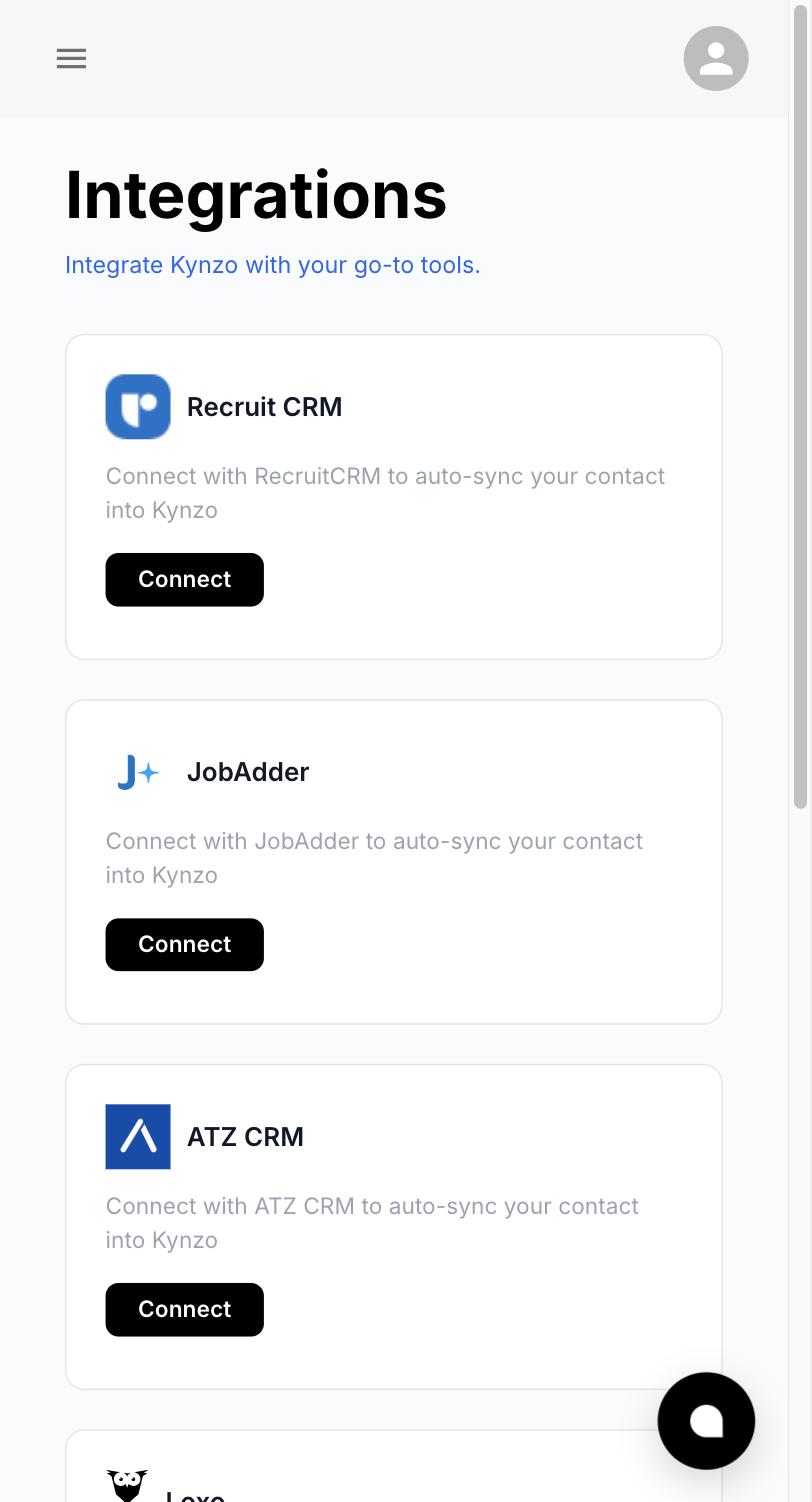
LinkedIn's general feed buries these posts among everything else, so many recruiters miss the moment. A dedicated feed solves that. In Kynzo, the Customer Feed collects posts and activity from the hiring managers and company accounts you care about, and it can synchronize accounts from recruiting and CRM systems including Recruit CRM, JobAdder, Zoho Recruit, HubSpot, Crelate and Loxo. You can also save profiles or posts manually. If you want a manual method, our guide to tracking LinkedIn posts covers the options.
Timing matters as much as targeting. A comment placed early on a post is more visible to the author than one buried under 80 others, so check your target list at set times each day rather than scrolling whenever you have a minute.
Using AI without sounding like AI or breaking the rules
This is the part recruiters most often get wrong, so read it carefully.
LinkedIn's help center states that it does not allow third-party software or browser extensions that scrape, modify or automate activity on its website, and that doing so violates the User Agreement. In March 2026, reporting on LinkedIn's feed changes said the company is strengthening systems to identify and reduce automated comments and engagement bait.
The safe-use takeaway is straightforward: you stay responsible for what goes under your name. Practical guardrails:
- Use AI to screen posts for relevance and to draft a starting point.
- Add your own observation. A draft that could be written about any post is not finished.
- Read and edit every comment before it is published.
- Keep pacing human: a limited number of comments, spread across the day, not bursts.
- Review your account regularly for any warnings from LinkedIn and act on them promptly.
Fast Company's guidance is a good test for any draft: ask what about your input is different or new. If the answer is nothing, rewrite it.
What Kynzo's controls are designed for
Kynzo's AI Agent is designed to draft context-aware comments in your own voice, with tones you choose, active hours, daily caps and randomized delays. We built those controls around the same principle this guide recommends: limited volume, human pacing and your voice. Review the drafts, edit them with your own detail, and make the final call on what is posted. Our guides on AI LinkedIn comments and avoiding LinkedIn spam go deeper on setting limits.
Build a 20-minute daily routine
A routine is what turns personalization into a pipeline habit. Here is a schedule built for an agency recruiter:
- *Minutes 0 to 3: scan the feed. Open your target feed and flag the five to eight posts worth a response.
- *Minutes 3 to 8: read closely. Find the one detail you will reference in each.
- *Minutes 8 to 18: write. Use Specific, Signal, Step. Keep each to 35 to 120 words.
- *Minutes 18 to 20: log. Note who you commented on and any replies.
Three to five of those comments a week on the same individual is a reasonable rhythm for high-value targets. One B2B guide recommends building a list of about 20 target accounts and commenting on named individuals consistently for 90 days, then reviewing which comments drew replies and profile views to decide where to double down.
If you also run your own posting calendar, Paiger's recruiter playbook suggests posting on Monday, Wednesday and Friday and using Tuesday and Thursday for commenting. Treat that as one pattern to adapt, not a rule.
Measure whether comments are turning into conversations
Comment counts tell you about activity, not results. Track the signals that precede a client conversation:
- Replies to your comments from the author
- Likes on your comments
- Profile views from target accounts
- Connection requests accepted
- Inbound messages or inquiries
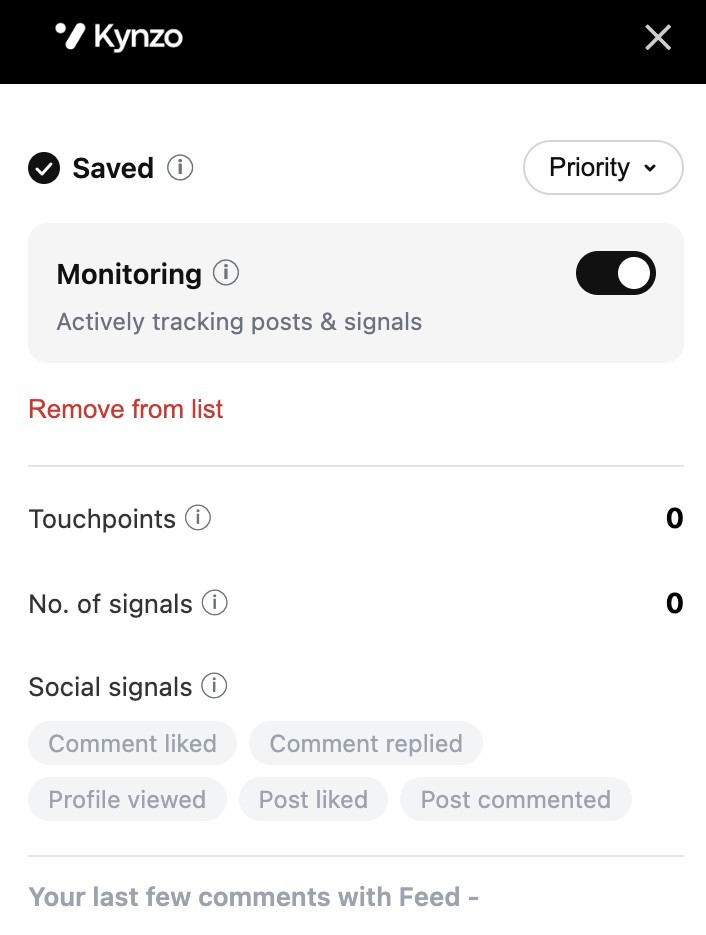
A simple weekly log with a row per target contact works. Once a hiring manager has replied, liked a comment and viewed your profile, you have a reason to reach out. Our guides on LinkedIn engagement metrics and comment likes explain how to read each signal. Kynzo tracks replies, comment likes, profile views, connection accepts and inquiries in one place, so you can see when a contact has warmed up.
Why warm outreach is worth the wait
Cclarity's 2026 statistics roundup reports that warm outreach reaches a 50 to 70% connection acceptance rate and a 15 to 25% DM response rate , against 20 to 35% acceptance and 5 to 10% response for cold outreach. These are one company's figures, so use them as direction rather than a forecast, and compare them with your own numbers after a quarter.
When the moment comes, keep the first message short and tied to the thread you already share. Reference the exchange, offer something relevant to their hiring situation, and ask for a conversation, not a commitment. For senior searches, see our guide to executive search LinkedIn outreach .
Where Kynzo fits
If you want this workflow without managing spreadsheets and browser tabs, Kynzo is built for it. The free Chrome extension and Customer Feed monitor your target hiring managers and company accounts, the AI Agent drafts comments in your voice with pacing controls, and engagement tracking shows when to start a warm conversation. Plans are published at kynzo.io/pricing : STARTER is $12.90 per month, PRO is $30 per month and ELITE is $50 per month.

Want to see the style first? Try the free LinkedIn comment generator to draft a comment from any post, then add your own detail before you use it.
FAQ
How many LinkedIn comments should a recruiter post per day?
Five to ten substantive comments a day is a sound range, which takes about 20 to 30 minutes according to Growtempo. Start at five and increase only if each comment still carries a specific detail. Spread them across several target accounts.
Is quality or quantity more important for LinkedIn comments?
Quality, by a wide margin. A thin comment under many posts can hurt your reputation with the very people you want to reach. A few comments that reference the post, add your view and ask a question will do more for you than a high daily count.
How do I personalize a comment quickly?
Use three steps: pick one specific detail from the post, add one insight from your own market, and end with one question. With practice it takes around a minute per comment. Keep a short list of your own recent placements or market observations to draw on.
Can I use AI to write LinkedIn comments?
You can use AI to screen posts and draft, but LinkedIn does not allow third-party tools that automate activity on its site. Edit each draft with your own observation, review it, and stay in control of what is published under your name.
How do I know commenting is working?
Track replies, comment likes, profile views, connection accepts and inbound messages for each target contact. When several of those signals appear for the same person, it is time for a warm, relevant message.
Sources
- Staying authentic on LinkedIn in the age of AI (Fast Company)
- AI Comments Don't Build Relationships (Spin Sucks)
- LinkedIn Commenting: The New Cold Outreach (NALSC)
- How Many Comments Should You Leave on LinkedIn Daily? (Growtempo)
- Automated activity on LinkedIn (LinkedIn Help)
- LinkedIn introduces AI-powered feed ranking (Indian Express)
- The LinkedIn playbook for recruitment personal branding (Paiger)
- LinkedIn Lead Generation Statistics 2026 (Cclarity)