

Comment vs Cold Messaging: What Works on LinkedIn for Recruiters
For agency recruiters, commenting on a hiring manager's posts before you message them usually beats a cold message. Every dataset we reviewed points the same way: people reply more often to someone they already recognize. A cold message asks a stranger to judge you and your pitch in one sitting. A comment gives them a reason to know your name first.
This guide compares the two approaches on reply rates, risk, effort and fit. It then shows how to move from a public comment to a private message without sounding salesy.
Key Takeaways
- A cold message goes to someone with little or no prior contact. A comment lands in public, inside a post the hiring manager chose to share.
- Across the studies we reviewed, warm outreach out-replies cold outreach by a wide margin. Most of those studies come from vendors and consultants, so treat the exact figures as directional.
- Comment first, then send a short, context-first DM that refers to the exchange. Keep the meeting ask out of the opening message.
- Generic, templated, AI-sounding comments can hurt you. Quality, relevance and human pacing matter more than volume.
- Check LinkedIn's current rules on automation before you set up any tool.
Table of Contents
- What is the difference between a comment and a cold message?
- What does the data say about reply rates?
- Why comments work better for recruiter business development
- When cold messaging still has a place
- How to write comments that do not sound generic
- When to move from a comment to a DM
- A weekly routine that combines both
- Automation, pacing and LinkedIn's rules
- How Kynzo supports a comment-first workflow
- FAQ
- Sources
What is the difference between a comment and a cold message?
A LinkedIn cold message is outreach to someone you don't know personally, or know only loosely, with no prior communication history . A comment is a public reply under a post the person already shared.
The setting is what differs. According to Pursue Networking , cold DMs arrive in a private, skeptical space where attention is scarce. Comments appear in public, in context, while the author is already engaged with the topic.
| Factor | Comment on a hiring manager's post | Cold message (DM or InMail) | |---|---|---| | Where it appears | Public, under their content | Private inbox | | Who started the exchange | They did, by posting | You did | | What you ask for | Nothing | Attention, often a call | | Visibility | Author, their commenters and your profile activity | Recipient only | | Speed | Slower: weeks of presence | Fast: one send | | Main risk | Bland or generic comments | Being ignored, flagged or restricted | | Best for | Target accounts you want a long-term relationship with | Urgent, narrow asks where a warm path is not possible |
What does the data say about reply rates?
Warm contact wins in every study we found. The studies measure different things, so compare the direction, not the exact numbers.
- *Connection acceptance. An analysis of more than 150,000 LinkedIn connection requests, reported by Mastreach , found 41% acceptance after one or two comments versus 27% for cold requests. Four or more comments scored 36%, and requests sent within 24 hours of engagement scored 44%.
- *Conversation replies. In a study of 2,279 cold LinkedIn conversations started by senior people at professional and financial services firms, 13.4% of 942 mature cold conversations got a reply. Conversations that began warm replied at 57.4%.
- *Warm DMs from one account. Keith Teo of Cclarity reported cold DM reply rates of around 5% to 10%. Warm DMs to people who had engaged with his content or viewed his profile reached 66.7% across 84 messages. That is a small sample from one founder, so read it as an illustration.
- *Existing connections. Belkins' 2026 LinkedIn outreach study found only small differences between days of the week for reply rates, with Thursday and Monday just above 7.4% and Friday and Saturday lowest at 6.9%. Who you message and what you say matter far more than when you hit send.
Teo's explanation is the useful part. The biggest driver of replies is whether the recipient already knows who you are . A warm message is a continuation. A cold one is an interruption.
Why comments work better for recruiter business development
Agency recruiters sell to hiring managers, heads of talent and founders. These buyers are bombarded with InMail and templated pitches from every agency in their market. A few reasons commenting cuts through:
- *You show up before you ask. Jim Coughlin of Work is a Verb argues that a substantive comment on someone's post means they see your name with a positive association , and that a later DM is then more likely to be recognized and answered.
- *Public context makes the DM easier to open. NALSC, the National Association of Legal Search Consultants, describes comments as public accountability that makes a later DM harder to dismiss . A comment also shows your expertise to everyone reading the thread.
- *Nobody is being pitched. The hiring manager posted in public, which invites responses. A cold DM, by contrast, signals that you want something .
- *It scales across a target list. You can build presence with 30 or 40 hiring managers at once, which a one-to-one DM approach cannot match.
The same logic applies outside LinkedIn. Teams that work prospecting in Facebook groups follow the same pattern: show up where the buyer is already talking, then take it private.
If you want the deeper tactics, our guides on comment before you connect and LinkedIn comment strategy go step by step.
When cold messaging still has a place
Commenting is not always possible. A hiring manager may never post. A role may be urgent and you need a candidate or a conversation this week. In those cases a cold message is the only route, so write it well:
- Open with a specific reason you chose this person: a role they are hiring for, a post, a market move.
- Offer something concrete, such as a market data point or a relevant candidate profile summary, instead of asking for 30 minutes.
- Keep it short enough to read on a phone without scrolling.
- Skip the line "just following up to see if you saw my last message." It adds nothing and is a common reason threads go quiet.
Even then, a quick profile visit and a reaction to a recent post can warm the contact. Belkins' data, reported by Bereach , found a message preceded by a profile visit performed far better than a message alone, which is one more sign that a light touch beforehand pays off.
How to write comments that do not sound generic
Generic praise is the fastest way to waste a comment. NALSC warns that generic praise and templated phrasing correlate with fewer replies and even temporary visibility suppression. Its guidance for search consultants is a useful benchmark:
- Make one point per comment.
- Add one micro-example from your own desk.
- Optionally close with one question.
- Aim for roughly 35 to 120 words.
- Spread effort across several profiles rather than flooding one.
A before and after
*Generic: "Great insight, thanks for sharing!"
*Specific: "We see the same thing on engineering searches: candidates drop out at the second interview when feedback takes more than a week. Have you tried a same-day debrief with the panel?"
The second version gives the hiring manager something to answer, and it shows you understand their hiring problem. For more patterns, see our LinkedIn comment examples .
When to move from a comment to a DM
NALSC calls the sequence "public first, private second." You add something useful in public, then send a DM that references the comment or topic and asks a simple either-or question . It also advises against confidential matters, pressure and guaranteed-outcome claims.
We use these signals to decide the moment is right:
- They replied to your comment, or liked it.
- They viewed your profile.
- They accepted your connection request.
- They asked a question or mentioned a hiring need.
The studies suggest speed helps. Mastreach's analysis found requests within 24 hours of engagement were accepted at a higher rate, at 44% versus 33% a month later .
A context-first DM
"Hi Dana, thanks for the reply on your post about interview drop-off. We placed three data engineers this quarter and the pattern was the same. Would a short summary of what worked be useful, or is hiring not a priority right now?"
Notice what is missing: a calendar link and a meeting request. Start the conversation, then propose a call once they respond.

A weekly routine that combines both
Here is a simple cadence for a recruiter working a target list of 40 hiring managers:
- *Build the list. Pull target accounts from your CRM or save profiles manually.
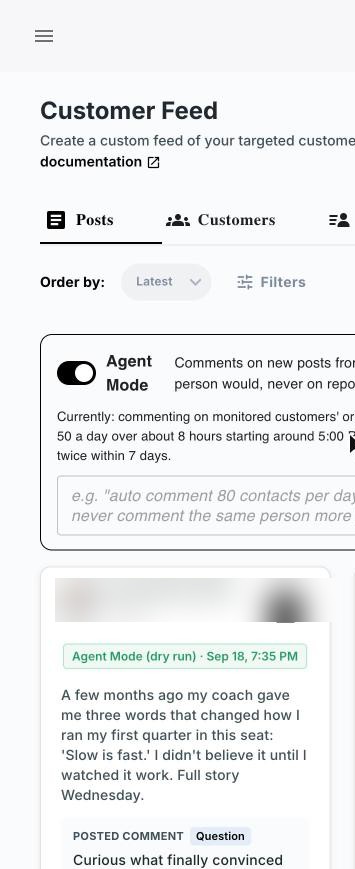
- *Monitor in a focused feed. Follow only your target accounts, not the general LinkedIn feed.
- *Comment daily. Leave a few specific comments on live posts from different people.
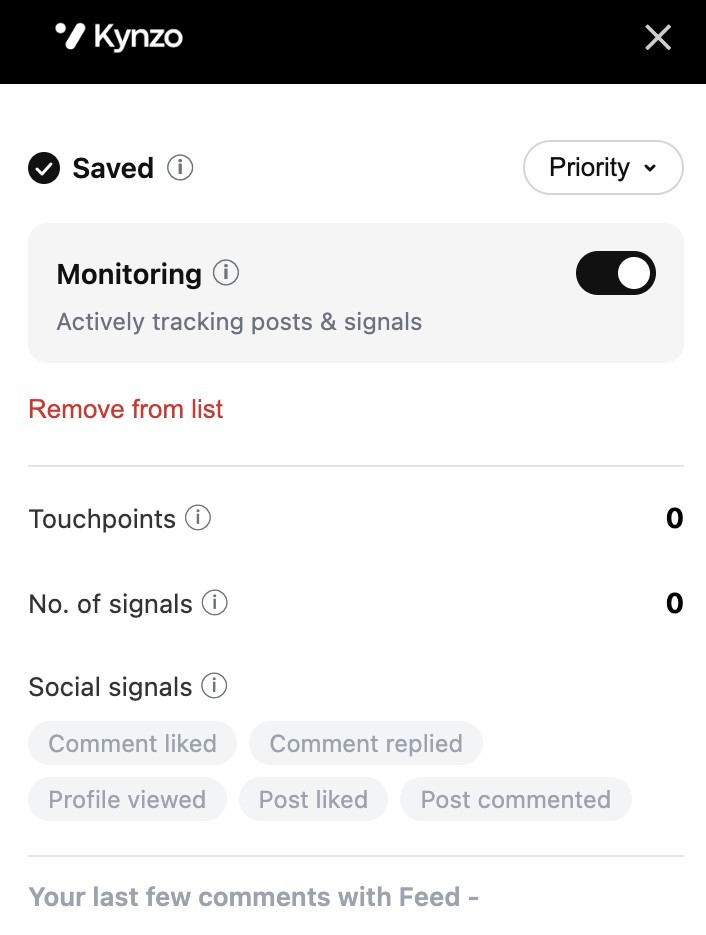
- *Watch for signals. Note replies, likes, profile views and accepted connections.
- *Send a warm DM. Reach out when a signal appears, referencing the comment.
- *Log the result. Record every reply and inquiry so you know which accounts are ready for a call.
For executive search, our executive search outreach guide adapts this for senior searches, and the LinkedIn lead generation guide for recruiters covers the wider pipeline.
Automation, pacing and LinkedIn's rules
Automation is where recruiters get into trouble. LinkedIn's User Agreement restricts bots and other unauthorized automated methods, and the platform can restrict accounts that break its rules. Read LinkedIn's current terms and Help Center before you set up any tool, and remember you are responsible for what posts from your account.
Two habits keep you safer regardless of tooling:
- *Keep comments relevant and human. Identical or templated comments across many posts are a quality problem as well as a risk. For more, see how to avoid LinkedIn spam signals .
- *Pace your activity. Limit daily volume, vary timing and stay within normal working hours.
If you use a CRM-connected workflow, tidy your integration setup too. Guidance on automating email campaigns with a CRM is a useful companion for keeping the data side clean.
How Kynzo supports a comment-first workflow

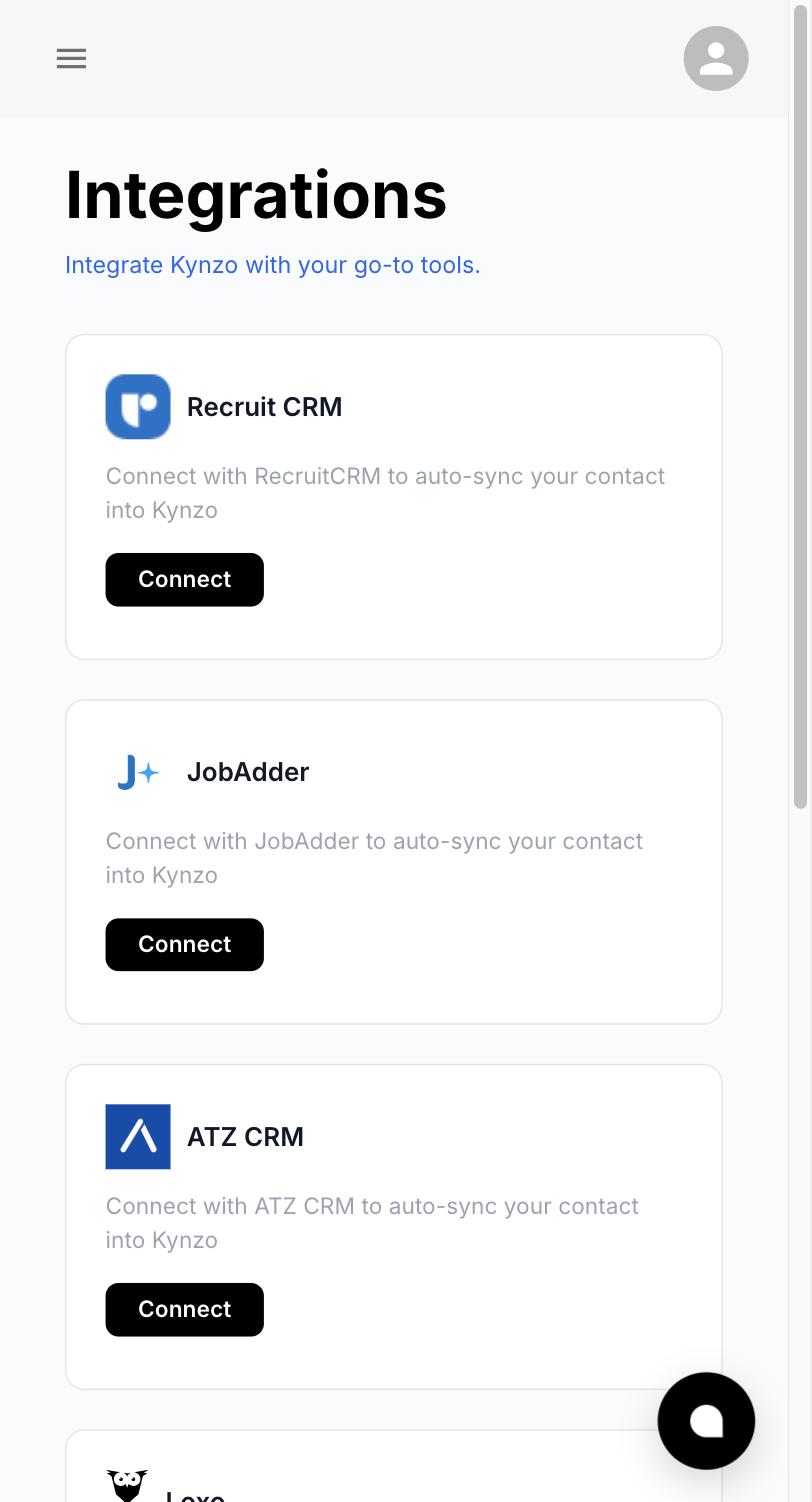
We built Kynzo for agency recruiters who want warm client conversations without mass messaging. The Chrome extension and Customer Feed let you follow posts from target hiring managers and company accounts instead of scrolling LinkedIn's general feed. Kynzo can synchronize accounts from Recruit CRM, JobAdder, Zoho Recruit, HubSpot, Crelate and Loxo, and you can also save profiles or posts manually.
Our AI Agent is designed to draft or publish context-aware comments in your voice, with tone options, active hours, daily caps and randomized delays. Kynzo also tracks replies, comment likes, profile views, connection accepts and inquiries, so you can see when a warm message makes sense. For a deeper look at the approach, read our guides on AI LinkedIn comments and LinkedIn comment automation .

Plans start at $12.90 per month for Starter, with Pro at $30 per month and Elite at $50 per month. You can compare them on our pricing page . To try the comment-writing side first, use the free LinkedIn comment generator .
FAQ
Is commenting better than cold messaging on LinkedIn?
For building a relationship with a hiring manager, usually yes. Studies from consultants and vendors consistently show warm contacts replying and accepting more often than cold ones. Cold messages still have a place when a person never posts or when a need is urgent.
How many comments should I leave before sending a message?
There is no fixed number. In the Mastreach analysis, one or two comments before a connection request produced the highest acceptance, and four or more scored a little lower. Focus on one or two genuinely useful comments, then message when you see a signal.
Can I use AI to write LinkedIn comments?
Yes, as long as the comment is specific and reads like you. NALSC warns that generic, templated comments correlate with fewer replies and possible visibility suppression. Edit drafts to include your own example and review LinkedIn's current rules on automation.
What should my first DM say after a comment?
Reference the comment or the topic, offer something relevant and ask one simple question. Leave out the calendar link and the meeting request until they reply.
Sources
- Best Cold Outreach LinkedIn Messages, The Muse
- Why Commenting Is the New Cold Outreach, Pursue Networking
- Comment before connecting on LinkedIn, Mastreach
- Work is a Verb #41
- LinkedIn Commenting: The New Cold Outreach, NALSC
- LinkedIn DM Study, AscendAI
- LinkedIn DM Reply Rate, Cclarity
- LinkedIn B2B outreach statistics, Belkins
- Cold vs warm LinkedIn outreach, Bereach
- Sales Prospecting in Facebook Groups, Groups Watcher
- How to automate email campaigns with a CRM