

How to Schedule LinkedIn Comments on Hiring Manager Posts
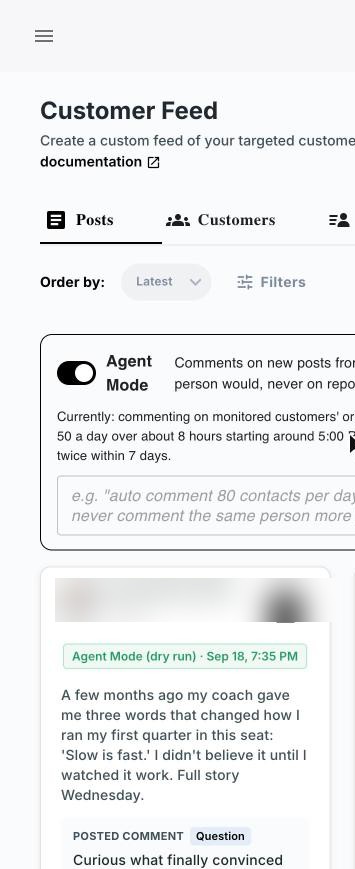
LinkedIn lets you schedule posts, but it has no built-in way to schedule comments on other people's posts. For an agency recruiter, that gap matters, because the comments that win client conversations are the ones you leave on a hiring manager's post, not on your own. Kynzo closes it: its Chrome extension collects target hiring managers in a dedicated feed, and its AI Agent drafts or publishes comments in your voice inside active hours, under daily caps and with randomized delays.
This guide shows the routine step by step: who to watch, when to comment, how to pace it, and how to read the replies that tell you it is time for a warm conversation.
Key Takeaways
- Comment scheduling is really comment pacing: set active hours, a daily cap and random gaps, then let a curated feed of target accounts decide what you comment on.
- A comment only works when it adds something to the post. Context-aware, voice-matched comments beat generic praise every time.
- Timing matters on the post's side too: the first 90 minutes or so are when replies tend to carry furthest.
- Track replies, comment likes, profile views and connection accepts. These signals tell you when to move to a direct message.
- LinkedIn is actively cracking down on pods and low-quality automation, so the goal is fewer, better, human-paced comments on a short list of accounts.
Table of Contents
- Can You Schedule LinkedIn Comments?
- Why Fixed Times Don't Work for Comments
- The Routine: Watch, Draft, Pace, Track
- What LinkedIn's Recent Changes Mean for Your Routine
- From Comment to Conversation
- A Sample Day for an Agency Recruiter
- Common Mistakes When Scheduling Comments
- Put the Routine Into Practice With Kynzo
- FAQ
- Sources
Can You Schedule LinkedIn Comments?
Not the way you schedule a post. LinkedIn's built-in scheduler is built for publishing your own posts: you pick a date and time in the composer and the post goes live. There is no equivalent button on a hiring manager's post that says "comment at 9:40 tomorrow."
That leaves recruiters three realistic options:
- *Do it by hand. Open LinkedIn when you remember, scroll the general feed, hope your target's post surfaces. Most days it doesn't.
- *Schedule your own posts and show up manually for comments. Fine for your personal brand, but it does nothing for client acquisition.
- *Use a recruiter-focused workflow that watches your target accounts, drafts comments in your voice and releases them on a human schedule.
The third is what Kynzo is built for. Instead of a calendar of fixed comment slots, which cannot work because you never know when a hiring manager will post, you set the rules of engagement and the platform applies them as posts appear.
Why Fixed Times Don't Work for Comments
A scheduled post is yours: you control the content and the clock. A comment is a reply, and a reply is only worth anything if it is relevant to something that already exists. A hiring manager posts on a Tuesday afternoon about a product launch, a promotion or a tough quarter. A comment written last week and set to publish on Tuesday cannot respond to that.
There is also a timing reason. The National Association of Legal Search Consultants describes a "Golden Window" of roughly the first 90 minutes of a post , when replies and depth raise the odds that the post, and your comment under it, travels farther. It also recommends answering quickly when people reply to you during that window.
Put those two facts together and the right model is clear. You do not schedule the comment. You schedule your availability to comment, and you make sure the right posts reach you fast.
The Routine: Watch, Draft, Pace, Track
Here is the workflow we recommend for agency recruiters who want warmer client conversations without living in the feed.

Step 1: Build a short target list
Start with 25 to 50 hiring managers, heads of talent and company accounts where a placement would be high-fee. Quality beats volume. The list should be people who could realistically become a client or a repeat client.
What goes wrong: recruiters add every contact they have ever messaged. The feed fills with noise and comments end up scattered across people who will never buy.
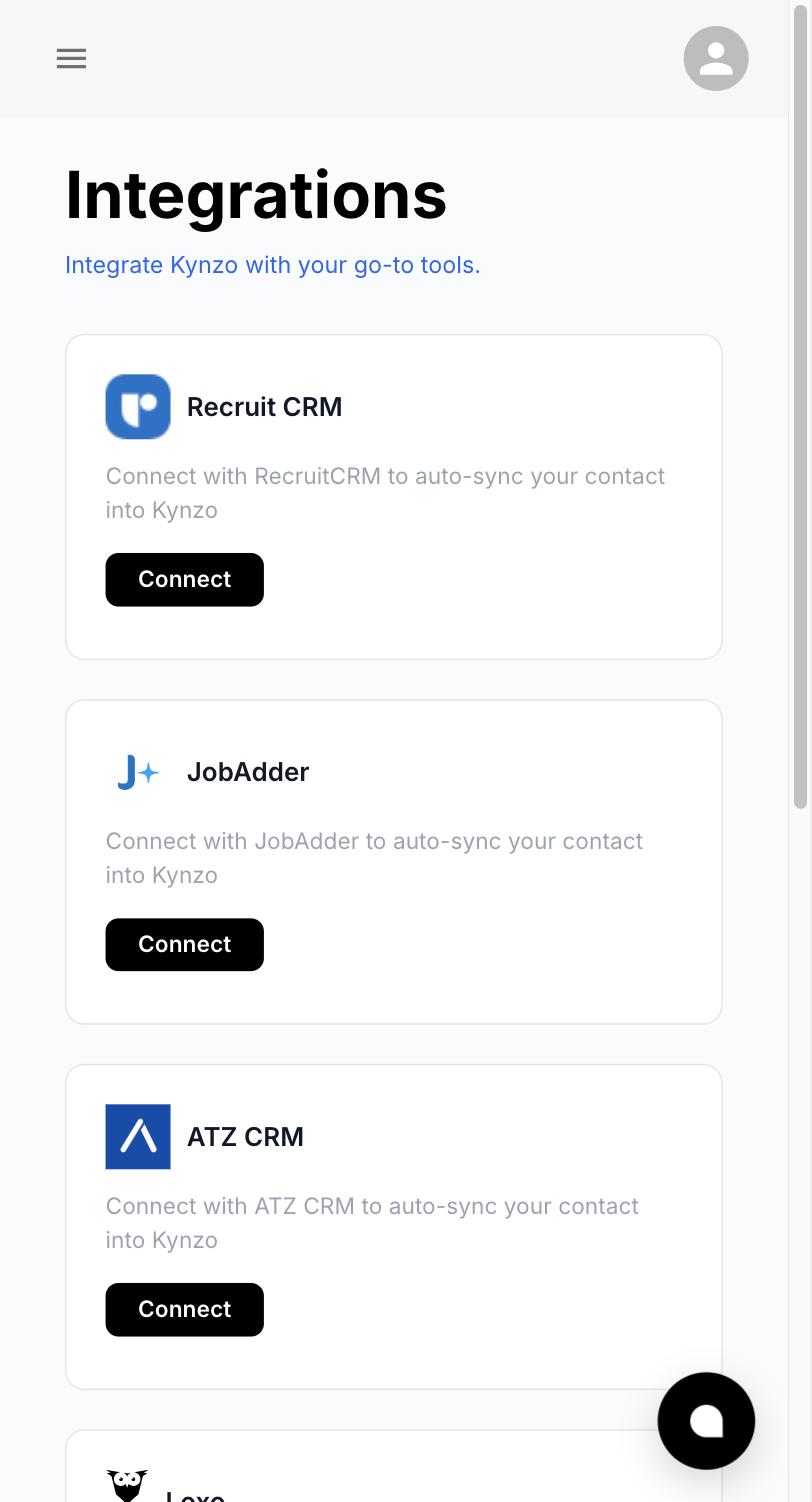
What Kynzo does here: it can synchronize accounts from recruiting and CRM systems such as Recruit CRM, JobAdder, Zoho Recruit, HubSpot, Crelate and Loxo, and you can also save profiles or posts manually. Your target list lives where you already keep it, so you are not retyping names.
Step 2: Watch targets in a dedicated feed
LinkedIn's general feed is built around what it thinks you want to see. A hiring manager's post can easily be buried under content from people you barely know. A dedicated feed fixes this by showing only posts and activity from the people and companies you chose.
Kynzo's Customer Feed does exactly that, through its Chrome extension. You open one view and see what your targets posted, instead of hunting for it.
Step 3: Decide what deserves a comment
Not every post needs a response. Prioritize:
- Posts about hiring, team growth, restructuring or a new initiative (the problems you solve).
- Posts where the hiring manager shares an opinion you can genuinely extend.
- Company announcements from accounts you are trying to win.
Skip posts that are purely personal, sensitive or where you would have nothing to add. A skipped post costs nothing. A weak comment costs credibility.
Step 4: Draft in your own voice
The comment has to sound like a recruiter who knows the market, not a template. Good comments do one of three things: add a data point from your desk, ask a specific follow-up question, or respectfully extend the argument with a short example.
Compare:
| Weak comment | Stronger comment | |---|---| | "Great post, congrats!" | "Congrats on the launch. Hiring for the first enterprise AE tends to be the hardest role in this phase. How are you thinking about ramp time versus prior sales experience?" | | "So true. Thanks for sharing." | "The point about onboarding being the real retention lever matches what we see in engineering searches. Do you track it from week one or day 90?" |
Kynzo's AI Agent drafts or publishes context-aware comments using your voice and specialized tones, so the draft starts from the post in front of it rather than from a canned line. If you want more examples to calibrate, our LinkedIn comment examples and comment personalization guide go deeper. You can also try the free LinkedIn comment generator .
Step 5: Set the pacing controls
This is where "scheduling" really lives. Instead of choosing a clock time for each comment, you define the envelope:
| Control | What it does | A sensible starting point | |---|---|---| | Active hours | Comments only go out when you would plausibly be online | Business hours in your own time zone | | Daily cap | Limits how many comments appear per day | A handful, not dozens | | Randomized delays | Spaces comments by irregular gaps | Minutes apart, never in a burst | | Tone | Matches the comment to the relationship | Warm and curious for new targets |
Kynzo includes active hours, daily caps, randomized delays and tone settings as human-pacing controls. The starting points in the right-hand column are our suggestions for building a routine, not product defaults.
The reasoning is simple. A real recruiter who comments does it in the morning, at lunch and late afternoon, not 40 times in 10 minutes. Pacing that looks like a person's day is both better for relationships and kinder to your account.
Step 6: Track the signals
Commenting is the start, not the result. What you want to know is whether the hiring manager noticed. Watch for:
- *Replies to your comment, the strongest signal.
- *Comment likes from the author, a lightweight acknowledgment. See our note on what comment likes mean .
- *Profile views from the person or their colleagues.
- *Connection accepts after you send a request.
- *Inquiries, when they message you first.
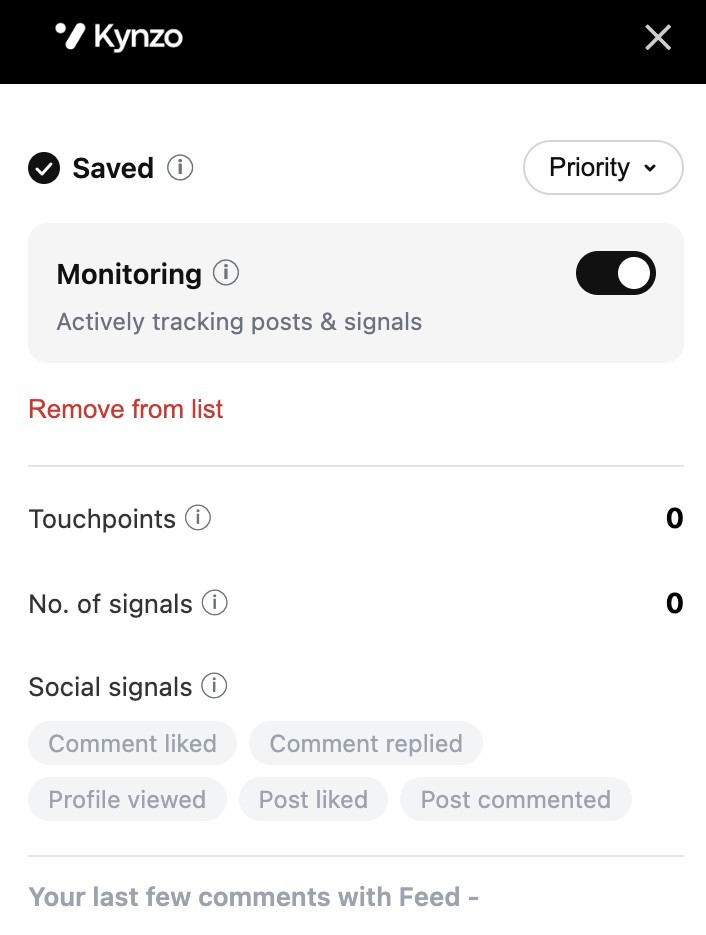
Kynzo tracks replies, comment likes, profile views, connection accepts and inquiries, so you see when a target has warmed up instead of guessing.
What LinkedIn's Recent Changes Mean for Your Routine
LinkedIn has been tightening its stance on inauthentic engagement. Social Media Today reported in February 2026 that LinkedIn plans to remove automated comments from the "Most Relevant" section , let users switch to "Most Recent," and may limit how far auto-generated comments reach beyond the commenter's network, with account restrictions possible for persistent automation. Forbes covered the March 2026 feed update aimed at engagement pods and automation tools , noting that LinkedIn warned of possible restrictions and removal from programs such as Top Voices.
What this means in practice for a recruiter:
- *Specificity is protection. Generic, repetitive comments are exactly what these measures target. Comments that respond to the actual post, in your own voice, are what a human would write.
- *Small beats large. A short list of target accounts and a modest daily cap look and read like normal professional behavior.
- *Pods are out. Swapping likes and comments in a group chat is the opposite of relationship building. Commenting directly on the people you want to work with is the durable alternative.
- *Review your tone settings and drafts regularly. Kynzo lets you draft comments as well as publish them, so you can read what goes out under your name and keep it sounding like you.
The rules continue to evolve, so check LinkedIn's own help pages and professional terms before you change the volume of your activity.
From Comment to Conversation
A comment does not close a deal. It makes you familiar. The NALSC newsletter describes a "public first, private second" path : warm people up in the comments, then move to a direct message anchored in something of value, such as a one-page market snapshot, and follow with a simple, binary question about why.
In practice, a good sequence looks like this:
- *Week 1 to 2: Comment on two or three posts from the same hiring manager. No pitch.
- *When a signal appears: A reply, a like from the author or a profile view means you are no longer a stranger. Send a connection request that references the comment thread.
- *After the connection is accepted: Send a short message that mentions the exchange and offers something useful, for example the salary range data you mentioned in your comment.
- *Then ask: One clear question that is easy to answer, such as whether hiring for that role is a priority this quarter.
This is why we position commenting as a lower-spam alternative to mass messaging and cold InMail. When your first private message arrives after several visible, relevant comments, it is a continuation of a conversation, not an interruption. Our guides on comment versus cold messaging and commenting before connecting cover the reasoning in more detail.
A Sample Day for an Agency Recruiter
Here is what a realistic routine looks like with the feed and pacing controls working for you.
| Time | Action | |---|---| | 8:30 AM | Open the Customer Feed. Scan overnight posts from targets. | | 8:45 AM | Approve or edit drafted comments on the three best posts. | | 12:15 PM | Check replies. Answer anyone who responded to you, quickly. | | 3:30 PM | Review signals: who viewed your profile, who accepted a connection. | | 4:00 PM | Move one warmed contact to a short direct message. |
That is roughly 20 minutes of focused work. The platform handles monitoring and pacing; you handle judgment and the actual relationship.
Common Mistakes When Scheduling Comments
- *Treating comments like posts. Batching comments in advance means they cannot respond to what was actually said.
- *Commenting on everything. Volume without relevance reads as noise.
- *Pitching in the thread. Keep the sales message out of public comments. Add value there, and move the ask to a private message.
- *Ignoring replies. If a hiring manager answers you and you are silent for two days, the warm moment is gone.
- *Never reviewing results. If comments get no replies after a few weeks, adjust your target list or tone rather than raising the cap.
For a deeper playbook, see our LinkedIn comment strategy and the guide on recruiter LinkedIn comments .
Put the Routine Into Practice With Kynzo
Kynzo gives agency recruiters, agency owners and search consultants one place to watch target hiring managers, comment in their own voice and see which conversations are ready for outreach. Installation of the Chrome extension is free, and paid plans are published on the pricing page : STARTER is $12.90 per month, PRO is $30 per month and ELITE is $50 per month.

If you want to see how a founder-led recruitment business approaches this, you can also meet Mike Ames, Kynzo's recruitment business growth expert .
FAQ
Can you schedule comments on LinkedIn?
LinkedIn's native scheduler is designed for posts, not for replies to other people's content. For comments, recruiters set up a pacing routine instead. Kynzo's AI Agent uses active hours, daily caps and randomized delays to release comments at human intervals.
What is the best time to comment on a hiring manager's post?
As early as you can after the post goes live. NALSC points to the first 90 minutes or so as the window when replies carry furthest. A dedicated feed of target accounts helps you see those posts promptly rather than hours later.
How many LinkedIn comments should a recruiter post per day?
Start small, with a handful of relevant comments on your highest-value targets, and raise the number only if the quality holds. A modest daily cap looks natural and keeps each comment thoughtful. Kynzo lets you set the cap yourself.
How do I know when to message someone after commenting?
Look for a reply to your comment, a like from the author, a profile view or an accepted connection request. Any of these means you are familiar. Then send a short, relevant message that references your earlier exchange.
Does LinkedIn allow automated commenting?
LinkedIn has said it is acting against engagement pods and low-quality automation, and reports describe possible account restrictions for persistent automation. Keep comments specific to the post, in your own voice and at a modest pace, and review LinkedIn's current terms before changing your activity.
Sources
- NALSC: LinkedIn commenting, the new cold outreach for 2026
- Social Media Today: LinkedIn outlines more measures to combat engagement pods
- Forbes: LinkedIn just killed engagement pods