

Warm Outbound Sales Playbook for B2B SaaS Teams
A warm outbound playbook gives every seller-initiated message a concrete reason the buyer will recognize: a signal, a relationship, a shared context. For a Seed to Series B team it comes down to four moves: build the account list from systems you already own, watch live signals on those accounts, warm decision-makers before you ask for time, and hand off to a rep the moment readiness peaks. We built Kynzo, the AI Account Agent for Warm Outbound, to run those four moves for every target account, and the rest of this page is the playbook behind it.
Key Takeaways
- Warm outbound is seller-initiated outreach with a reason the buyer accepts on sight. It is not the same as inbound, and it is not the same as a polite cold email.
- Start from your own data (CRM, warehouse, inbox, product usage, contact lists), define the ICP first, and use signals only to rank accounts inside that set.
- Warm before you ask: Acknowledge, Add Perspective, Earn Familiarity (A-A-O), at a human cadence and with daily caps.
- Define "ready" as a score, not a feeling. At 90° readiness, write the activity back to the CRM and alert the rep with a ready-to-send opener.
- Measure weekly engagement and monthly pipeline separately, and check each country's rules before you send.
Table of Contents
- What warm outbound actually is
- The 4-stage warm outbound engine
- Stage 1: Connect the systems you already own
- Stage 2: Track signals, then rank, never guess
- Stage 3: Warm the buyer with A-A-O
- Stage 4: Score readiness and hand off warm
- Metrics that show the playbook is working
- Check the rules for each recipient
- Roles and workflow for a Seed to Series B team
- Where Kynzo fits
- FAQ
- Sources
What warm outbound actually is
One Vendisys guide defines warm outbound as outreach you start, backed by a concrete reason the recipient accepts on sight: a former colleague, a download, a mutual connection, a named trigger or a returning champion. Cold outbound relies on ICP fit alone. The same source reports warm reply rates of 15 to 40% against 1 to 5% for well-executed cold outreach. Treat those as vendor-reported ranges, not a promise for your market.
Temperature is not one dial. WarmGTM separates who initiated contact, how familiar the buyer is, how strong the problem is and how good the timing is. A close relationship can surround a problem nobody is working on. A stranger can reach someone with an urgent one. For a playbook, the practical lesson is that you need to track relationship, problem and timing separately, then act when they line up.
There is also a hard limit: warm sources are finite, and cold volume is effectively unbounded. That is why the playbook below widens the warm pool deliberately, by warming target accounts over time, rather than waiting for warmth to appear.

The 4-stage warm outbound engine
Every stage has a job, an owner and a failure mode. Here is the whole loop before we go deep:
| Stage | What happens | Where teams usually fail | |---|---|---| | 1. Connect | Build target accounts from your CRM, warehouse, inbox, product usage and contact lists | Buying or scraping a cold list, so nothing is warm from day one | | 2. Track | Watch buyer priorities, hiring and job-change triggers, strategic initiatives | Treating every signal as intent | | 3. Warm | Run A-A-O in an executive peer voice at a natural cadence | Pitching in the first touch, or sending from burner domains | | 4. Hand off | Score readiness, write back to the CRM, alert the rep | Handing over a raw alert with no context |
Stage 1: Connect the systems you already own
Your best warm audience is already in your own data. Past opportunities that stalled, product-qualified users at accounts with no sales contact, champions who changed jobs, contacts in a list from an event, and replies sitting in a shared inbox are all warm by definition. A scraped database is none of those things.
Do this in order:
- *Define the ICP first. Outcend advises building the eligible account set from firmographics, operating model, geography, size and technology before any signal is used, and using signals only to rank accounts inside that set.
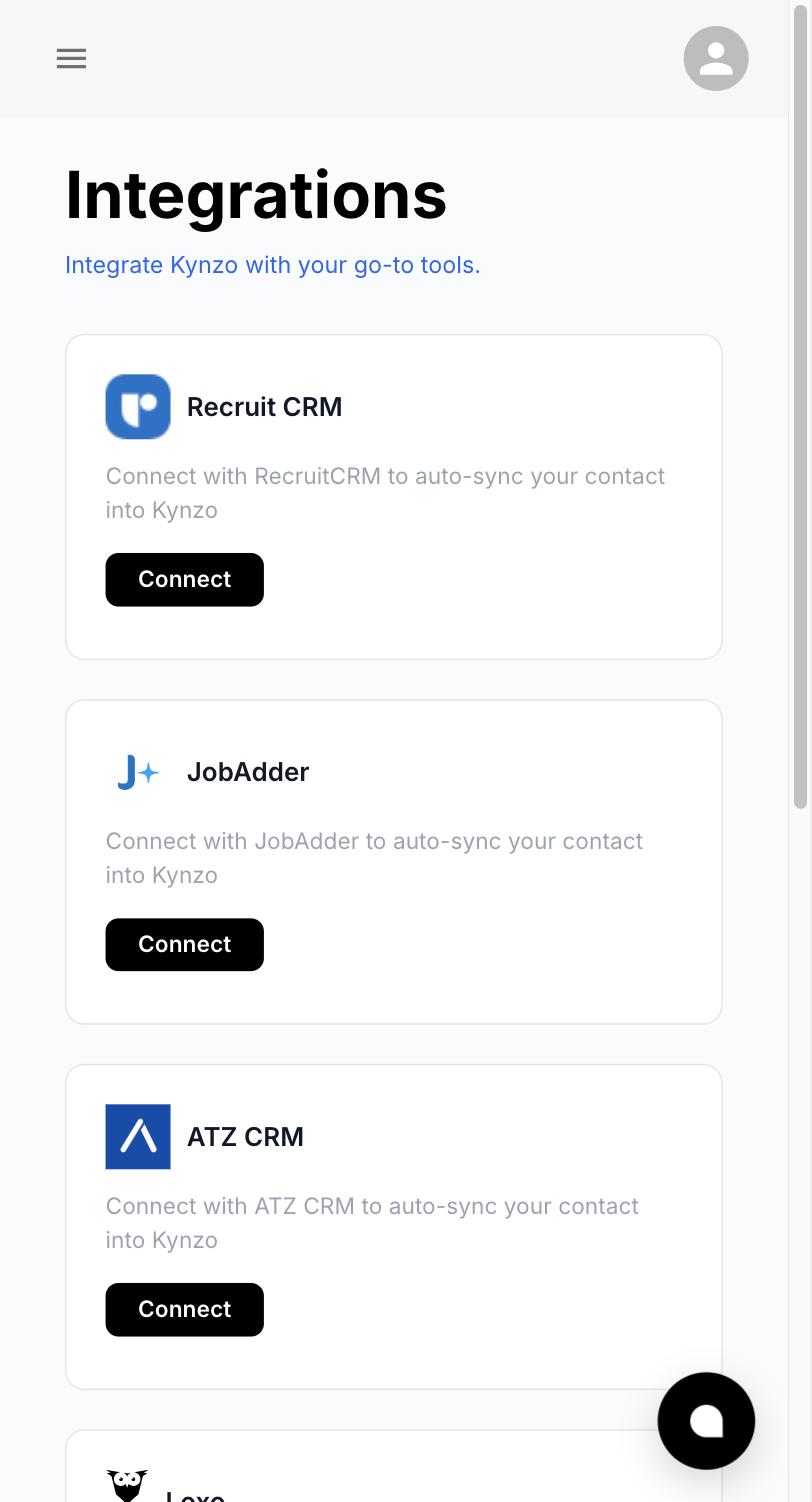
- *Pull from systems of record. CRM, data warehouse, email inbox, product usage and contact lists. Kynzo connects directly to your CRM, your data warehouse (Snowflake, BigQuery, Databricks), your inbox, product usage and contact lists, so the account universe starts with relationships you already have. Our CRM connection guide covers the sync side.
- *Assign one owner per account. In Kynzo, a dedicated AI Account Agent is assigned to every target account. In your own process, name the human AE or SDR who will receive the handoff, so the account never has two owners or none.
- *Cap the list. A short list you can warm properly beats a long list you can only blast. Kynzo's Individual plan covers 10,000 monitored accounts for one user, but your working tier should be the accounts where fit and timing are both plausible.
Stage 2: Track signals, then rank, never guess
Signals tell you when to act, not whether an account belongs on the list. Outcend's warning is worth pinning to your RevOps wall: a new job post is not automatically a buying signal, and website activity is not proof that a decision-maker wants a call. Every signal in your playbook should come with a sentence explaining why it changes priority.
A workable signal set for a Seed to Series B team:
- *Hiring triggers. A new VP of Sales, a burst of SDR postings or a RevOps role can mean a go-to-market change. It is a hypothesis to test, not a fact.
- *Job changes. A past champion lands at a target account. This is the warmest trigger most teams own.
- *Strategic initiatives. Funding announcements, expansion into a region, a product launch, leadership commentary on priorities.
- *Product usage. Sign-ups from a target domain, a new team invited, usage that crosses a threshold.
- *Engagement. Replies, profile views, content interactions with your team.
For scoring, the Pedowitz Group recommends six governed signal categories : ICP fit, buying-committee coverage, intent or research, engagement quality, pipeline reality and operational readiness. It also recommends weights, minimum thresholds, decay for old signals and monthly review of score-to-meeting rate, stage-velocity lift and win-rate lift. Copy the structure, then tune the weights on your own closed-won data.
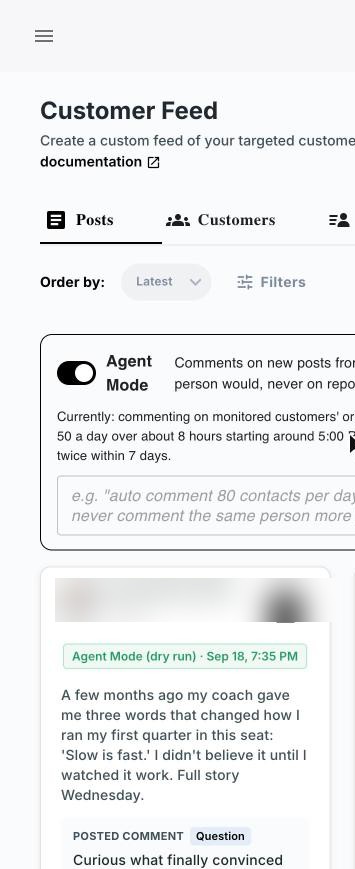
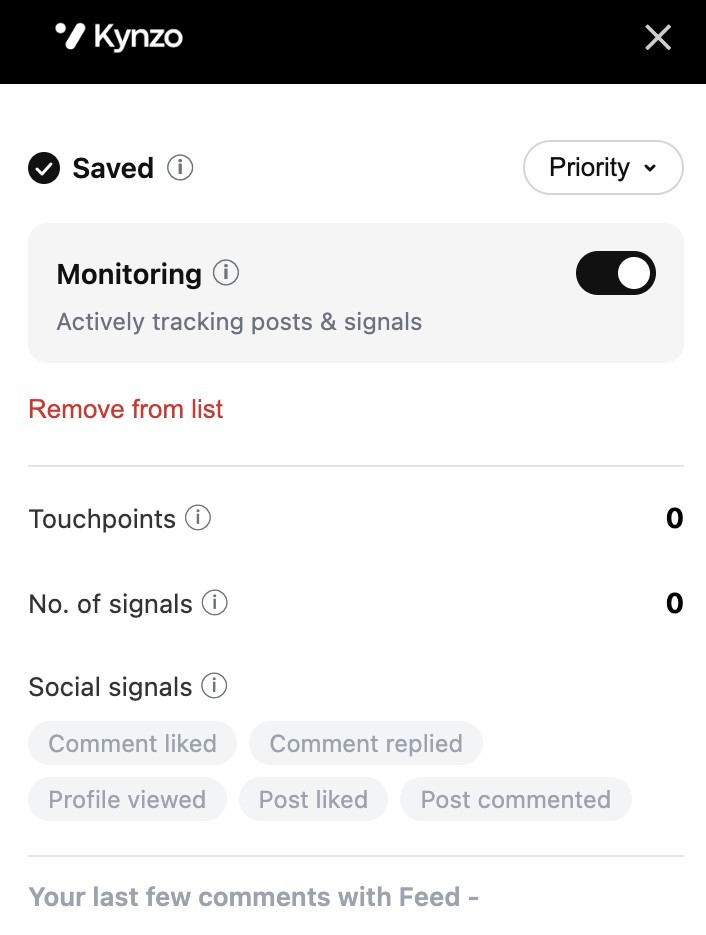
Kynzo's agents monitor live buyer signals, hiring triggers and strategic shifts around the clock and score buyer readiness in real time, which removes the manual dashboard watching that stalls most signal programs.
Stage 3: Warm the buyer with A-A-O
The message is where most warm programs turn cold again. A signal gives you a reason to write. It does not give you the right to pitch. The A-A-O framework keeps the first touches about the buyer:
- *Acknowledge. Reference something specific and public that the buyer said, shipped or hired for. One sentence, no flattery.
- *Add Perspective. Give a peer-level view they can use: a pattern you see across similar companies, a counterpoint, a data point. This is the step that separates a peer from a vendor.
- *Earn Familiarity. Repeat light, relevant contact over time so your name is known before you ask for a meeting. Like a comment, share a useful note, respond to a post.
Here is a worked example. A Series A security company is tracking a target account whose new VP of Sales posted about shortening ramp time for new AEs.
- *Acknowledge: "Your point about ramp time being a pipeline problem, not a training problem, matches what we hear from other Series B teams."
- *Add Perspective: "The ones that cut ramp fastest gave new reps warm accounts on day one instead of a cold list."
- *Earn Familiarity: a later reaction to a post, then a short note when the company announces its next hire.
No ask appears until the account is ready. That is deliberate.
Sequence across channels
Multichannel works because each touch changes how the next is read. BrandID's Sara Fathi explains that a cold email from an unknown sender is an interruption, while the same email after a LinkedIn view reads as a follow-up . The same source recommends a five-touch sequence over two weeks where every touch adds something new, and stopping after five ignored touches.
For account-based programs, Growigami's 28-day Tier 2 sequence is a useful reference: a profile view on day 1, content engagement on day 3, a connection request on day 5, emails on days 2, 7, 12 and 16, a LinkedIn message on day 20 and a trigger-based or breakup email on day 24. Phone is reserved for top-tier or engaged accounts after two to three positive signals. Treat it as a template to adapt, not a law.

Pacing and sender hygiene
Cadence is a deliverability and a trust issue. Our playbook rules:
- Operate inside the buyer's local business hours.
- Add natural human jitter to timing, so activity does not arrive in robotic bursts.
- Set daily caps per sender.
- Send from your real domains. Zero burner domains.
Kynzo runs this way by design: 24/7 monitoring, activity inside local business hours with natural human jitter and daily caps, and no burner domains required. You can start in Copilot mode, where the agent drafts and your rep approves, and move to Autonomous mode once the voice and guardrails are right. For the LinkedIn side of pacing, see our guides on LinkedIn outreach cadence and avoiding LinkedIn spam flags .
Stage 4: Score readiness and hand off warm
Most handoffs fail because the rep gets an alert with no story. A good handoff has three parts: a threshold, a record and a script.
*The threshold. Pick a numeric readiness score and the evidence behind it. Kynzo scores readiness in real time, and an account crossing 90° readiness is treated as ready to talk.
*The record. When an account crosses 90°, Kynzo writes the activity back to your CRM or data warehouse, so the account history is complete without anyone typing notes. Your reps and RevOps team see the same timeline.
*The script. Kynzo sends an instant Slack alert to #gtm-warm-handoffs with a ready-to-send warm opener, so the rep can book the intro call with the context already in front of them.
The rep's job after the alert is to arrive with a hypothesis, not a pitch. As Outcend puts it, the SDR should bring a concise call hypothesis and test it with questions rather than present it as fact. Agree a response-time rule (for example, same business day) so a warm account does not cool while the alert sits in a channel.
Metrics that show the playbook is working
Split your measurement into two clocks.
*Weekly engagement (leading indicators):
- Reply rate and positive reply rate
- Bounce and unsubscribe rates
- Signals detected and accounts moved toward readiness
*Monthly pipeline (lagging indicators):
- Meetings booked per 100 target accounts
- Pipeline value and account progression
- Multi-threading depth (contacts engaged per account)
- Sales cycle length and cost per meeting
Growigami's published targets for a Tier 2 ABM sequence are a 15 to 25% total reply rate, a 5 to 12% positive reply rate, under 3% bounce, under 1% unsubscribe and 3 to 8 meetings per 100 accounts. Use them as a sanity check for the shape of your funnel, not as a quota. For context on cold email, Prospeo's analysis of 16.5 million emails found a 5.8% average reply rate, and warned that a third email can cut reply rates by up to 20%.
Our own benchmarks for Kynzo-run programs are a 3.8x reply lift versus cold email, +40% warm intro conversion and a 34% shorter sales cycle, with zero burner domains required. Set your baseline before launch so you can compare your own numbers against them after 60 to 90 days.
Check the rules for each recipient
Warm does not mean exempt. Rules differ by country and channel, so build a check into the playbook.
- *United States, email. The FTC states that CAN-SPAM covers all commercial email and makes no exception for business-to-business messages . Headers and subject lines must be accurate, and you must honor opt-outs.
- *United Kingdom. The ICO explains that PECR marketing rules apply to corporate and individual subscribers , with differences by channel: the consent rule for email does not apply to corporate subscribers, but sole traders and some partnerships are treated as individuals.
- *EU and other markets. Rules vary by country. Have your counsel confirm the position for each market you sell into before you launch there.
For anything beyond these basics, such as data-processing terms or LinkedIn's platform rules, involve your lawyer or privacy lead. Our guide to LinkedIn mass messaging risks covers the platform side.
Roles and workflow for a Seed to Series B team
You do not need a large team. You need clear ownership.
| Role | Owns | Output | |---|---|---| | Founder or CRO | ICP and the readiness threshold | Target account definition | | RevOps | Data connections, scoring weights, CRM writeback | Clean account timeline | | AEs | Handoff response and the first call | Meetings and pipeline | | SDRs | Reviewing drafts in Copilot mode, coaching voice | Approved warm touches |
A simple weekly rhythm keeps it alive: Monday, review the accounts that crossed a threshold in the last week; midweek, review drafts and message quality; Friday, check reply and meeting numbers against your baseline. Once a month, tune score weights using closed-won and closed-lost data.
Where Kynzo fits
Kynzo is the AI Account Agent for Warm Outbound. It connects to your CRM, data warehouse, inbox, product usage and contact lists, assigns an agent to each target account, warms decision-makers with peer-level perspective at a human cadence, and alerts your team in Slack when an account crosses 90° readiness.
The Individual plan is $100 per month for 1 user and 10,000 accounts monitored. The Team plan is $250 per month for up to 50 users, with 10,000 accounts per user. Enterprise is custom pricing for unlimited users and accounts, with Snowflake, BigQuery and Databricks sync, SAML/SCIM/SSO and a dedicated forward-deployed engineer. Every plan can start with a 14-day free trial, no credit card required.
[

](https://apps.kynzo.io/Onboarding/CreateAccount)
If you want to see the four stages run on your own accounts, start on the Kynzo site .
FAQ
What is the difference between warm outbound and cold outbound?
Warm outbound is seller-initiated outreach with a concrete reason the buyer recognizes, such as a trigger, a shared connection or past contact. Cold outbound relies on ICP fit alone. Both are outbound, since you start the conversation, but warm outreach opens with context the buyer already accepts.
How many touches should a warm outbound sequence have?
A common pattern is five touches over about two weeks, each adding something new, stopping after five ignored touches. Longer account-based programs run about 28 days across LinkedIn and email. Adjust to your sales cycle and review reply data monthly.
Which signals matter most for a SaaS team?
Start with job changes of past champions, hiring triggers, strategic initiatives and product usage at target accounts. Rank them inside an ICP-defined list, and write down why each signal changes priority. A signal with no explanation is noise.
How much does Kynzo cost?
The Individual plan is $100 per month for 1 user and 10,000 accounts monitored, and the Team plan is $250 per month for up to 50 users. Enterprise pricing is custom. A 14-day free trial is available with no credit card required.
Sources
- Warm Outbound vs Cold Outbound: When to Use Each | Vendisys
- Inbound Is Not Always Warm. Outbound Is Not Always Cold | WarmGTM
- Buying Signals and Better Data | Outcend
- How do you define scoring criteria for accounts | Pedowitz Group
- Outbound Lead Generation in 2026 | BrandID
- ABM Outbound Sequences That Actually Convert | Growigami
- Cold Email Templates for SaaS That Get Replies | Prospeo
- CAN-SPAM Act: A Compliance Guide for Business | FTC
- Business-to-business marketing | ICO