

How to Avoid LinkedIn Spam in Recruiter Outreach
You avoid LinkedIn spam by changing the order of events: engage first, message second. Comment on a hiring manager's posts, earn recognition, and only then send a short, specific note that asks a low-stakes question. Generic pitches, copy-paste InMail and rapid-fire follow-ups are what get you ignored, reported or restricted. This guide covers what makes outreach read as spam, a warm-up routine that replaces it, pacing rules, and how to tell whether your outreach is producing conversations.
Key Takeaways
- Spam is defined by the recipient: generic, sender-focused messages with an immediate ask get the label, however polite the wording.
- Warm up with genuine comments on a target hiring manager's posts before you send any direct message.
- Keep the sequence short: one first message, one useful follow-up after about a week, then stop.
- LinkedIn restricts third-party automation, so keep volume human, review drafts, and read the rules before you choose any tool.
- Judge outreach by replies, profile views and accepted connections from the right accounts, not by messages sent.
Table of Contents
- What makes outreach feel like spam to a hiring manager
- Warm up first: the comment-before-message approach
- Writing the direct message that follows
- Follow-up rules: when to stop
- Know LinkedIn's rules on automation
- Where AI helps and where it creates spam
- How Kynzo supports a lower-spam workflow
- Measuring whether outreach is working
- A 15-minute daily routine
- FAQ
- Sources
What makes outreach feel like spam to a hiring manager
A hiring manager at a client company gets pitched by dozens of agencies. They do not sort messages by your intent. They sort by effort: did this person know who I am?
Research from outreach practitioners points to the same patterns. Messages feel spammy when they are generic, poorly researched and focused on the sender, with empty openers and long self-introductions . Recruiters who contact engineers also lose credibility when they ignore the difference between roles, lean on words like "rockstar" or "ninja," or mention compensation without numbers .
For agency recruiters selling to hiring managers (rather than approaching candidates), the same logic applies with higher stakes. A high-fee client relationship can be lost in one lazy message. Here are the signals that most often trigger the spam reaction:
| Signal | What the hiring manager sees | Cleaner alternative | |---|---|---| | Template opener ("I hope this finds you well") | Mass message | Open with a specific reference to their post or hire | | Long self-introduction | A pitch about you | One line on who you are, the rest about them | | Meeting request in message one | Pressure | A question they can answer in one sentence | | Same message to every contact at a company | Automation | One angle per person, based on their role | | Three follow-ups in ten days | Pestering | One follow-up that adds something useful | | Connection request with a pitch attached | Bait and switch | A short note about a shared topic, or no note |
If you want examples of connection notes that avoid this trap, our connection note examples walk through several formats.
Warm up first: the comment-before-message approach
Cold InMail asks a stranger for attention. A thoughtful comment on their post gives them something first. By the time you send a direct message, your name is already familiar.
Recruiting outreach is also different from sales. You are offering opportunity rather than asking for a purchase , so the right goal is a relationship that allows future conversations, not an optimized reply rate on message one. The same source notes that people who comment on or share industry content are showing professional engagement, which is a useful signal on the candidate side. On the client side, it works in reverse: hiring managers who post are telling you what they care about.
A simple weekly routine
We use a structure we call the A-A-O comment engine: *Acknowledge what the author said, *Add one specific piece of your own experience or data, then *Open a door with a short question. Here is how it fits into a week of business development:
- *Build a target list. Pick 30 to 50 hiring managers and company accounts where you want a long-term relationship. Quality beats volume.
- *Watch their activity in one place. Skip the general feed. Follow only your list, whether through LinkedIn's own follow features or a dedicated feed. Our guide to monitoring LinkedIn activity shows how to set this up.
- *Comment two or three times per person over two to three weeks. Add something real: a market data point, a hiring trend you see in their sector, a direct answer to a question they posed.
- *Watch for signals. A reply to your comment, a like on it, a profile view or an accepted connection all tell you the door is opening.
- *Send a short message that references the thread. Not a pitch. A continuation.
What a good comment looks like
Say a VP of Engineering posts about struggling to hire senior backend engineers in a slow market. A weak comment: "Great insight! Totally agree." A strong comment under the A-A-O approach:
"Agreed that the senior pool is thinner than titles suggest. In the searches we've run this year, the engineers actually open to moving ask first about team scope, not salary. Are you seeing the same in your interviews?"
That comment is specific, grounded in your own work, and ends in a question the author wants to answer. It is also something no template could produce. More on structure in our LinkedIn comment strategy guide.
Writing the direct message that follows
Once a hiring manager has engaged with your comments, the message can be short. A workable pattern from hiring-message guidance: say why you chose this person, share one useful detail, and ask a low-pressure question. For a client-side message, that translates to:
- *Why them: reference their post, a role they opened, or a team announcement.
- *One useful detail: a data point about the talent market for that role, or a candidate profile type you are seeing (without naming anyone).
- *A low-stakes question: "Would it help if I sent over how comparable teams are structuring offers right now?"
Notice what is missing: a calendar link, a company overview, a list of services. Those come after they reply.
If you draft many messages and want help keeping them candidate-focused and clear, a free formatting tool such as this LinkedIn post formatter can help you tidy structure and spacing before you hit send.
For tone, avoid superlatives and buzzwords. Write the way you would speak to the person at an industry event.
Follow-up rules: when to stop
Most recruiters over-follow-up. A defensible rule is an initial message, then one useful follow-up after about a week, then close the sequence if there is no response. The same source treats silence as a boundary, and says repeated outreach damages trust.

"Useful" is the operative word. A follow-up that says "just bumping this" adds nothing. A follow-up that links to a relevant market note, or comments on their newest post, gives them a reason to respond.
After the sequence closes, do not delete the contact. Return to commenting. A person who ignored a message in March may reply to a thoughtful comment in June. Our outreach cadence guide covers how to space touches across a quarter.
Timing matters at the margin. One analysis of InMail data found Monday had a 2% higher response rate while Saturday had 13% fewer responses . That covers April 2020 to February 2021, so treat it as a tiebreaker, not a strategy. Relevance beats timing every time.
Know LinkedIn's rules on automation
Spam avoidance is not only about how the recipient feels. It is also about how LinkedIn treats your account.
LinkedIn states that it does not permit third-party software, including bots, browser plug-ins or extensions, that scrape, modify or automate activity on its website , and that it also bans fake engagement and tools that try to manipulate its content algorithms. Its help page on automated activity adds that accounts flagged for this can be restricted until the offending software is disabled.
What does that mean for a recruiter? Read the policy yourself before you adopt any tool, ours included, and decide what level of risk your agency accepts. Practical principles that follow from it:
- *Keep a human in the loop. Review every comment before it goes live, especially on high-value accounts.
- *Keep volume low and believable. A recruiter who comments on a handful of targeted posts a day looks like a recruiter. One who posts 80 comments looks like a script.
- *Never fake engagement. No pods, no purchased likes, no bot-to-bot threads.
- *Do not scrape. Pulling contact data in bulk is the fastest way to a restriction and a privacy problem.
One third-party guide reports that invitation volume recommendations sit around 80 to 100 per day for paid accounts, and far lower for free accounts . Those are an outside vendor's figures, not LinkedIn's, and LinkedIn's actual limits shift. Treat anything near those numbers as the ceiling, not the target. Our LinkedIn rate limits article goes deeper on conservative working ranges.
On pattern detection, one API documentation page says predictable automated patterns can be flagged and recommends random delays between requests and spreading activity across working hours. That is why human pacing controls (active hours, daily caps, randomized delays) matter in any engagement workflow.
If your agency is wiring AI agents into a CRM, it also helps to understand the governance side. CRM automation guardrails explain how revenue teams can limit what automated agents are allowed to do.
Where AI helps and where it creates spam
AI can write ten comments in the time you write one. That is the danger and the opportunity.
*Where it creates spam: identical praise across hundreds of posts, comments with no relation to the post's actual argument, and messages that cite a "recent post" the sender never read.
*Where it helps: drafting a first version in your own voice, based on the specific post, so you can edit and approve. The test is simple. If you removed the author's name, would the comment still make sense on any other post? If yes, it is spam, whether a human or a model wrote it.
We cover the mechanics in more detail in our pieces on AI LinkedIn comments , comment automation and AI for LinkedIn outreach .
How Kynzo supports a lower-spam workflow
Kynzo is built for agency recruiters and search consultants who want warmer client conversations instead of mass messaging. It is designed around the routine above:
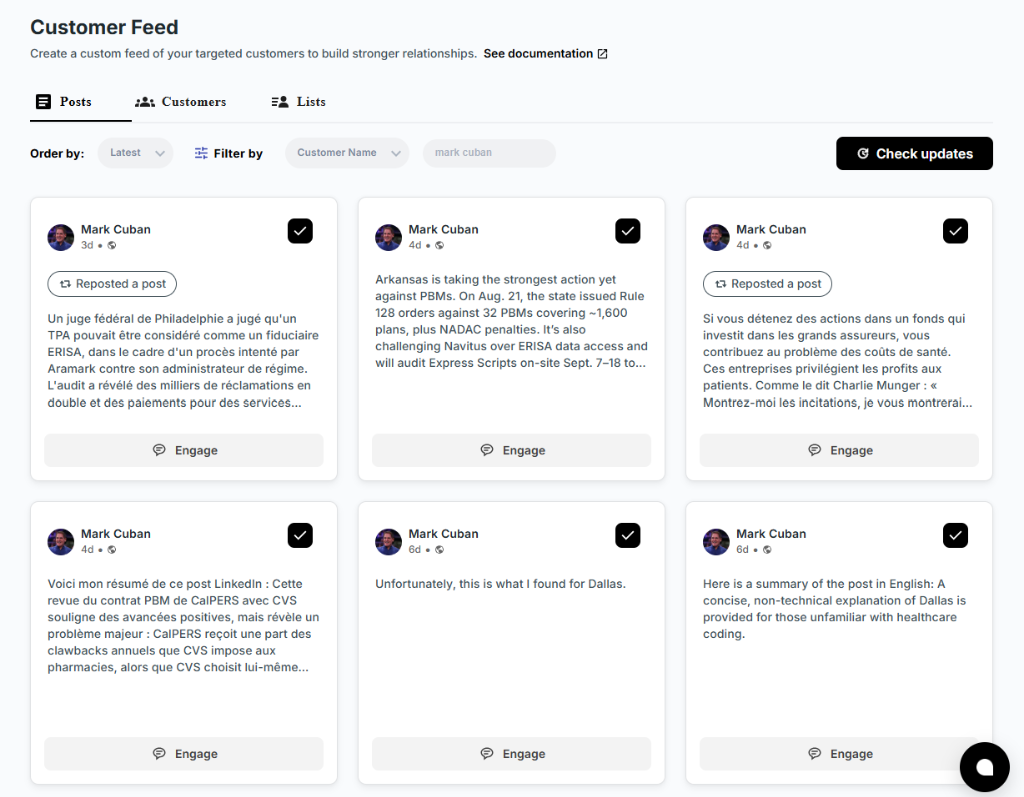
- A Chrome extension and dedicated Customer Feed show posts and activity from your target hiring managers and company accounts, away from the noise of the general feed.
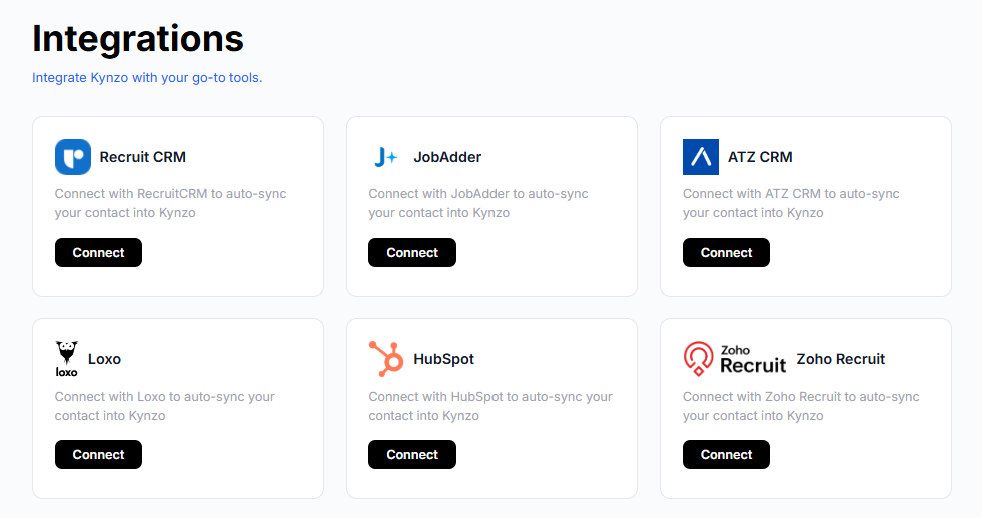
- Target accounts can sync from recruiting systems and CRMs such as Recruit CRM, JobAdder, Zoho Recruit, HubSpot, Crelate and Loxo, or you can save profiles and posts by hand.
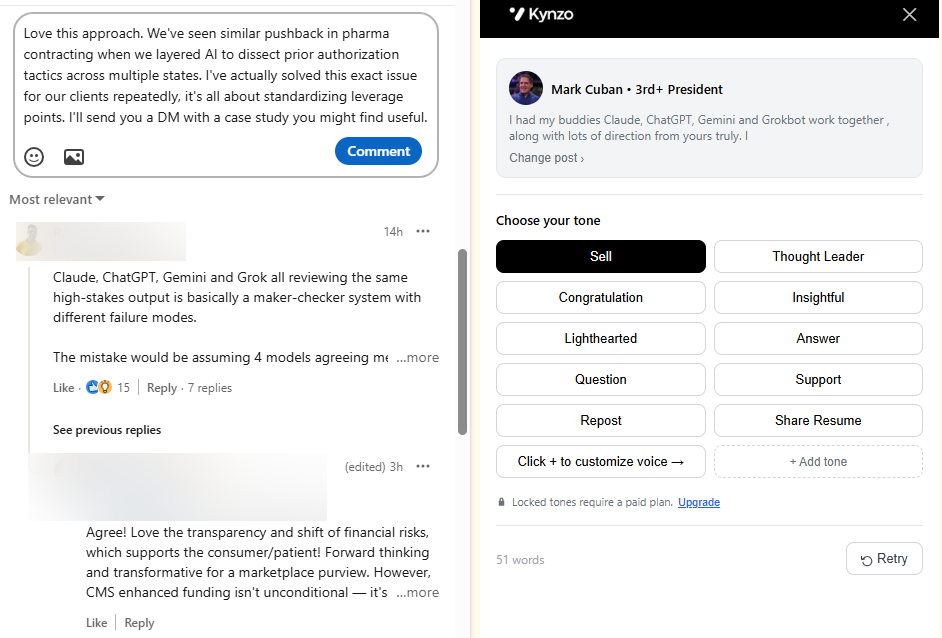
- The AI Agent drafts or publishes context-aware comments in your voice, with tones, active hours, daily caps and randomized delays to keep pacing human.
- Engagement tracking logs replies, comment likes, profile views, connection accepts and inquiries, so you can see when a contact is ready for warm outreach.
Plans are published at $12.90 per month (Starter), $30 per month (Pro) and $50 per month (Elite). See the details on the Kynzo pricing page .

If you are comparing options, our Kynzo vs Engage AI comparison lays out the differences for agency use. For candidate sourcing rather than client engagement, the free Boolean search generator helps you build precise strings instead of casting a wide net.
Measuring whether outreach is working
Messages sent is a vanity metric. What you want to know is whether the right people are responding.
Benchmarks give context. One 2026 benchmark report drawing on Expandi data found staffing and recruiting had the highest post-connection message reply rate, at 18.9% , and that connection acceptance rates averaged 28 to 30% between May 2025 and April 2026. These come from a vendor's own user base, so use them as a rough yardstick, not a promise.
A better scorecard for relationship-led outreach tracks:
| Metric | What it tells you | |---|---| | Replies to your comments | Whether your commentary is valued | | Profile views from target accounts | Curiosity after seeing your name | | Connection accepts from hiring managers | Permission to continue | | Inbound inquiries | The warmth you built paid off | | Discovery calls booked per 100 touches | Whether warmth converts to pipeline | | Reports, ignores or blocks | Early spam warning |
If profile views and comment replies rise but discovery calls stay flat, your messages are the problem, not your engagement. If neither moves, you are either commenting on the wrong people or adding too little. See our guide to LinkedIn engagement signals for how to read each one, and LinkedIn lead generation for recruiters for how to connect signals to pipeline.
When is a hiring manager ready for a direct message?
There is no universal threshold, but a practical rule is two or more independent signals: for example, they replied to a comment and viewed your profile, or accepted your connection after a thread. One like alone is not an invitation. Keep the message tied to the thread where the signal appeared.
A 15-minute daily routine
- *5 minutes: open your target feed and scan new posts from priority accounts.
- *7 minutes: leave two or three specific comments, each with one concrete detail.
- *3 minutes: check signals and log any account that has shown two or more.
Once a week, send two or three short messages to contacts who crossed your signal threshold, and close out any sequence that has had its follow-up and no reply.
FAQ
How do I know if my LinkedIn messages are being treated as spam?
The signs are falling acceptance rates, no replies despite volume, and recipients reporting or blocking you. If LinkedIn restricts your account, it will notify you. Slow down, cut templates, and rebuild with warm engagement first.
Can I send the same message to several people at one client company?
Send one angle per person, based on their role and what they post about. Identical messages to colleagues are easy to spot, since they compare notes, and they read as mass outreach.
How many follow-ups are too many?
One useful follow-up after about a week is a sound limit. After that, stop messaging and return to commenting on their posts. Silence is an answer, and pushing past it costs trust.
Is it safe to use automation for LinkedIn engagement?
LinkedIn's policy prohibits third-party tools that automate activity on its site, so there is account risk and you should read the policy before deciding. If you use any tool, keep daily volume low, review drafts, vary timing and never fake engagement.
Sources
- How to Write LinkedIn Outreach Messages That Don't Feel Spammy (Ciela)
- LinkedIn Recruiting Tips for Tech Roles (NextMantra)
- LinkedIn Outreach for Recruiting Agencies (Infonet)
- Don't send LinkedIn messages on this day of the week (Fast Company)
- Prohibited software and extensions (LinkedIn Help)
- Automated activity on LinkedIn (LinkedIn Help)
- Automatiser LinkedIn : quotas réels et risque de ban (ATTA)
- Platform Best Practices (LinkUp API)
- LinkedIn Outreach Benchmarks 2026 (Overloop)
- CRM Automation Workflows: Guardrails Revenue Teams Need for Agentic AI
- LinkedIn Post Formatter (Contentelli)