

Comment Before You Connect on LinkedIn: A Recruiter's Playbook
Commenting before you connect means engaging with a hiring manager's posts for a few days, then sending a connection request that refers to something you actually said. For agency recruiters, it replaces the cold request from a stranger with a note from a familiar name. The working sequence is simple: follow, leave two or three specific comments over several days, wait 24 to 48 hours after the last one, send a short personalized request, and only then move to a DM.
Below is the full routine: what to say, how long to wait, how to turn a reply into a conversation, and where automation helps and where LinkedIn's rules set limits.
Key Takeaways
- Warm up for 1 to 3 days, then wait 24 to 48 hours after your last comment before you send the request. A reference to your own comment gives the note its reason to exist.
- A good comment adds one specific thing: a number, a counter-example, a skipped step or a sharp question. "Great post" is noise.
- Comment as a peer who understands the hiring manager's market. Never mention open roles, candidates or your fee in a public thread.
- Move to DM only after a reply or another clear signal, and open with their exact point, not a pitch.
- LinkedIn restricts third-party tools that automate activity. Read the policy before you decide how much of the workflow to hand to software.
Table of Contents
- Why commenting first works for agency recruiters
- The sequence: follow, comment, connect, message
- What a comment worth remembering looks like
- The connection request note
- From comment to DM
- A daily routine that fits a desk day
- Using AI without sounding like AI
- Know LinkedIn's rules before you automate
- Where Kynzo fits
- Common mistakes to fix first
- FAQ
- Sources
Why commenting first works for agency recruiters
A hiring manager's inbox already holds dozens of recruiter pitches. A connection request with no context looks like one more. A request from someone whose comment they saw on Tuesday looks like a continuation.
There is also a practical reason. Comments are visible to the author and to everyone in the thread, so you build credibility with the hiring manager and with their peers, who are often your next targets. Following the person instead of connecting first lets you see their posts without asking for anything. LinkedIn itself suggests following as a lower-friction step when you are not ready to connect, as described in its guidance on connecting, following and messaging .
The goal is not to trick anyone into accepting. It is to give the hiring manager one real reason to say yes: they have already seen you say something useful about their world.
The sequence: follow, comment, connect, message
One published outreach playbook recommends following and engaging for 7 to 10 days on high-value targets, then sending a request with one specific reference to their post and waiting 48 to 72 hours after acceptance before messaging. The same source suggests a lighter warm-up of 1 to 3 days, with 24 to 48 hours between your last comment and the invitation. Use the longer window for executives and senior buyers, the shorter one for mid-level hiring managers who post often.
Here is the routine as a table.
| Step | Action | Timing | |---|---|---| | 1 | Follow the hiring manager and save the profile to a target list | Day 0 | | 2 | Leave a specific comment on a recent post | Day 1 | | 3 | Leave a second comment, ideally replying to someone else in the thread | Day 2 to 3 | | 4 | Wait | 24 to 48 hours | | 5 | Send a request with a note that references your comment | Day 4 to 5 | | 6 | Wait after acceptance | 48 to 72 hours | | 7 | Send a short DM: one question, no links | Day 7 to 8 | | 8 | One follow-up after a week of silence, with an easy out | Day 14 to 15 |
The source describes the first DM as roughly 40 to 50 words with one question and no links. That length keeps the message readable on a phone and impossible to mistake for a template blast.
What a comment worth remembering looks like
The research on commenting is consistent. A useful comment adds one specific thing , such as a number, a counter-example, a skipped step or a question, and runs one to three sentences. EveryoneSocial makes the same point from the employee-advocacy side: thoughtful, specific comments stand out because generic praise is noise.
For recruiters, we use a simple three-part check, which we call the A-A-O pattern:
- *Acknowledge the specific point in the post, not the post in general.
- *Add something from your own market view: a data point, an example, a contrasting case.
- *Open the door with a question the author can answer in one line.
The sequence matters. Acknowledging without adding is flattery. Adding without opening ends the thread.
Examples by post type
*Hiring manager posts about a missed quarter or a slow hire.
The part about offers stalling at the final stage matches what we see in fintech engineering: the delay is usually the comp conversation, not the interviews. Did you change who owns that call?
*Hiring manager shares a team milestone.
Shipping that with a team of six is a real constraint. Curious how you decided what to cut first.
*Company account announces expansion.
Opening a second hub usually shifts hiring from one senior generalist to several specialists. Is that the plan for the first year?
Notice what is missing: no mention of candidates, no "we help companies like yours," no link. The research on commenting before connecting is explicit that you should engage as a peer and avoid anything that reads as job seeking or selling . For more patterns by post type, see our collection of LinkedIn comment examples and our guide to building a LinkedIn comment strategy .
Comments to avoid
- "Great post!" or "Thanks for sharing." They add nothing and are what automated tools produced first.
- A comment that restates the post in different words.
- Any mention of your agency's services, fees or open searches.
- Disagreement for its own sake. A respectful different perspective works; a takedown does not.
The connection request note
The note should do three jobs in a few lines: point to your comment, say why you are connecting and stay out of pitch territory. A single reference to the post is enough. Another practitioner guide recommends a personal note that refers to the prospect's post and briefly says what you do . Keep the "what you do" to a clause.
Two patterns that work:
Hi Dana, I commented on your post about stalled offers. Your point on comp ownership stuck with me. I recruit for fintech engineering leaders and enjoy following how you build the team. Would be glad to connect.
Hi Marcus, your note on cutting scope for the six-person launch was useful. I work with product teams scaling past their first hires. Happy to connect and keep following.
Both stay under LinkedIn's note length limit, which is worth confirming before you send. You can paste a draft into our free connection request checker to see the character count and a preview. For more phrasing, we collected connection note examples for recruiters.
From comment to DM
Many people search for how to go from a comment to a DM. The cleanest answer is a handoff in three beats, which Pursue Networking describes : acknowledge the person publicly, reference the exact thread in the DM, and invite a low-pressure continuation rather than pitching.
The National Association of Legal Search Consultants uses the phrase "public first, private second" for the same idea: anchor value in public, then send a context-first DM with a low-pressure either-or question and a reason for asking.
When the hiring manager replies to your comment
- *Reply publicly with a specific acknowledgement and one useful addition.
- *Ask permission to continue in DM, for example: "Happy to share what we are seeing on offer timelines if useful. Want me to send it over?"
- *Send the DM after a yes or another clear signal, naming their exact point.
An example:
Dana, following up on your point about who owns the comp call. Two of our recent searches moved faster when the hiring manager shared the band in the first screen. Happy to send the short breakdown. Would that be useful, or is that already sorted on your side?
One relevant resource, one question, no ask for a meeting. Waiting before the DM also helps: Pursue Networking's view is that giving the public exchange room to breathe makes the DM feel like a continuation instead of a transactional pitch.
When there is no reply
Silence on a comment is normal. Likes, profile views and an accepted connection are all signals too. If the request is accepted, wait 48 to 72 hours and send the short DM. If nothing comes back, follow up once after a week and give an easy out, such as "No worries if the timing is off." Then return to commenting. Logging each contact with its next step and date, as one practitioner guide advises , keeps the follow-ups from slipping. Our outreach cadence guide covers the timing in more depth.
A daily routine that fits a desk day
The sequence only works if it is consistent, and recruiters have calls and searches competing for time. A 20-minute block is enough:
- *5 minutes: open your target feed and scan posts from hiring managers and company accounts, not the general feed.
- *10 minutes: leave two or three A-A-O comments on the best posts.
- *5 minutes: check who replied, viewed your profile or accepted a request, and log the next step.
Five to ten target accounts per week per consultant is easier to sustain than fifty. Depth beats volume: a hiring manager who has seen you three times is worth more than ten who have seen you never.
Using AI without sounding like AI
AI is useful for drafting a first version of a comment or note, especially when you are watching dozens of accounts. The rule that holds up is to read every draft before it goes out , edit it for accuracy and make sure it is genuinely yours. A comment that cites a detail the post never mentioned damages you with exactly the person you wanted to impress.
When you review a draft, check four things: does it respond to what the author actually said, does it add a specific fact or question, does it sound like you, and would you be comfortable if the hiring manager's boss read it. If you are tightening notes and follow-ups, these LinkedIn outreach message templates and touch plan are a good model for keeping messages short and specific.
You can try drafting with our free LinkedIn comment generator , and our guides on AI-generated LinkedIn comments and AI for LinkedIn outreach go through prompts and editing habits.

Know LinkedIn's rules before you automate
This part is not optional reading. LinkedIn's help center states that it does not permit third-party software, including bots and browser extensions, that automate activity on its site, and it warns that members using such tools may see them stop working without notice. It also bars tools that try to manipulate its content algorithms.
What that means in practice:
- Read the policy page yourself and make your own decision about which parts of your routine run on software.
- Keep a human in the loop on every comment and note. Drafting with AI and approving each item yourself is the more conservative way to work than fully hands-off posting.
- Keep volumes modest and your comments genuinely varied. Pacing controls such as daily caps, active hours and randomized delays are designed to keep activity human-paced, but they do not change LinkedIn's policy.
- Treat connection request volume with care, since LinkedIn can temporarily restrict accounts that send too many.
If your agency has compliance or brand guidelines on social activity, check them with the owner or whoever manages your LinkedIn accounts before rolling any tool out to a team.
Where Kynzo fits
The weak point of this whole method is not knowing what to say. It is tracking who to say it to. A general LinkedIn feed buries a hiring manager's post under everything else, and a spreadsheet of targets goes stale.

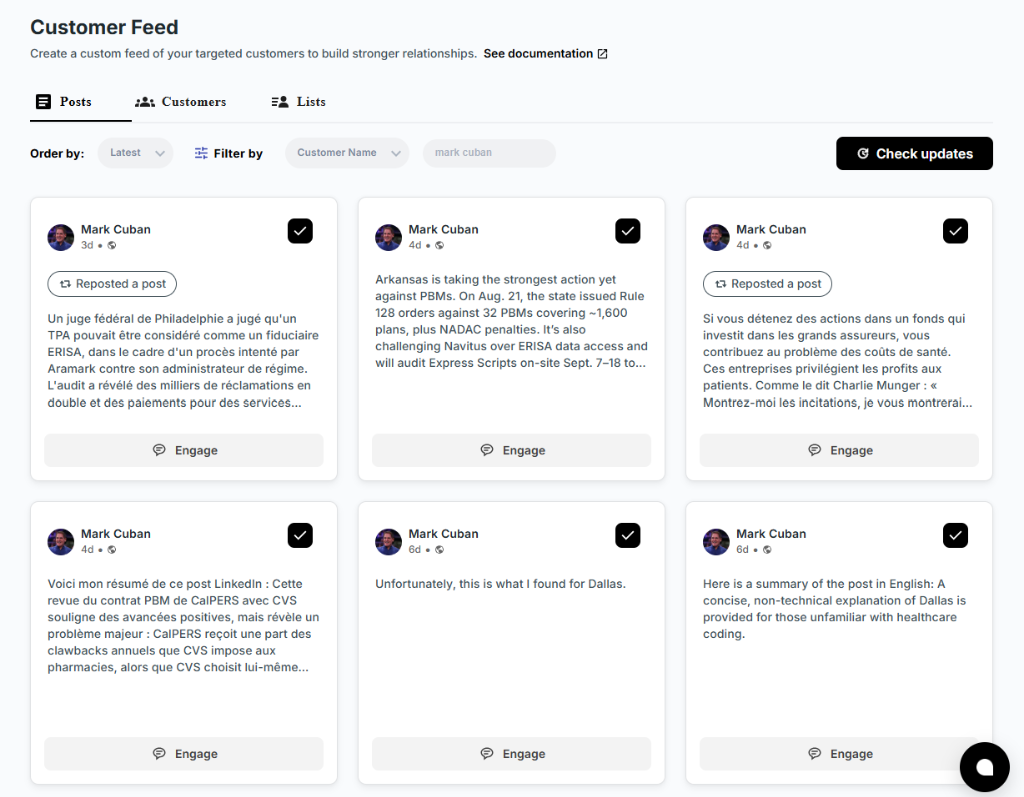
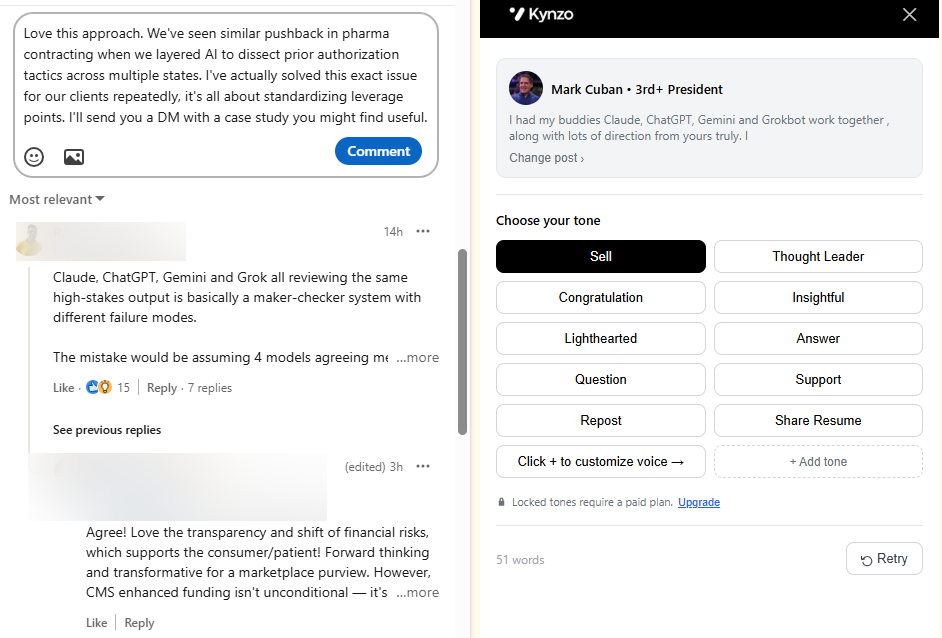
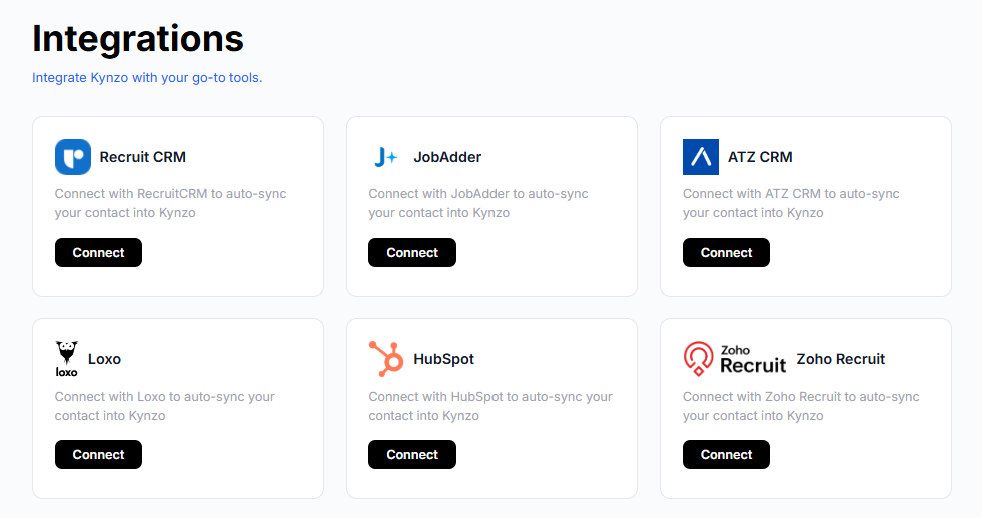
Kynzo is built for that workflow. Its Chrome extension and dedicated Customer Feed let you watch posts and activity from your target hiring managers and company accounts without wading through the general feed. You can sync target accounts from recruiting and CRM systems such as Recruit CRM, JobAdder, Zoho Recruit, HubSpot, Crelate and Loxo, or save profiles and posts manually. The AI Agent drafts context-aware comments in your voice, with tone settings, active hours, daily caps and randomized delays, and the platform tracks signals such as replies, comment likes, profile views, connection accepts and inquiries, so you can see when a warm DM makes sense.
Plans are published at kynzo.io/pricing : Starter is $12.90 per month, Pro is $30 per month and Elite is $50 per month. The Chrome extension installs free. See the Kynzo platform for agency recruiters for the full feature list.

If you want to see how the comment-automation side is set up before choosing a plan, read our guides on LinkedIn comment automation and the AI commenting walkthrough .
Common mistakes to fix first
- *Connecting first, commenting never. The request arrives with no context, and the note has to do all the work.
- *Commenting and connecting on the same day. It looks mechanical. Leave 24 to 48 hours.
- *Pitching in the note. The note earns the acceptance. The pitch comes later, if ever, and only after a conversation exists.
- *Ignoring the replies. A reply to your comment is the strongest signal you will get. Answer it publicly before you go private.
- *Targeting everyone. Choose accounts tied to your best-fee clients and your core niches.
FAQ
Should I comment before I send a connection request on LinkedIn?
Yes, when the person is a high-value target such as a hiring manager. One or two specific comments over a few days give your request a reason to be accepted. Wait 24 to 48 hours after the last comment, then reference it in the note.
How many comments should I leave before connecting?
Two or three specific comments across 1 to 3 days is a workable minimum, and 7 to 10 days of following and engaging suits senior executives. Quality matters more than count. One comment with a real insight beats five generic ones.
How do I move from a LinkedIn comment to a DM?
Reply publicly to their response, then ask whether they would like to continue in DM. Once they say yes, or after a connection is accepted, send a short message naming their exact point, with one useful resource or insight and one question. Do not pitch in the first message.
Can I use AI to write LinkedIn comments?
Yes, as a drafting aid, as long as you read and edit each comment so it is accurate and sounds like you. Check LinkedIn's policy on third-party tools that automate activity before you decide how much of the process to automate.
Sources
- LinkedIn blog: Connect, follow or message
- LinkedIn outreach skill notes (GitHub)
- LinkedIn comment and invite writer, GTM Skills
- Commenting well on LinkedIn, EveryoneSocial
- How do I connect with the right people on LinkedIn
- From Comment to Conversation, Pursue Networking
- LinkedIn commenting: the new cold outreach, NALSC
- The Like-Comment-DM Sequence, Slategit
- Prohibited software and extensions, LinkedIn Help