

LinkedIn Connection Note Examples for Recruiters
A good connection note does three things in under 200 characters: it says who you are, why you are reaching out, and what triggered it. Below are 14 note examples built for agency recruiters and search consultants, sorted by situation (hiring managers, past candidates, event contacts, referrals), plus the limits LinkedIn enforces and what the acceptance-rate data does and does not tell you.
Key takeaways
- Name a specific trigger (a post, a hiring announcement, an event, a shared contact) and keep to one ask. Skip the pitch.
- Free LinkedIn accounts can personalize only a handful of invitations per month at 200 characters each, so notes are a scarce resource. Spend them on high-fee targets.
- Published acceptance figures are close to a coin flip between note and no note. A generic note does not help; a specific one earns replies.
- Acceptance is the start, not the goal. The note should set up a warm, relevant conversation, not a submission pitch.
- Engaging with a hiring manager's posts before you send the request makes the note easier to write and easier to accept.
Table of Contents
- What LinkedIn allows in a connection note
- The anatomy of a note that gets accepted
- Connection note examples for hiring managers and client prospects
- Examples for candidates, referrals and events
- Mistakes that get a recruiter's invite ignored
- What the acceptance-rate data says
- Warm the target first, then send the request
- Build your own note bank
- Where Kynzo fits
- FAQ
- Sources
What LinkedIn allows in a connection note
Before you write, know the constraints. LinkedIn's help page says that members can add a personalized message to up to five connection requests per month, each with a 200-character limit, while Premium members have no limit on the number of personalized messages . Third-party guides often quote 300 characters for paid tiers, and limits have shifted over the years, so check the counter on your own account before you build templates around a number.
Three practical consequences for recruiters:
- *Write to 200 characters, always. A note that fits the tighter limit works everywhere. Spaces and emojis count.
- *Ration notes if you are on a free account. Use them for hiring managers and decision makers, and send plain requests to lower-value contacts.
- *Preview before sending. Our free LinkedIn connection request checker counts characters and previews your note so you do not discover a cut-off sentence after the invite is gone.
The anatomy of a note that gets accepted
Jobscan's guidance says an effective invitation should answer who you are, why you want to connect, and how you found the person, and it suggests anchoring on a shared connection, event, group, post or specific reason . A recruiter-specific write-up recommends a structure of a specific anchor, a professional reason, and no sales-style call to action .
For agency recruiters, we turn that into four parts:
| Part | Job | Example fragment | |---|---|---| | Greeting | Use their first name, nothing else | "Hi Dana," | | Anchor | Prove you looked at them | "Your post on scaling the data team in Austin..." | | Context | One clause on who you are | "I recruit senior data engineers for SaaS firms." | | Ask | One soft ask, never a meeting request | "Would be good to connect." |
The anchor does the heavy lifting. If you cannot name one, you do not yet have a reason to write. Interview Signal's recruiter templates make the same point: preserve the specific project or skill, keep one ask, and drop generic company promotion .
Connection note examples for hiring managers and client prospects

This is where agency recruiters earn their fees, so it gets the most examples. Replace the brackets with real details, then trim to 200 characters.
Reacting to a post
Hi [Name], your post on [topic] matched what I see with [function] hires lately: [one-line observation]. I recruit in this space and would like to follow your updates.
Use when the manager has posted within the last week. The observation must be yours, not a paraphrase of their post.
After a comment exchange
Hi [Name], enjoyed the exchange under [Person]'s post about [topic]. Your point on [detail] stuck with me. Happy to connect here.
This is the strongest pattern because the person already recognizes your name. It is also why we build commenting into the workflow (more on that below).
A hiring signal
Hi [Name], congratulations on the [Company] expansion into [market]. I work with [function] leaders in [industry] and thought it worth connecting.
Signals include funding news, new office openings, a leadership change or a cluster of open roles. Note that you are connecting, not asking for the search.
A new-in-role hiring manager
Hi [Name], saw you joined [Company] as [title]. I've placed [function] talent in [industry] for a few years. Welcome, and happy to connect.
Only state placements you have actually made. Keep the claim modest and true.
A shared connection
Hi [Name], [Mutual] and I worked together on a [function] search last year and they mentioned your team's approach to [topic]. Would value being connected.
Get the mutual's agreement before you name them as a reference.
An executive search angle
Hi [Name], I run searches for [level] roles in [sector] and follow how leaders like you build [type] teams. Your recent talk on [topic] was useful. Glad to connect.
Senior readers dislike anything that sounds like a pitch, so lead with respect for their work and leave the search out entirely.
Examples for candidates, referrals and events
Not every request is business development. These cover the rest of an agency recruiter's week.
A passive candidate
Hi [Name], your work on [project or skill] caught my eye. I recruit [role type] in [city or sector]. No pitch, just keen to be in touch if the timing is ever right.
The Interview Signal templates cover passive prospects and referrals in this manner, and the lesson is consistent: name the project, not the job.
A referral
Hi [Name], [Referrer] suggested I get in touch. I'm recruiting for [role type] and they thought you'd know the market. Happy to connect.
An event contact
Hi [Name], good to hear you speak at [Event] yesterday. Your point about [detail] was the one I kept thinking about. Let's stay connected.
One event-focused template guide says to mention a point the person made and to send the request the same day or the next . Memory fades fast.
A past applicant
Hi [Name], we spoke about the [role] role a while back. Nothing to ask now, but I'd like to stay connected as new [function] roles come up.
An alumni or group contact
Hi [Name], we're both in the [Group] group and I liked your answer on [topic]. I recruit in the area and would like to connect with others working on it.
After a call or meeting
Hi [Name], thanks for the time today. Good to put a face to the name. Connecting here so we can stay in touch.
Follow-up notes are a common pattern across professions. Consultants in other fields use the same approach, for example when running exit interviews for a client and wanting to stay in contact afterward.
Mistakes that get a recruiter's invite ignored
The same errors show up over and over:
- *One note for everyone. Interview Signal lists sending the same note to everyone as a core mistake. Hiring managers receive recruiter requests daily and spot the template instantly.
- *Pitching in the note. "We have great candidates for your open roles" turns a connection request into a cold ad.
- *Two or three asks. Connect, take a call, and look at a CV is too many. Ask for the connection and nothing else.
- *Treating acceptance as consent. The same source warns against assuming that someone who accepts has agreed to be sent candidates or submissions. Acceptance means they are open to seeing your name, nothing more.
- *Flattery without detail. "Impressed by your impressive career" says you read nothing.
- *Leaving the sentence cut off. Check the character count; truncated notes look careless.
Also know when to skip the note. Jobscan's perspective is that personalization pays off when it explains the connection, but a note is unnecessary when your profile already makes the relationship obvious. A former colleague does not need a paragraph.
What the acceptance-rate data says
Buyers of outreach tools love to quote a single acceptance rate. Treat any single figure with caution.
*What the term means. Connection acceptance rate is the share of invitations you sent that were accepted: accepted divided by sent, over a defined period. Count only invitations that reached a decision or a fixed window (for example 30 days), otherwise pending requests drag the number down artificially.
*What published data shows. One widely repeated dataset, covered by The Sales Evangelist, cites a Snov.io analysis of 865,000 invites in which 30% were accepted without a message versus 27% with personalized notes . The same discussion notes that profile-based decisions and prior engagement affect results and that meaningful engagement matters more than acceptance alone.
A small practitioner test is consistent with that. One 2026 experiment of 40 invitations to recruiters found a generic note slightly lowered acceptance versus no note, while specific notes drew the best replies . It is a tiny sample and proves no general effect, but the direction matches the 865,000-invite figure.
What can you reasonably infer?
- A weak note is worse than none. If you cannot be specific, send a blank request.
- The note's main job is not raising the acceptance percentage. It is setting up the first conversation.
- Your own tracking matters more than anyone's benchmark. Log accepted, ignored, and replied per segment (hiring managers, candidates, referrals) and compare your notes against your own blanks.
The factor that outweighs wording is relationship history. Someone who has already seen your comments under their posts is far more likely to accept than a stranger, whatever you write.
Warm the target first, then send the request
The best connection notes are the shortest, because the hard part happened earlier. A hiring manager who has seen three thoughtful comments from you in a fortnight does not need persuasion; the note can simply say "enjoyed trading comments on your posts."
A simple routine for an agency recruiter:
- *Build a target list of 30 to 50 hiring managers and company accounts you want as clients.
- *Follow their activity in a focused feed rather than LinkedIn's general one, so you do not scroll past them.
- *Comment on two or three posts with a real point of view. Our guides on LinkedIn comment examples and comment strategy show how.
- *Send the request with a note that references the exchange.
- *Watch the signals: a reply, a comment like, a profile view or an accept. These tell you when warm outreach is appropriate. See engagement signals for how to read them.
- *Only then move to a message, following a measured outreach cadence .
This sequence replaces cold InMail with a relationship that has a reason to exist. For the wider picture, our piece on LinkedIn lead generation for recruiters puts notes in context.
Build your own note bank
Copying templates verbatim defeats the purpose, because everyone else copies the same ones. Instead:
- Pick five situations from the examples above that match your weekly work.
- Write each as a skeleton with two or three fill-in slots (name, anchor, detail).
- Keep every skeleton below 180 characters, leaving room for a longer name or title.
- Test them in the character checker.
- Review after 50 sends per skeleton and keep those that produce replies, not just accepts.
A few style rules help your notes sound like you:
- Write the way you speak to a client, in short sentences.
- Use their language: if they say "talent acquisition," do not say "hiring."
- One emoji at most, and usually none for senior targets.
- Never use their job title as flattery. Use their work.
Where Kynzo fits
Notes are a one-shot tool. Kynzo is built for the work around them: the sustained, visible presence that makes a hiring manager recognize you before the request arrives.
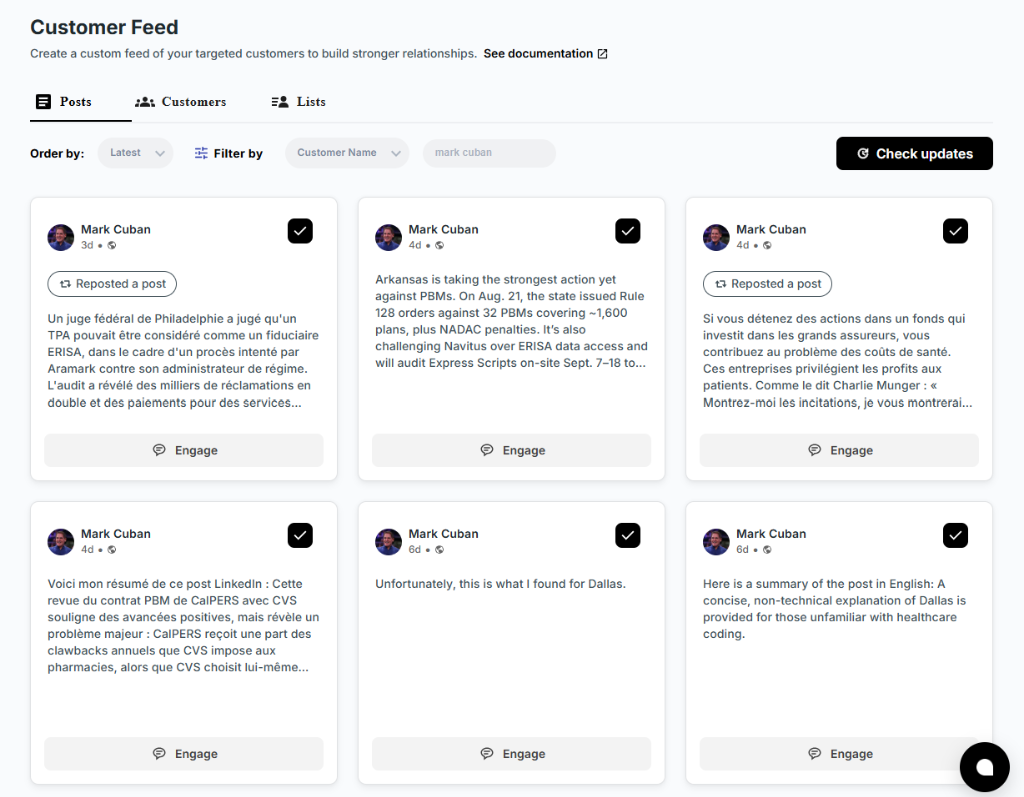
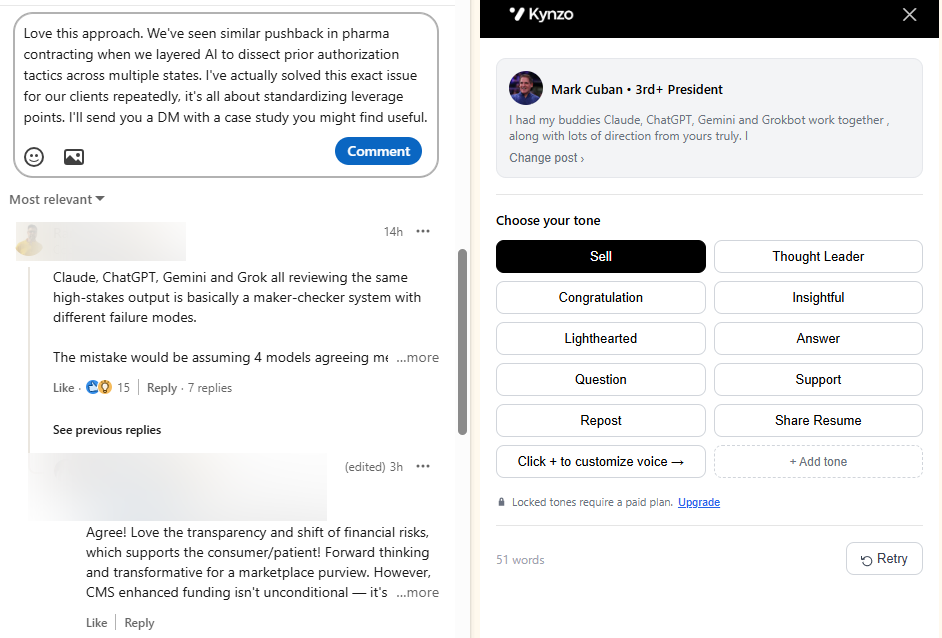
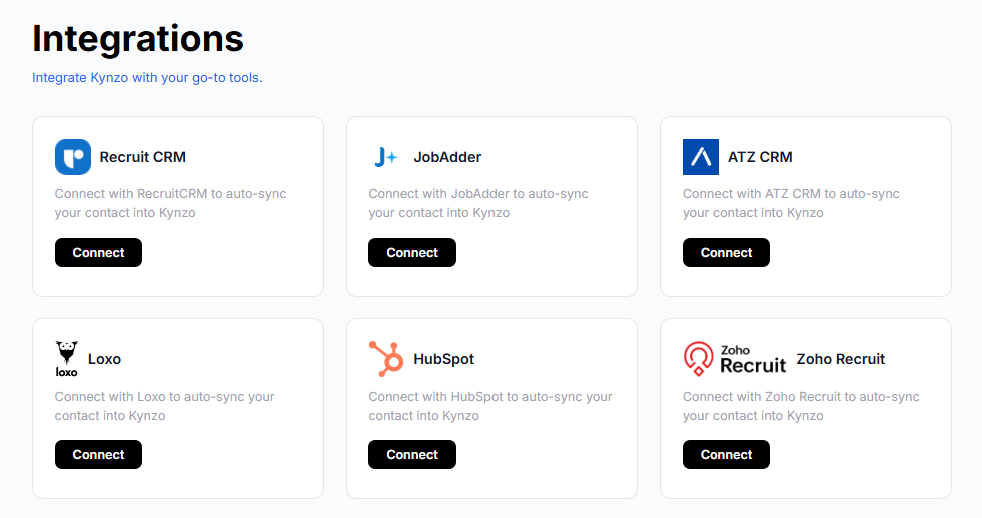
The Kynzo Chrome extension and Customer Feed let you follow posts and activity from your target hiring managers and company accounts without wading through LinkedIn's general feed. You can sync target accounts from recruiting and CRM systems such as Recruit CRM, JobAdder, Zoho Recruit, HubSpot, Crelate and Loxo, or save profiles and posts manually. The AI Agent drafts or publishes context-aware comments in your own voice, with active hours, daily caps and randomized delays to keep pacing human. It also tracks replies, comment likes, profile views, connection accepts and inquiries so you can see when a contact is ready for a conversation.

Plans are published at kynzo.io/pricing : STARTER at $12.90 per month, PRO at $30 per month, and ELITE at $50 per month. Installing the extension is free. If you want to try comment drafting first, the free LinkedIn comment generator needs no account setup. To see how it all connects to your records, read our guide to connecting LinkedIn to your CRM , or start at Kynzo .
FAQ
How long should a LinkedIn connection note be?
Write to 200 characters or fewer, which is the limit LinkedIn's help page gives for personalized invitations. In practice, one specific sentence about the person and one about why you are reaching out is enough. Paste your draft into a character checker before sending.
Should I add a note to every connection request?
Not necessarily. Free accounts have a monthly cap on personalized invitations, and a generic note can do slightly worse than none. Add a note when you have a real anchor, such as a post, event or mutual contact, and send a plain request when you do not.
What is a good LinkedIn connection acceptance rate?
There is no official benchmark. One large analysis cited by The Sales Evangelist put acceptance near 30% without a note and 27% with personalized ones, but results depend on your profile, your targets and prior engagement. Compare your own results by segment over a fixed window.
How do I reply when someone accepts and says glad to connect?
Keep the reply short and specific: thank them, mention the shared topic or the post that led you to them, and ask no favor yet. Save the business conversation until you have seen a second signal, such as a reply or profile view.
Can recruiters send connection notes to hiring managers without sounding salesy?
Yes. Reference their work, state your focus in one clause, and leave out any offer of candidates or services. The note should read as one professional acknowledging another.
Sources
- Personalize invitations to connect, LinkedIn Help
- Reach Out: How to Connect with Someone on LinkedIn, Jobscan
- What to Write in a LinkedIn Connection Request to a Hiring Manager, Angld
- LinkedIn Connection Request Templates for Recruiters, Interview Signal
- LinkedIn Connection Request Message Generator and Templates, Expertise.ai
- Should I Have A Note In My LinkedIn Connection Request?, The Sales Evangelist
- I Sent 40 LinkedIn Connection Requests to Recruiters, Charlie Morrison
- Running exit interviews for a client, Door Openers