

Executive Search LinkedIn Outreach: A Warm-Up Playbook
The executive search LinkedIn outreach that works is slow at the start and short at the end. You identify the real hiring manager, spend a few weeks engaging with their posts, send a connection request that references something specific, and only then ask for a conversation. Cold pitches to strangers are what get ignored. Familiarity is what gets a reply.
This playbook walks through that sequence for search consultants and agency recruiters who want high-fee client relationships, not a bigger pile of unanswered messages.
Key Takeaways
- Find the person who owns the hire, not just the person with "talent" in their title, and watch for signals such as funding, appointments and headcount growth.
- Treat your profile as a sales landing page before you contact anyone: value-proposition headline, client-focused About section, results in Featured.
- Comment on a target's posts for weeks before you message. One-to-one engagement is the step that turns visibility into mandates.
- Keep follow-ups few and spaced out, and review any AI-drafted comment before it represents you.
- Measure the chain from comments to replies to conversations, not message volume.
Table of Contents
- Why executive search outreach is different from sales outreach
- Step 1: Identify the right hiring manager
- Step 2: Make your profile do the selling
- Step 3: Build familiarity before you message
- Step 4: Send a connection request that earns acceptance
- Step 5: Follow up without becoming noise
- Using AI and automation without damaging trust
- How to tell whether your outreach is working
- Put the warm-up on a system with Kynzo
- FAQ
- Sources
Why executive search outreach is different from sales outreach
A sales rep can send a templated pitch to a thousand prospects and live with a one percent reply rate. A search consultant cannot. Your buyers are a small group of senior leaders, they talk to each other, and your reputation with them is the asset you sell. One careless message to a CHRO or a founder can close a door for years.
That changes how you plan outreach. Recruiting outreach is not the same as sales outreach: one agency guide warns that four aggressive follow-ups in ten days can damage a recruiter's reputation , and that warning applies to client-side targets as much as passive candidates. The goal is a conversation that starts with recognition, not a pitch that starts with a request.
We cover the wider approach to this in our guide on executive search on LinkedIn , and the business development angle in our piece on recruiter business development on LinkedIn . Here, the focus is the outreach sequence itself.
Step 1: Identify the right hiring manager
Outreach fails first at targeting. If you message the wrong person, even a perfect note goes nowhere. Use three checks.
*Work backward from the job posting. One practical method is to cross-reference a posting with LinkedIn People search , filtering by company and by titles one or two levels above the advertised role.
*Confirm with the team structure. The same guide suggests confirming the person through reporting language in the posting, the team structure showing who reports to them, and their recent activity about team growth or launches. For an executive role, the hiring manager is often the CEO, a board chair or a functional head. The person who posted the job is frequently an internal recruiter, who is a different relationship.
*Watch for hiring triggers. Agencies can track funding rounds, executive appointments and rapid headcount growth as signs that a hiring need is active or about to be. A new CFO who just joined a company often rebuilds a finance team within months. A company that just raised a round usually has leadership seats to fill.

Build a short, ranked target list
Resist the urge to build a list of 500. Fifty to eighty accounts you can really follow beats a long list you never look at. For each account, record:
- The decision maker and one influencer around them
- The trigger that put them on the list
- The last time you engaged with them
- Where they sit in your CRM, if at all
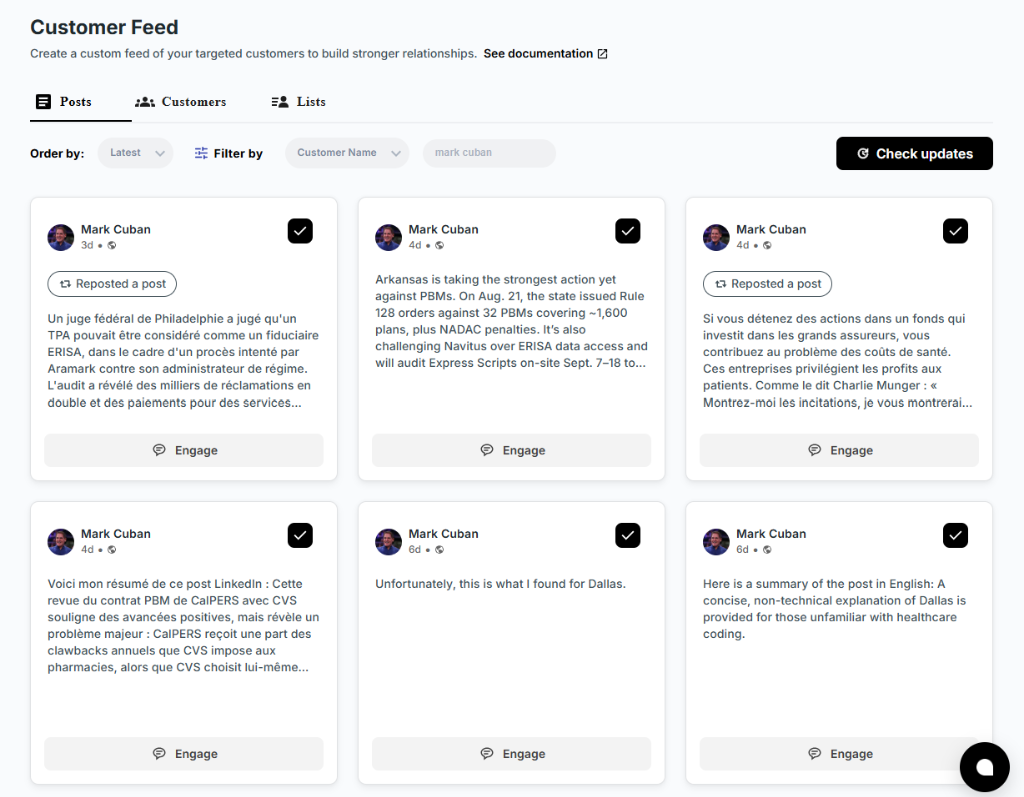
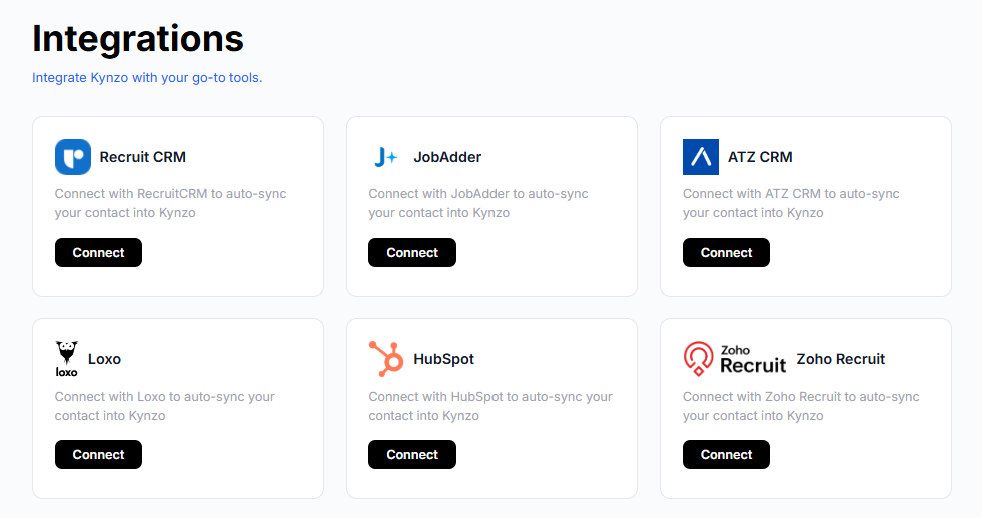
This is where a tool earns its keep. Kynzo can synchronize target accounts from recruiting and CRM systems such as Recruit CRM, JobAdder, Zoho Recruit, HubSpot, Crelate and Loxo, and you can also save profiles or posts manually. Those accounts then appear in a dedicated Customer Feed, so you are watching your targets and not scrolling LinkedIn's general feed.
Step 2: Make your profile do the selling
A hiring manager who gets a comment or a request from you will click your profile. What they see decides whether the next message is welcome.
The Elite Recruiter Podcast frames the recruiter profile as a sales landing page: the headline should state a value proposition for your target audience, and the About section should speak to client pain points , with a Featured section that shows results.
For an executive search consultant, that looks like this:
| Profile element | Weak version | Stronger version | |---|---|---| | Headline | Senior Recruiter at Firm X | Placing CFOs and finance leaders for growth-stage SaaS companies | | About | A list of your services and years of experience | The leadership hiring problems you solve, how you work, and who you work with | | Featured | Nothing, or a firm brochure | A market insight post, a role-specific hiring guide, a case summary you may share |
Keep claims you can stand behind. Do not list placement numbers or client names you are not cleared to share.
Step 3: Build familiarity before you message
This is the step most outreach skips, and it is the step that matters most for executive search.
The advice from executive search practitioners is consistent: comment meaningfully on a target's posts and acknowledge their professional wins for weeks before sending a direct message. The same source notes that content builds trust at scale, but turning visibility into mandates takes the deliberate, one-to-one step of engaging with the person directly.
The Elite Recruiter Podcast puts the principle well: content should work as a handshake, not a billboard. It should serve and educate the audience so that trust exists before a transaction is attempted .
You can also position yourself as a resource by sharing relevant articles, market insights and salary benchmarks . A hiring manager who sees you consistently add useful context to their field will remember your name when your message arrives.
What a good comment looks like
A good comment does three things: it refers to something specific in the post, adds a small piece of your own perspective, and does not ask for anything.
Example. A VP of Engineering posts about scaling a platform team from 12 to 40 engineers. A weak comment says "Great post, congrats!" A stronger one says:
The jump from 12 to 40 is usually where the second layer of engineering managers becomes the real constraint. Curious whether you hired them from within or brought in outside leads.
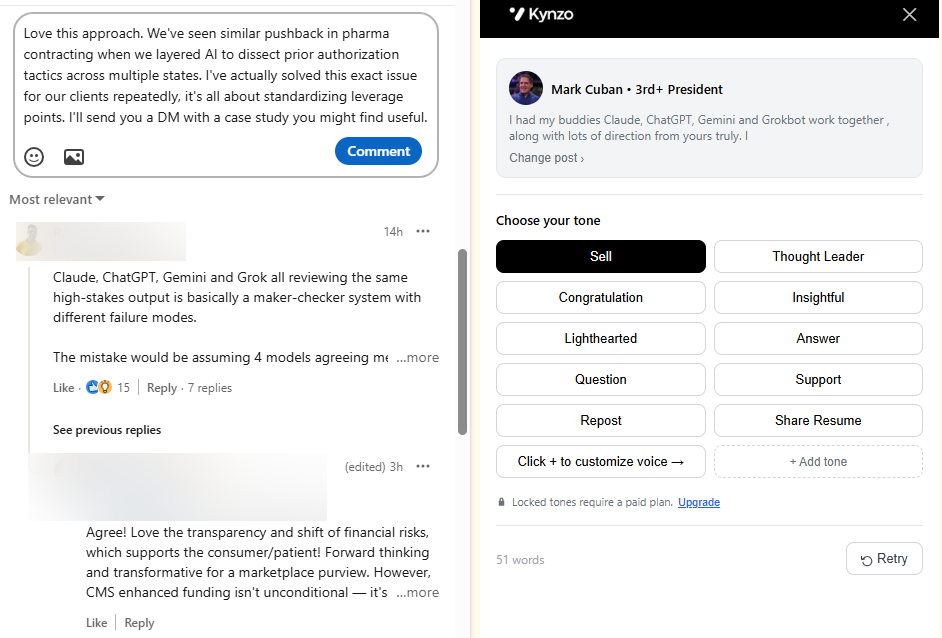
It shows you understand the problem, invites a reply, and does not mention your services. If you want a starting point for drafting, the free LinkedIn comment generator gives you a first version to edit in your own voice.
A weekly rhythm that fits around billable work
- *Monday: open your Customer Feed and scan posts from your top 20 targets.
- *Tuesday to Thursday: leave five to eight thoughtful comments a day on the posts where you have something to add.
- *Friday: log who replied, who liked your comment and who viewed your profile. Move the warmest accounts to the connection stage.
Keeping a record of each relationship matters. A dedicated relationship tracking tool can hold notes on personal connections, but for client targets you will want that history in your recruiting CRM, where the rest of the account lives.
Our article on LinkedIn engagement signals explains which interactions suggest a person is ready for outreach.
Step 4: Send a connection request that earns acceptance
By now the hiring manager has seen your name several times. The request should confirm that familiarity, not start from zero.
A few principles from practice:
- *Reference the shared context. Mention the post you commented on or the topic you both follow.
- *Keep it short. Two sentences is enough. Long notes read as pitches.
- *Leave out the ask. No calendar link, no services, no "quick call".
- *Write like a peer. Executives respond to people who sound like colleagues.
Examples you can adapt:
Your post on rebuilding the sales leadership team stuck with me, especially the point about hiring for territory first. I work with a few SaaS firms on the same question, so I would be glad to connect.
I enjoyed the thread on your move into the CFO seat. I follow finance leadership hiring closely and would like to keep up with your work here.
If the request is accepted, do not send a pitch the same day. Reply to their next post, or thank them with a short note and a useful link. Give the relationship a little time.
Step 5: Follow up without becoming noise
Once a target has accepted, replied to your comments, or visited your profile, you have a reason to move into a private conversation. A reasonable sequence looks like this:
- *Message one (day 0 after a clear signal): reference the exchange you have already had and offer something of value, such as a short market view on their hiring area. No meeting request yet.
- *Message two (about a week later, only if there is no reply): a brief follow-up with a different angle, such as a relevant data point or a note about a trend in their sector.
- *Message three (a couple of weeks after that): a light, open invitation for a short conversation, framed around their priorities.
- *Then stop messaging. Continue the comment relationship in the feed and wait for the next trigger.
The point is restraint. If you need ideas for pacing across the whole sequence, our post on LinkedIn outreach cadence goes through timing in more detail.
Some agencies pair LinkedIn with email so that the second channel adds a personal touch to a multi-channel pipeline, an approach Alchemail recommends . If you add email, keep the same tone and the same spacing between touches.
If you automate parts of follow-up, a follow-up bot can handle reminders and routine check-ins, but messages to senior hiring managers deserve a human read before they go out.
Using AI and automation without damaging trust
Automation is useful for the repetitive parts of this work: watching accounts, drafting comment ideas, spacing activity. The risk lies in how you use it.
There are two things to keep in view.
*Judgment stays with you. AESC, the professional body for executive search, teaches participants to use AI for insight-led, relationship-driven business development rather than volume-driven outreach , while keeping professional judgment in the loop. Treat AI drafts as a first version. Read each one, check the facts, and make sure it sounds like you.
*Platform rules matter. LinkedIn's User Agreement restricts third-party software, bots and automated scripts that scrape profile data, add contacts or send messages, and accounts may be restricted or shut down . Read the current User Agreement yourself, and choose tools with conservative pacing and settings you control.
This is the design thinking behind Kynzo's AI Agent. It drafts or publishes context-aware comments in your voice, with specialized tones, active hours, daily caps and randomized delays, so activity follows a human pattern. It is built to support comment-led relationship building, as a lower-spam alternative to mass messaging and cold InMail. For more on staying clear of spam patterns, see our guides on avoiding LinkedIn spam and LinkedIn rate limits , plus our overview of LinkedIn comment automation .
Practical settings for a careful setup:
- Set a daily comment cap you could comfortably match by hand.
- Limit active hours to your target's business day.
- Review drafts for senior targets before they are posted.
- Do not post the same comment structure across accounts.
How to tell whether your outreach is working
Message volume says little. For executive search, the useful measures follow the relationship from first touch to first call.
| Stage | What to track | What it tells you | |---|---|---| | Visibility | Comments posted, profile views received | Whether targets are seeing you | | Recognition | Replies to your comments, comment likes | Whether your input is welcome | | Connection | Connection accepts | Whether your request was credible | | Conversation | Replies to messages, inquiries | Whether the warm-up created interest | | Pipeline | Discovery calls booked, mandates opened | Whether the activity turns into revenue |
Read the ratios between stages. If you have plenty of comments but few replies, your comments are probably too generic. If connection accepts are strong but message replies are weak, the first message is likely asking for too much too soon. If profile views are high but accepts are low, look again at your headline and About section.
With small target lists, expect small numbers. Fifty accounts will not produce statistically tidy rates, so look at the trend over a quarter and at individual accounts. Kynzo tracks replies, comment likes, profile views, connection accepts and inquiries so you can see when an account has warmed up. Our guide to LinkedIn engagement metrics explains how to read them, and the article on LinkedIn lead generation for recruiters shows how they feed a wider pipeline.
Put the warm-up on a system with Kynzo
The hardest part of this approach is consistency. Following fifty hiring managers for weeks, commenting well and knowing when someone is ready is difficult to do from the general feed between candidate calls.
Kynzo is a LinkedIn engagement platform for agency recruiters and search consultants. The Chrome extension installs for free. The Customer Feed shows only the posts from your target hiring managers and company accounts. Your CRM accounts can sync in, and the AI Agent drafts or publishes comments in your voice with the pacing controls you choose. Engagement signals then show when to begin warm outreach.

Plans are published at kynzo.io/pricing : Starter is $12.90 per month, Pro is $30 per month and Elite is $50 per month. You can also start with the free comment generator , or look at the Kynzo platform for agency recruiters.
FAQ
How long should I engage with a hiring manager before sending a message?
Practitioners in executive search recommend commenting and recognizing wins for weeks before a direct message. A workable pattern is several thoughtful comments over three to four weeks, then a connection request. Move earlier if the person replies to you or visits your profile.
Should I use InMail for executive search outreach?
InMail can work as a supplement, but it arrives with no history between you and the recipient. A comment-first approach gives the hiring manager a reason to recognize your name, which makes any later message, InMail or standard, easier to answer.
How many follow-ups are too many?
Around three spaced messages is a sensible ceiling for a first sequence. One agency guide cautions that four aggressive follow-ups in ten days can hurt a recruiter's reputation. After the sequence, return to feed engagement and wait for a new trigger.
Is it safe to use AI to write LinkedIn comments?
AI works well as a drafting aid when you review the output and keep a human pace. AESC's guidance stresses insight-led, relationship-driven use of AI with professional judgment intact. Also read LinkedIn's current User Agreement on third-party tools before you choose a setup.
Sources
- How to Find the Hiring Manager for a Job
- Recruitment Agency Outbound Beyond LinkedIn
- Connect Before You Convert: A Recruiter's Guide to Building Your LinkedIn Brand
- LinkedIn for Executive Search Firms: Win More Mandates
- LinkedIn Outreach for Recruiting Agencies: The Complete Guide
- Cold Email for Recruitment Agencies: A Proven Outreach Guide
- Workshops | AESC
- AI Automation Ethics for LinkedIn: 2026 Guide