

Hiring Manager Outreach on LinkedIn: A Playbook for Agency Recruiters
The best hiring manager outreach on LinkedIn starts before the first message. Pick a tight list of target hiring managers, follow what they post, add useful comments for a couple of weeks, then send a short, specific connection note. Pitch only after they respond. That order lowers your spam risk and gives the manager a reason to know your name before you ask for a call.
This guide is for agency recruiters, agency owners and search consultants who want client conversations, not candidate-style cold messages. It covers finding the right person, researching them, warming the relationship, writing the note and the follow-ups, reading engagement signals, and staying inside LinkedIn's rules.
Key Takeaways
- Build account lists, not just people lists. Hiring authority often sits with a department head, founder or functional leader, not HR.
- Engage with a hiring manager's posts before you connect. A comment that adds something is the warmest first touch you have.
- Keep the connection note short, specific and free of a pitch. Save the discovery call invite for after the manager engages.
- Cap your follow-ups at three touches, and let engagement signals (replies, likes on your comments, profile views, accepts) decide timing.
- Automation needs human pacing and review. LinkedIn's User Agreement restricts bots and scraping tools, so use limits, delays and editing.
Table of Contents
- Why hiring managers ignore most recruiter outreach
- Step 1: Define who you are targeting
- Step 2: Find the right hiring manager
- Step 3: Research before you touch the profile
- Step 4: Warm the manager with comments
- Step 5: Send a connection note that does not pitch
- Step 6: Follow up in three touches or fewer
- Step 7: Read engagement signals to time the call
- Staying inside LinkedIn's rules
- Putting it together with Kynzo
- A 30-day plan you can start today
- FAQ
- Sources
Why hiring managers ignore most recruiter outreach
A hiring manager's inbox already holds InMail from other agencies, vendor pitches and candidate requests. A message that opens with "I specialize in placing..." reads like all of them. The pain you know well: you write a careful note, nobody replies, and the account goes cold.
The fix is sequence, not volume. Mass messaging and cold InMail ask for attention from a stranger. Commenting on a manager's post earns recognition first. We cover the mechanics in our guide on commenting before you connect and the risks of volume tactics in our piece on avoiding LinkedIn spam .
This approach is slower per contact and stronger per relationship. For high-fee accounts, that trade is the right one.
Step 1: Define who you are targeting
Before you open a search bar, write down the client you want. Social Hire recommends defining an ideal client profile covering sector, company size, geography, growth stage, typical vacancies, likely hiring authority and trigger events such as funding, a new senior leader, multiple open roles or expansion.
A practical version for a desk:
| Field | Example | |---|---| | Sector | Series B fintech | | Size | 100 to 500 employees | | Geography | US East Coast, remote-friendly | | Typical vacancies | Senior engineers, product leads | | Likely hiring authority | VP Engineering, CTO | | Trigger | New funding round, three or more open roles |
The same source suggests building account lists because a hiring decision can involve founders, people leaders, functional directors and internal talent teams. Pick two or three people per account so you are never dependent on one contact.
Step 2: Find the right hiring manager
Do not default to the HR manager. Manatal advises matching the contact to the assignment: department heads for growing startups, CEOs for C-level searches, and relevant functional leaders. The correct contact depends on company size, industry and your search specialty.
Three ways to build the list:
- *Read the job description. Reporting lines and team names tell you which function owns the problem.
- *Use the company People tab. Filter by function title (Head of Marketing, VP Engineering) and location.
- *Use Boolean title searches. These work well in LinkedIn's main search for larger companies. Our Boolean search guide explains the syntax, and the free recruiter Boolean search generator builds the string for you.
If you use Sales Navigator, interviewing.io suggests filtering by management level, time in role, geography and connection degree to keep the list manageable, and recording the profile URL plus useful context before you write anything.
Keep the list small. Thirty to fifty well-chosen hiring managers you actually engage with beat five hundred you never touch.
Building the list from hiring intent
A manager who is hiring now is worth more than one who might hire next year. Watch for job postings, headcount growth, new leaders and hiring announcements. Check the company's own leadership page to confirm the person is still in the seat before you invest time.
If you cover international markets, hiring intent also shows up in where a company expands. Teams opening hubs abroad often need local talent sourcing, and a market overview such as this one on tech recruiters in South Africa shows how companies think about building teams in a new country.
Step 3: Research before you touch the profile
Spend five minutes per manager and write down:
- Their role, tenure and who they report to
- The roles they have open or recently filled
- One recent post or comment thread they were active in
- Shared connections or shared communities
- Their tone: data-heavy, personal, short, long
Social Hire's advice is to engage with a prospect's recent activity only where you have a genuine point to add. The goal is purposeful familiarity and recognition of your expertise, not maximizing likes. That is the standard we build around.
Why a dedicated feed matters
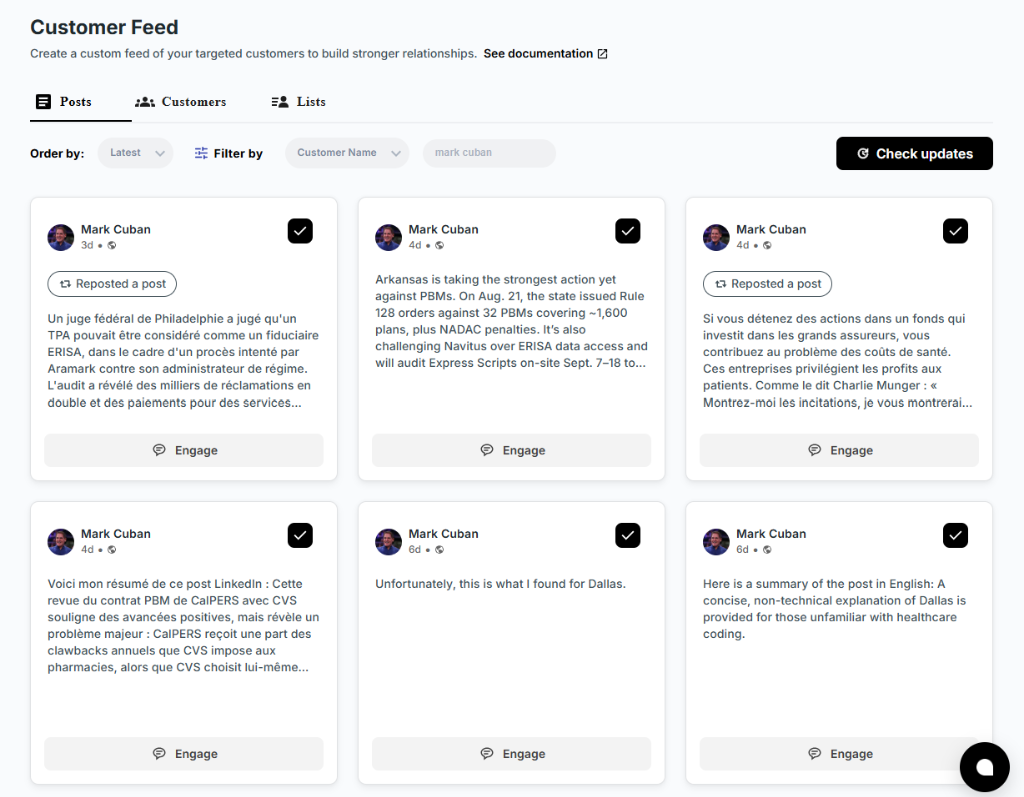
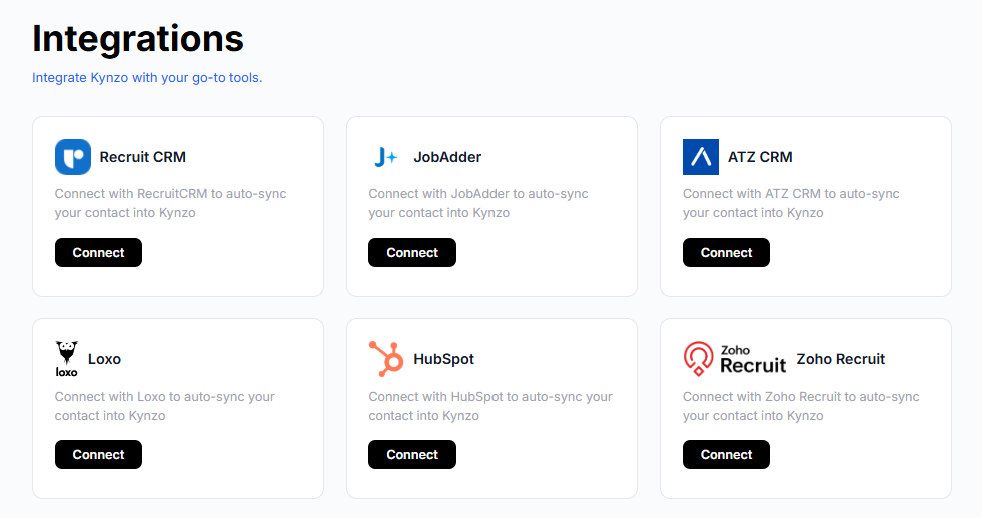
LinkedIn's general feed buries a hiring manager's post under everything else. If you only see their posts by accident, you miss the window when a comment is most visible. A dedicated feed of only your target accounts solves that. In Kynzo, the Customer Feed and Chrome extension show posts and activity from the hiring managers and company accounts you choose, and you can sync those accounts from Recruit CRM, JobAdder, Zoho Recruit, HubSpot, Crelate or Loxo, or save profiles and posts manually.
Step 4: Warm the manager with comments
Comments are your lowest-risk, highest-signal first move. A hiring manager sees your name and your point of view without any request attached.
What a strong recruiter comment does:
- *Adds one specific idea from your market, not praise alone
- *Stays short, usually two to four sentences
- *Asks nothing and never mentions your agency's services
- *Sounds like you, not like a template
A weak comment: "Great post! Totally agree."
A stronger one, on a post about a hard-to-fill platform engineering role: "We see the same thing on the search side. Candidates with real Kubernetes ownership are rarely on the market for more than two weeks, so teams that move on a second interview within days tend to win. Did you change your loop to speed that up?"
The second comment shows market knowledge, invites a reply and sells nothing. More patterns are in our comment examples and comment strategy guide , and the free LinkedIn comment generator can draft a first version you then edit.
A simple weekly rhythm
| Day | Action | Time | |---|---|---| | Monday | Review the Customer Feed, pick 5 to 10 posts worth a comment | 15 min | | Tuesday to Thursday | Post 3 to 5 considered comments per day | 10 min a day | | Friday | Check who replied, liked or viewed your profile | 10 min |
Give each manager two or three comments over one to two weeks before you connect. By then your name is familiar.
Step 5: Send a connection note that does not pitch
The note has one job: get accepted. Keep it brief, under LinkedIn's note limit and ideally under 300 characters, and reference something specific, such as a recent post or a hiring move.
*Examples:
- "Hi Dana, your point about structured interviews for engineering leads stuck with me. I recruit in that space and enjoy following how your team approaches it. Glad to connect."
- "Hi Marcus, congrats on the new Austin team. I have been following your posts on scaling support ops. Would be good to be connected."
What to leave out: links, a services list, a request for a call. Our connection note examples cover more variations, and the free connection note audit tool on Kynzo helps you check yours.
If you have already commented a couple of times, you can say so naturally: "Enjoyed the thread on offer-stage drop-off, thought I would connect here."
Step 6: Follow up in three touches or fewer
After acceptance, resist the urge to send your pitch. Here is the cadence we recommend:
- *Touch one, 1 to 3 days after acceptance. Add value: a relevant market observation, a short insight on a role they are hiring for, or placement context in their function.
- *Touch two, if they engage. Ask a low-friction question: "Is that role still open or already filled?"
- *Touch three, 4 to 7 days after touch one, if silent. One last value-based note, then stop messaging and continue to comment.
Stopping at three matters. After that, return to the feed and keep commenting. A silent manager may still be reading your comments. See our outreach cadence guide for timing variations.
*Value-first follow-up example:
"Thanks for connecting, Dana. We just closed a Staff Engineer search for a similar-stage team where the biggest delay was the take-home stage. Happy to share what we saw if useful."
*Discovery call invite, once they have replied or engaged:
"Based on what you said about the backend hiring plan, would 15 minutes next week be useful to compare notes on what the market looks like right now?"
Step 7: Read engagement signals to time the call
The message to invite a call comes after the manager has shown interest. Signals worth logging:
- A reply to your comment
- Likes on your comments
- Profile views from the manager or their team
- A connection accept
- An inbound question or inquiry
Treat this like a signal log per account: date, signal, what you did next. One reply plus a profile view in the same week is usually a stronger cue than three likes spread over a month. Our guide on LinkedIn engagement signals explains how to rank them.
Pair this with hiring-intent signals: new job posts, hiring announcements and headcount growth. When a warm signal and a hiring signal land together, that is your moment for a discovery call invite.
LinkedIn for relationship, email for proof
LinkedIn works well as the relationship channel. Email can carry the proof: a one-page market snapshot, a salary benchmark, a short case summary. Teams that run both channels together often need structured sending and reply handling, and this walkthrough on LinkedIn multi-sender outreach shows one way to organize that. Keep your own commenting personal either way.
Staying inside LinkedIn's rules
Check the platform's terms before you add any tool. LinkedIn's User Agreement prohibits using software, scripts, bots, crawlers, browser plugins or add-ons to scrape the service or copy profile data, to bypass access controls or limits, and to use bots or other automated methods to access the service, add or download contacts, or send or redirect messages. Read the current version yourself and decide what fits your risk tolerance and your firm's policy.
Practical safe-use habits:
- *Review every comment before it goes out, even when drafted by AI. Your name is on it.
- *Use human pacing. Set daily caps, active hours and randomized delays so activity looks like a person working a normal day.
- *Avoid mass-connecting. SBG Advantage notes that compliance with the User Agreement means avoiding mass connection requests from automated profiles.
- *Keep volume proportional to your list. Thirty accounts you know well need a few comments a day, not hundreds.
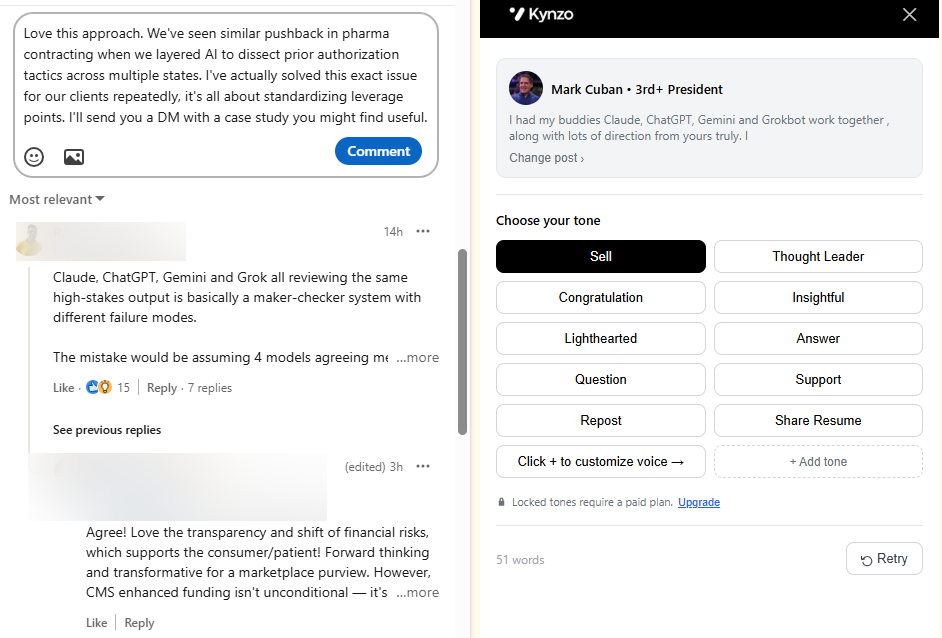
Kynzo's AI Agent is built around these controls: it drafts or publishes comments in your voice, with specialized tones, active hours, daily caps and randomized delays. You choose whether it drafts for your approval or publishes, and you stay responsible for how you use your account.
Putting it together with Kynzo
If you run this playbook by hand, the bottleneck is attention: tracking forty managers across a noisy feed, remembering who engaged, and writing thoughtful comments every day.
Kynzo handles that workflow for agency recruiters. The Customer Feed shows only the hiring managers and company accounts you care about, your CRM accounts sync in, the AI Agent drafts context-aware comments in your voice, and engagement signals show when to start warm outreach. Installation of the Chrome extension is free, and paid plans are Starter at $12.90 per month, Pro at $30 per month and Elite at $50 per month. See the Kynzo plans to pick the one that fits your desk.

For more on how recruiters generate client conversations this way, read our guide to LinkedIn lead generation for recruiters .
A 30-day plan you can start today
*Week 1: Build. Write your ideal client profile, list 30 to 50 hiring managers across 15 to 20 accounts, and record URLs and one note on each.

*Week 2: Warm. Comment two or three times on each manager's posts. Log every reply, like and profile view.
*Week 3: Connect. Send specific notes to managers who have seen your comments. Skip any pitch.
*Week 4: Converse. Send value-first follow-ups to new connections, invite engaged managers to a short discovery call, and keep commenting on the rest.
At the end of the month, count discovery calls booked, replies per 10 comments and accepts per 10 notes. Those three numbers tell you where the sequence leaks.
FAQ
How do I find the hiring manager for a company on LinkedIn?
Start with the job description for reporting-line clues, then open the company's People tab and filter by function title and location. For larger companies, a Boolean title search in LinkedIn's main search narrows the list. Confirm the person is current on the company's own leadership page.
What should I say when contacting a hiring manager on LinkedIn?
In the connection note, mention one specific thing, such as a recent post or hiring move, and ask for nothing. After they accept, send a value-first message before any request. Invite a call only once they have replied or engaged.
Should I comment on a hiring manager's post or message them directly?
Comment first. A useful comment gives the manager a reason to recognize your name, which makes your connection note and later messages feel less cold. Two or three comments over one to two weeks is a good lead-in.
How many follow-ups are too many?
Stay at three touches. One value-based message after acceptance, one conversation message if they engage, and one final note a few days later. After that, keep commenting and let the relationship build in the feed.
Sources
- How to Use LinkedIn to Find Recruitment Clients, Social Hire
- How to Get Clients for Recruitment Agency Services, Manatal
- How to do cold outreach to hiring managers, interviewing.io
- LinkedIn User Agreement
- How to Use LinkedIn to Drive Sales for Staffing Agencies, SBG Advantage
- Scaling LinkedIn Outreach with Multi-Sender Infrastructure
- Best South Africa Tech Recruiters for US Employers