

LinkedIn Automation Delays: How to Set Them Right
A LinkedIn automation delay is the pause a tool puts between two actions: one comment and the next, a profile view and a connection request, a message and its follow-up. Randomized delays vary that pause so activity does not fire on a fixed clock. They make your pacing look more like a person's. They do not make automation permitted, and no delay setting removes the risk to your account. What delays can do is keep your engagement sensible, human-paced and tied to real signals from the people you want to reach.
This guide is for agency recruiters, agency owners and search consultants who use (or are considering) LinkedIn automation for client development. We cover what delays are, why random beats fixed, how to set them for comments and follow-ups, how to read prospect signals and time zones, and how to review your settings over time.
Key Takeaways
- *Randomized delays change the rhythm, not the rules. LinkedIn's own help page says it does not permit third-party software that automates activity on its site, however that software is paced.
- *Fixed intervals are the easiest pattern to spot. Vary the gap between actions, the start time and the daily total, and keep a cap you would be comfortable defending as human effort.
- *Slower is better for client development. Hiring managers respond to relevant comments over days and weeks, so long gaps cost you nothing.
- *Let signals set the next step. A reply, a profile view or a connection accept should decide when you move to warm outreach, not a timer.
- *Review weekly. Watch acceptance rates, replies and any LinkedIn warnings, and slow down at the first sign of friction.
Table of Contents
- What Randomized Delays Are and Why Recruiters Care
- Randomized Delays Are Not a Compliance Strategy
- Why Comment-Led Engagement Needs Different Delays Than Mass Messaging
- How to Set Delays for Comments
- How Long to Wait Between Follow-Ups
- Use Time Zones and Engagement Signals Instead of Timers
- Build the Target List So Delays Have Something to Work On
- Measure and Adjust: A Weekly Review
- Where Kynzo Fits
- FAQ
- Sources
What Randomized Delays Are and Why Recruiters Care
Every automation tool runs a queue of actions. The delay setting decides how much time passes between items in that queue. A fixed delay says "wait 60 seconds." A randomized delay says "wait somewhere between 45 and 240 seconds, chosen fresh each time."
The distinction matters because people are irregular. A recruiter who comments on a hiring manager's post does it between calls, after a coffee, or while reading a thread. Comments land at uneven times, in uneven bursts, and rarely at 9:00:00 every morning. A script that does something every 60 seconds, starting at the same minute daily, produces a pattern no person would produce.
For agency recruiters the stakes are higher than for a casual user. Your LinkedIn account is your book of business: the connections, the conversation history and the credibility with the hiring managers who pay placement fees. Losing access to it costs far more than the time a slower setting saves.
Fixed delays versus randomized delays
| Setting | What it does | Weakness | Better for | |---|---|---|---| | Fixed delay | Same gap every time (for example, 60 seconds) | Creates a metronome pattern | Almost nothing on LinkedIn | | Randomized gap | Gap varies within a range | Still starts at the same time daily if nothing else varies | Spacing consecutive actions | | Randomized start time | Session begins at a different time each day | Needs active hours so it stays plausible | Daily routines | | Randomized volume | Daily total varies within a cap | Requires a ceiling you set honestly | Avoiding identical daily counts | | Signal-based timing | Action depends on a reply, view or accept | Needs engagement tracking | Moving from engagement to outreach |
The last row is the one most delay guides skip. A timer says "act now." A signal says "this person just did something, so now is a sensible time." For client development, the second approach is both more natural and more effective.
Randomized Delays Are Not a Compliance Strategy
Many vendor pages present delay randomization as a safety feature. It is better described as a pacing feature. LinkedIn's Prohibited software and extensions page states that it does not permit third-party software, including bots, browser plug-ins or browser extensions, that scrapes, modifies the appearance of, or automates activity on its website. The same page lists using bots or other automated methods to send or redirect messages among the prohibited behaviors. Nothing on it makes an exception for slow or irregular automation.
That is the honest baseline, and you should hold it next to any vendor claim of "100% safe" or "undetectable." Detection is LinkedIn's call, not the tool's, and policies and enforcement change. If you are weighing vendors' safety claims against the actual rules, read the rules first and treat marketing language as marketing. Some publishers also write about posting to LinkedIn without hurting reach , which is a useful companion if scheduled publishing is part of your plan.
Consequences are not hypothetical. Practitioners who train recruiters and sellers on LinkedIn have reported that accounts can be permanently closed , and that this can be hard to reverse. Treat that as a risk to price in, not a scare story to wave away.
What this means in practice:
- *Decide your risk tolerance before you choose settings. If you cannot afford any account restriction, do your engagement manually or use only tools you have personally read the terms for.
- *Never run automation on an account you cannot lose without a backup plan. Keep your client and candidate data in your CRM, not only in LinkedIn.
- *Use delays to reduce volume and noise, not to push the limits. The goal is to be a thoughtful presence in a hiring manager's feed, not to get the most actions out of a day.
Why Comment-Led Engagement Needs Different Delays Than Mass Messaging
Most delay advice online comes from message and connection-request automation, where the tool is trying to send as many invitations or InMails as possible. The numbers there are about throughput: how many per day, how far apart.
Agency business development is different. You are not trying to reach thousands of strangers. You are trying to be noticed by perhaps 50 to 300 target hiring managers, talent leaders and founders, and to be remembered as someone who says something useful. That is a lower-spam alternative to mass messaging and cold InMail , and it changes how you think about timing:
- *Volume is small. A handful of well-judged comments a day on target accounts beats dozens of generic ones.
- *Timing is tied to the post. A comment on a post from three hours ago reads as attentive. A comment on a post from three weeks ago reads as odd. The delay that matters most is the one between the post appearing and your response.
- *The relationship unfolds slowly. A senior hiring manager who sees your name under three of their posts over a month is far more likely to accept a connection and take a call than one who gets a templated invite today.
For a deeper look at pacing limits on the platform, our write-up on LinkedIn rate limits covers the thinking behind daily caps, and our guide to LinkedIn comment automation covers the commenting workflow.
How to Set Delays for Comments
These are working ranges for a recruiter engaging a defined target list. They are starting points based on how a busy person behaves, not guarantees about what LinkedIn will or will not flag. Adjust them downward, never upward, if you see friction.
1. Set active hours that match your real working day
If you are a recruiter in Chicago, activity at 3 a.m. Central makes no sense. Define active hours that mirror when you would genuinely be online, for example a morning block and an afternoon block with a gap for lunch. Pick weekdays and consider skipping weekends or running them at a much lower level.
2. Randomize the gap between actions
Use a wide range rather than a narrow one. A gap that varies from a few minutes to well over half an hour looks like someone working through a feed between tasks. A gap that varies from 50 to 70 seconds still looks like a machine. Wider ranges also cut your hourly output, which is the point.
3. Cap the daily total, and vary it
Choose a daily ceiling you could plausibly reach by hand. For most recruiters that is a small number of thoughtful comments. Then let the tool vary the day's total within a range, so you are not at exactly the same count every day. Lower it further in the first weeks on a new workflow and raise it only if results justify it.
4. Delay your response to a new post
Responding within seconds of a post going live is possible for software and unusual for a person. Waiting some minutes to a few hours, depending on the post's age and the author's habits, is more natural and gives you time to review the draft.
5. Review the draft before it posts
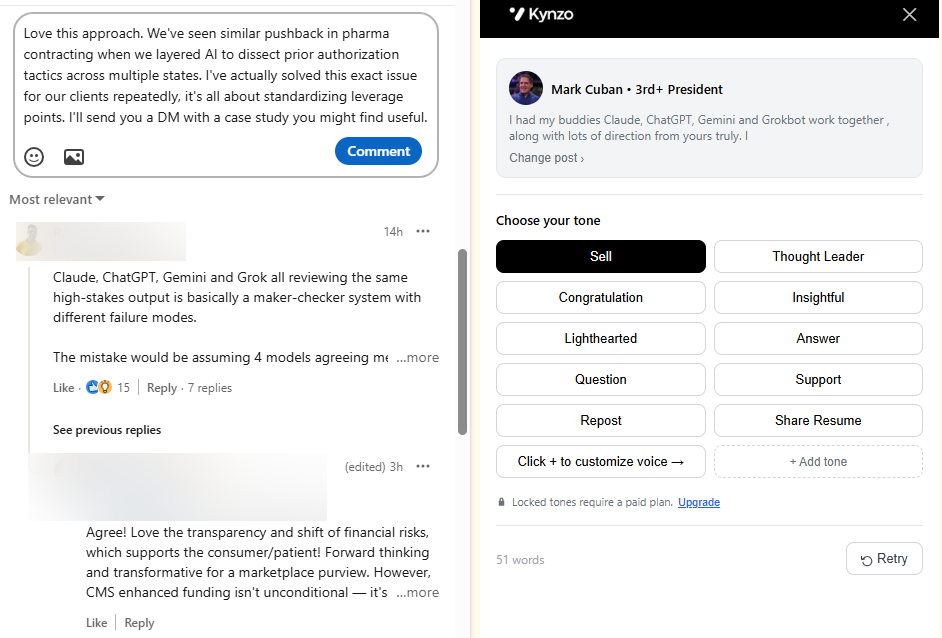
The single best control on automated commenting is not a timer, it is a human reading the text. Comments that echo the post's specifics, add a short point of view and ask no pitch question hold up. Generic praise does not. Kynzo's AI Agent can draft or publish comments in your voice with tones, active hours, daily caps and randomized delays, and you can choose to review drafts before anything goes live. Our guide to AI LinkedIn comments shows what good looks like.
A sample day for a small target list
The table below shows how one recruiter with about 120 target accounts might shape a day. The numbers are illustrative, not a recommendation for every account.
| Time (local) | Activity | Delay logic | |---|---|---| | 8:30 to 9:30 | Review overnight posts in the Customer Feed | Manual, no automation | | 9:30 to 11:30 | Comments on new posts from priority accounts | Random gaps of several minutes to 30+ minutes | | 11:30 to 1:30 | Paused | Active-hours break | | 1:30 to 4:00 | A second, lighter comment window | Smaller daily share, wider gaps | | 4:00 to 4:30 | Check signals: replies, profile views, accepts | Manual decision on outreach |
Notice that the first and last blocks are manual. The judgment work, deciding whom to prioritize and when to reach out, stays with you.
How Long to Wait Between Follow-Ups
Comment delays are about minutes and hours. Follow-up delays are about days. The mistake is treating them as the same setting.
For agency business development, a practical pattern looks like this:
- *Weeks 1 to 2: Engage only through comments. No connection request, no message.
- *After a sign of recognition: If the person replies to a comment, likes your comment or views your profile, send a short, personalized connection note that refers to the thread.
- *After the accept: Wait a few days before the first message. A prompt "thanks for connecting" followed by a pitch feels automated. A message that picks up the topic you both commented on a few days later does not.
- *Follow-up gaps: If there is no reply, wait a week or more before a second touch, and make it a new angle, such as a relevant market observation, rather than "just bumping this."
- *Stop rules: Two unanswered messages is usually enough. Return to commenting and wait for a signal.
These gaps are deliberately long. One practitioner-facing article on lead automation suggests allowing two to four weeks minimum for a sequence to play out, which fits the pace senior decision makers actually work at. Retained search and high-fee staffing relationships are not won in a day.
Randomize follow-up timing too
If every follow-up arrives exactly seven days after the last, at exactly 10:00, you have rebuilt the fixed-delay problem at a larger scale. Vary the day and the hour. Better still, anchor follow-ups to what the person did: a new post, a job change, a funding announcement.
Use Time Zones and Engagement Signals Instead of Timers
Two inputs improve timing more than any delay range.
*Time zones. If your target is a VP of Talent in London and you sit in New York, your 10 a.m. is their afternoon. Commenting during their working hours puts you in the part of the feed they are actually reading. Group targets by region and schedule active hours by region where your tool allows it.
*Engagement signals. A signal is any evidence the target noticed you. The useful ones for recruiters:
| Signal | What it suggests | Sensible next step | |---|---|---| | Reply to your comment | Active interest in the conversation | Continue the thread, then consider a connection note | | Like on your comment | Mild recognition | Keep commenting, no outreach yet | | Profile view | Curiosity about you | Connection note referencing recent shared topic | | Connection accept | Open to contact | Wait a few days, then a topic-led message | | Inbound question or inquiry | Ready to talk | Respond personally and quickly |
This is a signal log in practical terms: a running record of who did what and when, so the timing of your outreach comes from their behavior. Kynzo tracks replies, comment likes, profile views, connection accepts and inquiries so you can see when a target has warmed up. Our guide on monitoring LinkedIn activity explains how to build the list you watch.
Build the Target List So Delays Have Something to Work On
Pacing settings only matter if the accounts you engage are the right ones. A tight list lets you comment less, more thoughtfully and with longer natural gaps. A sprawling list pushes you toward higher volume and shorter delays, which is exactly the wrong direction.
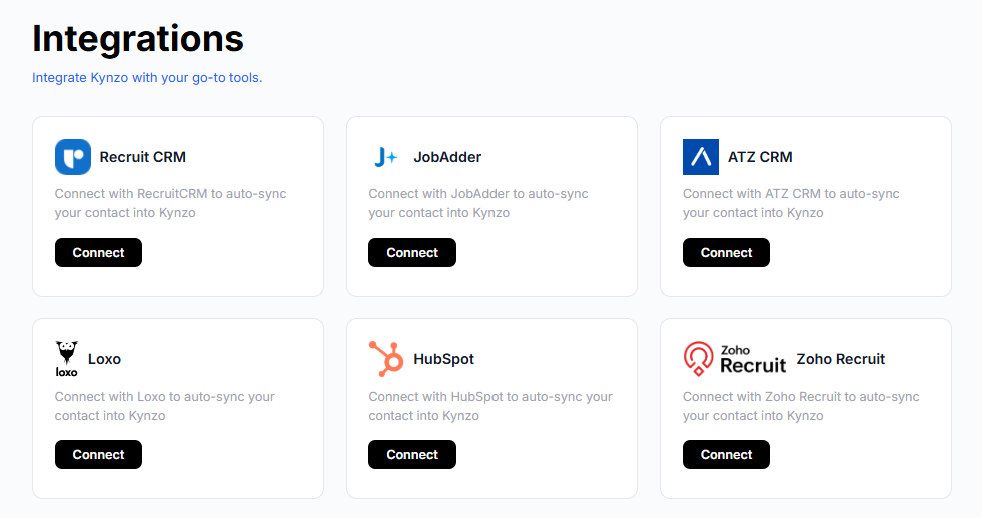
Start from the clients you already want: hiring managers at companies where you have placed before, firms you have identified as growing, and decision makers in your niche. If your recruiting CRM already holds these accounts, sync them rather than rebuilding the list by hand. Kynzo can synchronize accounts from Recruit CRM, JobAdder, Zoho Recruit, HubSpot, Crelate and Loxo, and you can also save profiles or posts manually. Our walkthroughs for connecting LinkedIn to your CRM and connecting LinkedIn to Loxo cover the steps.
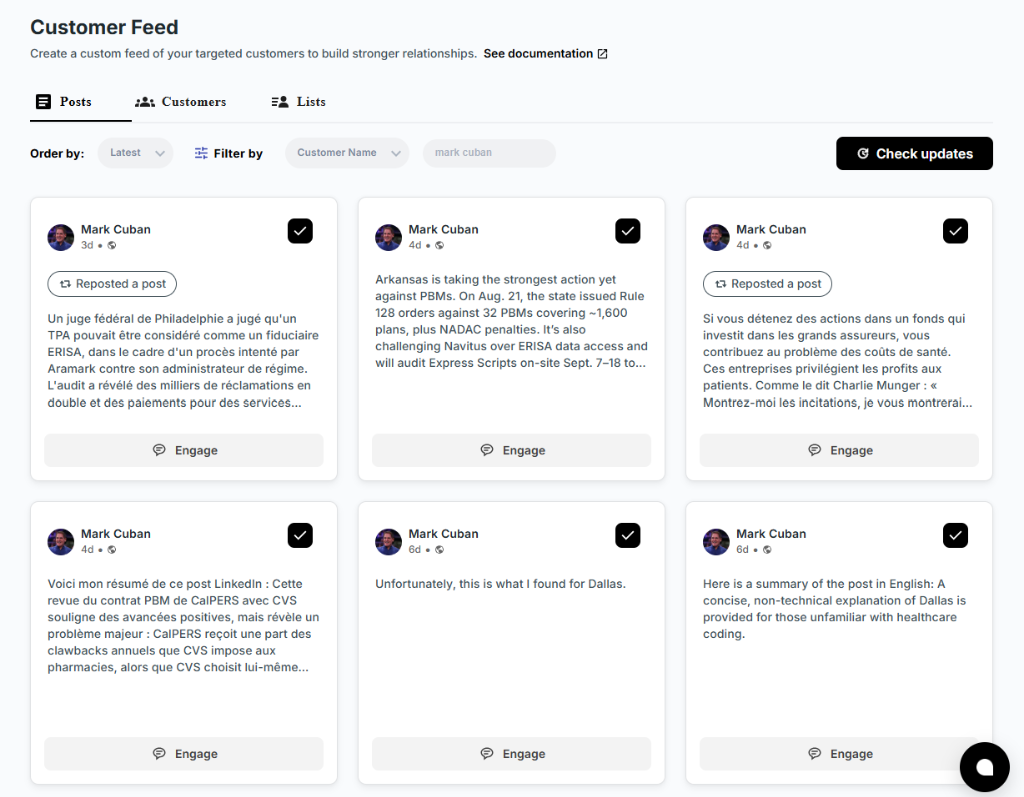
A dedicated feed of only those accounts also removes the temptation to scroll the general feed, where time disappears. You see the posts that matter, respond to the best ones and move on.
Measure and Adjust: A Weekly Review
Delay settings are not set-and-forget. Review them on a fixed day each week, using a short checklist.
- *Output. How many comments went live, and how did that compare with your cap?
- *Quality. Read ten of them. Would you be comfortable if the hiring manager read them next to your name? Rewrite your voice settings or tone if not.
- *Response. How many replies, comment likes, profile views and accepts did you get from the target list?
- *Friction. Any LinkedIn warnings, unusual verification prompts, or sudden drops in reach or acceptance? Treat any of these as a reason to pause and lower volume at once.
- *Pipeline. How many signals turned into a real conversation or a discovery call?
Then change one variable at a time. If you widen the gap and shrink the cap and results hold, you have found a more sustainable setting. If results fall sharply, the problem is more likely target selection or comment quality than timing.
Warning signs to act on
- A verification or security prompt you did not expect
- A notice from LinkedIn about unusual activity or a restricted feature
- Acceptance rates collapsing across several weeks
- Targets reacting oddly to comments that miss the point of their post
If any appears, stop automated activity, review your browser extensions and settings, and go back to manual engagement while you reassess. LinkedIn's own page lists what it does not permit, so read it before you resume.
Where Kynzo Fits

Kynzo is built for agency recruiters and search consultants who want warmer client conversations without mass messaging. The Chrome extension and Customer Feed let you follow target hiring managers and company accounts without the noise of the general feed. The AI Agent drafts or publishes context-aware comments in your voice, with specialized tones, active hours, daily caps and randomized delays, and the engagement tracking shows when it is time to start warm outreach.
Installation is free, and paid plans are published on the Kynzo pricing page : Starter at $12.90 per month, Pro at $30 per month and Elite at $50 per month.

If you want to see the workflow before committing, try the free tools on our tools page , including a comment generator, a Boolean string builder and a connection note audit. You can also explore Kynzo to see how the feed, agent and signal tracking fit together. Whatever tool you use, the rule from above stands: LinkedIn decides what it permits, so keep your pacing conservative and your reasons commercial, not technical.
FAQ
Do randomized delays stop LinkedIn from detecting automation?
No tool can promise that. LinkedIn's help page says it does not permit third-party software that automates activity on its website, and it does not carve out slower or randomized versions. Randomization makes your pacing look more human, but the policy question and the risk remain with you.
How long should the delay be between LinkedIn comments?
Use a wide random range rather than a fixed number, from several minutes to more than half an hour, inside active hours that match your real workday. Keep the daily total to something you could do by hand. If you see any friction, widen the range and lower the cap.
How long should I wait between follow-up messages?
For client development, a week or more between touches is reasonable, and stopping after two unanswered messages is a sound rule. Anchor the follow-up to something the person did, such as a new post or a profile view, rather than a calendar date.
Should I engage in the prospect's time zone?
Yes, where you can. Comments that appear during a hiring manager's working hours are more likely to be seen while the post is still fresh. Group your targets by region and set your active hours to match.
How often should I review my delay settings?
Weekly is a good rhythm. Check output, comment quality, signals and any warnings, then change one setting at a time so you can tell what helped.