

LinkedIn Buying Signals: A Recruiter's Guide to Spotting Them
A LinkedIn buying signal is any visible action that suggests a hiring manager or company may need outside recruiting help soon: a post about a stalled search, a sudden run of new job postings, a leadership change, or a reply to your comment that opens a door. For agency recruiters and search consultants, the skill is not finding more signals. It is telling the strong ones from the noise and responding while the moment is still open.
This guide covers what counts as a signal in recruitment business development, how to rank signals by intent, where to monitor them, and how to start a conversation without sounding like a mass message.
Key Takeaways
- A buying signal is a change in behavior or context, not just activity. A hiring manager who posts every week is active. One who posts about a role that has stayed open for months is signaling.
- Rank signals by intent: your own interactions (replies, profile views, accepted connections) sit above passive signals like job changes or company news.
- One signal is a lead. Two or three that agree, such as a leadership vacancy plus a hiring manager who replied to your comment, justify warm outreach.
- Monitor a short list of target accounts in a dedicated feed instead of LinkedIn's general feed, and log every signal with a date and a next step.
- Follow LinkedIn's rules on automation. Review what is posted under your name and keep your pacing human.
Table of Contents
- What counts as a buying signal in recruitment BD
- LinkedIn behaviors that suggest a need for recruiting or search support
- How buying signals differ from ordinary activity
- Where to find signals without drowning in the feed
- The signal you can create yourself
- Turning a signal into a conversation
- Weak signals to treat with caution
- Using automation without losing the human
- What a signal-based week looks like
- Tracking signals with Kynzo
- FAQ
- Sources
What counts as a buying signal in recruitment BD
In software sales, a buying signal might be a pricing page visit. In agency recruiting, the "purchase" is a client handing you a search or agreeing to a discovery call. The signals are different, and most of them are public.
It helps to separate three layers:
- *Context signals describe the company: a role open for a long time, a new executive, a funding announcement, a spike in job postings.
- *Behavior signals describe the person: a hiring manager complaining about candidate quality, asking their network for referrals, or sharing a post about talent shortages.
- *Interaction signals describe the person's response to you: they reply to your comment, like it, view your profile, or accept your connection request.
General interest is none of these. A VP of Engineering who likes industry news is browsing. A VP of Engineering who writes that the team has been looking for a staff-level hire since spring is telling you about a problem you can solve.
LinkedIn behaviors that suggest a need for recruiting or search support
Some of the strongest context signals match the reasons companies bring in outside firms in the first place. Executive search firms describe a consistent set of triggers. A senior search that has run for months, a role too confidential for an internal team to advertise, or a specialized leadership position that in-house recruiters cannot assess are all cited as signs it is time to call in help, according to Frontline Source Group . Another search firm points to critical leadership roles vacant for more than 90 days and declining applicant quality as signals that outside help may pay off.
Translated into things you can actually see on LinkedIn:
| Signal | Where you see it | What it may mean | Typical strength | |---|---|---|---| | Hiring manager reposts or rewrites the same job post | Their posts, company page | Search is stalling | High | | Post about "struggling to find" or "still hiring" | Their posts | Active, felt pain | High | | Several new postings at one account | Company jobs tab, Sales Navigator alerts | Growth or backfill pressure | Medium | | New executive or leader in seat | Job change alerts | New leaders often rebuild teams | Medium | | Confidential or "stealth" language in posts | Posts, company updates | Search may need discretion | Medium to high | | Hiring manager asks for referrals in a post | Their posts, comments | Network has not delivered | High | | Comment reply, profile view, accepted connection | Notifications | Interest in you specifically | High |
Treat this table as a starting rubric, not a law. Your niche will weight these differently. A confidential-search signal matters more to an executive search consultant than to a contract staffing desk.
How buying signals differ from ordinary activity
The easiest mistake is to confuse volume with intent. Two filters help.
*Change. Look for a shift from the person's baseline. A manager who posts daily about leadership is noise. One who has never mentioned hiring and suddenly shares three posts about it is a signal.
*Specificity. "Talent is everything" is a platitude. "We have had this principal engineer role open since June" is a fact you can act on.
The same logic appears in intent-data validation guidance from the B2B world. Demand Science recommends checking that the person has real decision authority, looking for complementary signals, and confirming the problem is recurring rather than a stale one-off. Brandwell argues for a transparent, dimension-based scoring rubric calibrated by segment rather than one universal threshold. Both ideas fit recruiting well: a signal from someone who can sign a fee agreement beats the same signal from someone who cannot.

A simple scoring rubric
Score each target account on four dimensions from 0 to 2, then add them up:
- *Authority: Does this person own the hiring decision or the budget? (0 = no, 1 = influences, 2 = decides)
- *Recency: Did the signal appear in the last two weeks? (0 = over 60 days, 1 = 15 to 60 days, 2 = last 14 days)
- *Specificity: Does it name a role, a problem or a timeline? (0 = generic, 1 = implied, 2 = explicit)
- *Corroboration: Does a second signal agree? (0 = none, 1 = weak, 2 = clear)
A score of 6 or more earns direct outreach. A 3 to 5 earns another comment or a connection request. Below 3, keep watching. Adjust these cutoffs after a month of results, because your market will not behave like anyone else's.
Where to find signals without drowning in the feed
LinkedIn's main feed is built for engagement, not for your pipeline. A hiring manager's best post can be buried under content from people you barely know. The fix is to stop relying on it.
Native LinkedIn tools
Sales Navigator's sales updates surface lead updates such as job changes and work anniversaries, shares from your leads, and company updates including alerts when a saved account increases its job postings. That makes it a solid source for context signals. It is less helpful for the conversational detail, such as what a manager actually said in a post.
A dedicated feed of target accounts
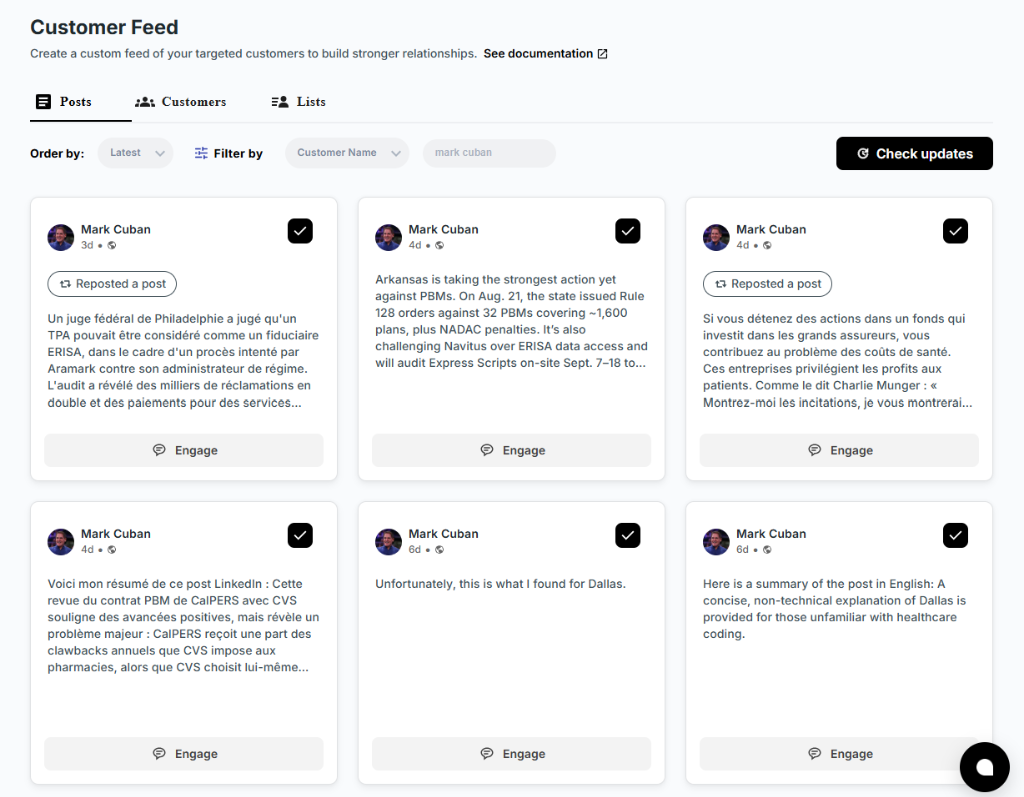
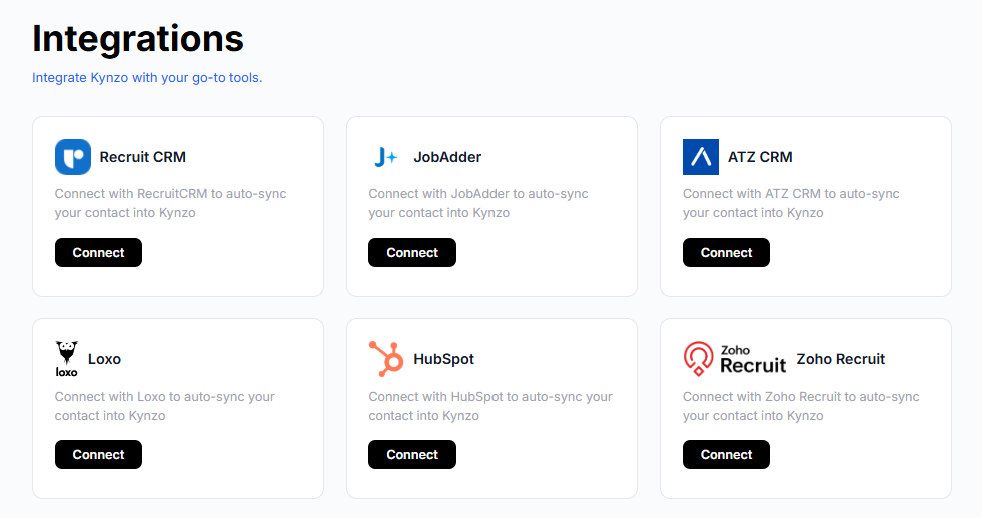
This is where we built Kynzo to help. Its Chrome extension and Customer Feed collect posts and activity from the hiring managers and company accounts you chose, so you read only the people who matter to your desk. You can sync target accounts from your CRM , including Recruit CRM, JobAdder, Zoho Recruit, HubSpot, Crelate and Loxo, or save profiles and posts by hand. If HubSpot is your system of record, our guide to the HubSpot and LinkedIn integration shows how the two fit together.
Your own notifications
Interaction signals live in your notifications, but they scroll away fast. Whatever tool you use, record them somewhere permanent: who replied, to which comment, when, and what they said. We call this a signal log, and it is what turns a vague sense of "they seem interested" into a decision about when to message.
The signal you can create yourself
Context and behavior signals depend on what the prospect does. Interaction signals depend on you, and they are the most reliable. When you leave a thoughtful comment on a hiring manager's post, what happens next tells you a lot:
- *They reply to your comment. The conversation is open. This is usually the best moment for a connection request or short message.
- *They like your comment. Mild interest. Comment on another post before escalating.
- *They view your profile. They are checking who you are. A relevant, low-pressure note works.
- *They accept your connection request. Permission to start a conversation, not permission to pitch.
- *They message you first. The strongest signal of all. Reply the same day.
We go deeper on these in our piece on LinkedIn engagement signals . The core principle: a comment is a low-risk way to earn attention, and the response it gets is data. If you need a quick start on writing one, the free LinkedIn comment generator drafts options you can edit.
Turning a signal into a conversation
Signal-based outreach fails when the message announces that you were watching. It works when the message is relevant, specific and easy to answer.
Step 1: Warm up before you message
Before any direct message, leave one or two useful comments on the manager's posts over a week or so. Add an angle, a data point or a question. Do not write "Great post!" Then watch for a reply, a like or a profile view. If you are weighing how much to send and when, our guide to LinkedIn outreach cadence lays out pacing.
Step 2: Match the message to the signal

The signal tells you what to say.
*Stalled search post:
Saw your note on the platform lead role. Those searches tend to stall when the candidates who fit are not on job boards. Happy to share what we are seeing in the market for that profile, no strings attached.
*New executive in seat:
Congratulations on the new role. When leaders settle in, the first question is usually who is already on the team and who is missing. If it would help to compare notes on the talent landscape in your space, I am glad to do that.
*Reply to your comment:
Thanks for the thoughtful reply on the hiring-freeze post. Your point about contract-to-hire stuck with me. Would it be useful to connect and swap notes?
Notice what these avoid: no pitch for fees, no request for 15 minutes in the first line, no claim to have a perfect candidate. The goal of the first message is a reply, not a retainer.
Step 3: Move to a discovery call when the signals stack
Ask for the call once you have at least two aligned signals: for example, a long-open role plus a reply to your comment. Offer something concrete, such as a view on where comparable candidates currently work or what they are being paid, and let the manager choose the time.
Step 4: Log and review
Record the signal, the message, the response and the outcome. After 30 days, check which signal types led to calls. This is how your rubric stops being a guess.
Weak signals to treat with caution
Not everything that looks like intent is intent. Be careful with these:
- *Likes on generic posts. A like is cheap. Look for comments or repeated behavior.
- *Old posts. A hiring complaint from nine months ago says nothing about now.
- *Job titles without authority. A recruiter or coordinator may signal the need without owning the decision.
- *Companies with an in-house team that is thriving. A large posting count may be healthy hiring, not a gap.
- *Passive executives who are not on the platform. Some senior leaders are intentionally low-profile on LinkedIn and may be reached through offline networks and relationships . A silent profile is not a negative signal, so do not read it as one.
When a conversation does move offline, make it easy for people to find your profile again. Ideas for adding LinkedIn to business cards are worth a look before you print or share your next set.
Using automation without losing the human
This is where you should be careful. LinkedIn's help center states that it does not permit third-party software, including bots and browser extensions that scrape or automate activity on the site, and it also rules out tools that try to manipulate its content algorithms. Read that page in full before you choose any tool, and decide what level of automation you are comfortable with for your own account.
Here is how we think about safe use:
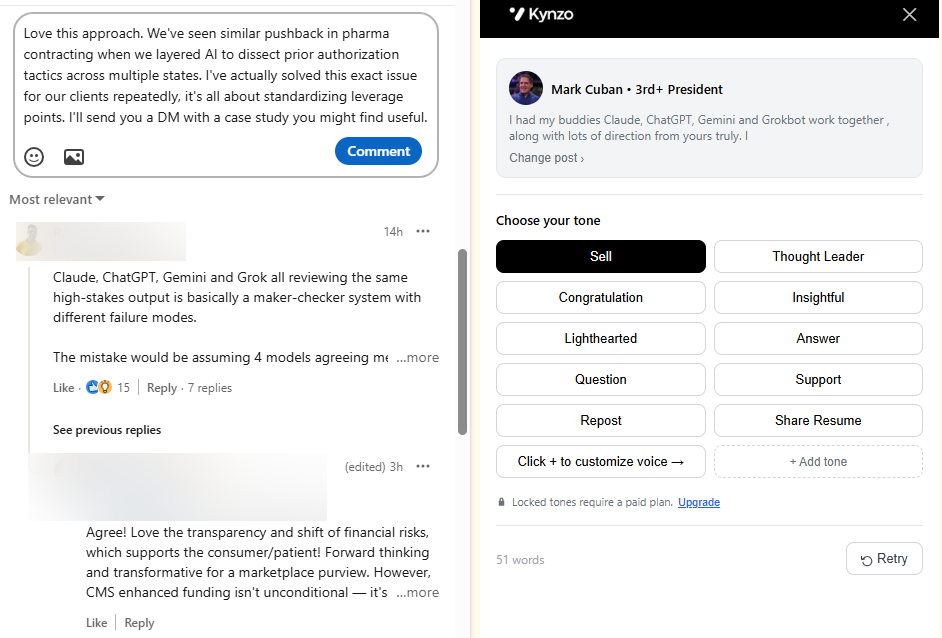
- *Keep a person in the loop. Use drafting rather than auto-publishing when a comment goes to a high-value hiring manager, and read it before it goes out.
- *Pace like a person. Kynzo's controls include active hours, daily caps and randomized delays, so activity looks like a recruiter working a normal day rather than a burst.
- *Write in your own voice. Our AI Agent drafts comments in the recruiter's voice and tone, which helps keep them specific to the post rather than generic.
- *Avoid mass messaging and cold InMail as your main motion. Comments on a short, chosen list of accounts are a lower-spam way to start than blasting a list.
For more on this balance, see our write-up on AI for LinkedIn outreach . Also remember that profile data belongs to the people who posted it. Collect only what you need for legitimate business development, store it in your CRM under your normal data policies, and honor any request to stop contact.
What a signal-based week looks like
A realistic routine for a solo consultant working 30 target accounts:
| Time | Task | Output | |---|---|---| | Monday, 20 min | Review the target feed; flag posts that mention hiring pain | 3 to 5 flagged accounts | | Tuesday, 15 min | Score flagged accounts with the rubric; comment on the top three | 3 comments | | Wednesday, 10 min | Check notifications; log replies, views and accepts | Updated signal log | | Thursday, 20 min | Send connection requests or short messages to accounts scoring 6 or more | 1 to 3 messages | | Friday, 15 min | Review the week; update CRM notes; drop stale accounts | Clean target list |
That is about 80 minutes a week. The point is consistency. Signals are time-sensitive, and a hiring manager's complaint is worth most in the first few days.
Tracking signals with Kynzo
If you want this workflow in one place, Kynzo combines the pieces. The Chrome extension is free to install. The Customer Feed collects posts from your target hiring managers and companies, the AI Agent drafts or publishes context-aware comments in your voice within the pacing controls you set, and the platform tracks replies, comment likes, profile views, connection accepts and inquiries so you can see when to begin warm outreach.

Plans are published on our pricing page : Starter is $12.90 per month, Pro is $30 per month and Elite is $50 per month. You can also start with the free comment generator, or read our executive search on LinkedIn guide if your work is at the senior end of the market. Our homepage has an overview of the platform.
FAQ
What is a LinkedIn buying signal for a recruiter?
It is a visible action or change that suggests a hiring manager or company may need recruiting help soon. Examples include a post about a long-open role, a jump in job postings, a new executive, or a reply to your comment. The strongest are specific, recent and come from someone who makes hiring decisions.
How many signals do I need before I reach out?
There is no universal number. As a working rule, one strong interaction signal, such as a reply to your comment, can justify a short message. For a cold account, wait for two aligned signals, such as a long-open role plus a profile view, and calibrate from your own results.
Can I find LinkedIn buying signals for free?
Yes, to a degree. You can follow target accounts, read their posts and check your notifications without paying. Paid tools mainly save time by collecting posts in one feed, alerting you to changes and keeping a log. Kynzo's Chrome extension is free to install.
Is it safe to automate LinkedIn comments?
LinkedIn's help center says it does not permit third-party software that automates activity on the site, so review that policy before you decide. If you use a tool, keep a person in the loop, review drafts for important accounts and keep pacing modest.
Sources
- 10 Signs It Is Time to Hire an Executive Search Firm (Frontline Source Group)
- 10 Signs It's Time to Partner with an Executive Search Firm (Millman Search)
- Reasons Why Relying Only on LinkedIn for Executive Recruitment Fails (JRG Partners)
- How to Validate Intent Signals (Demand Science)
- Hiring Signals vs Buyer Intent: Seven Validation Methods (Brandwell)
- Prohibited software and extensions (LinkedIn Help)
- Adding LinkedIn to business cards (EcoCard)