

LinkedIn Comment Examples Bring Warm Leads, No Cold Messages
The comments that work are short add-on insights, mini-case examples, and focused questions that invite expert replies. LinkedIn favors meaningful conversation over bait, and for recruiters, a well-placed comment can surface a warm lead without a single cold message. Below you get LinkedIn comment examples, a simple formula, and a workflow you can use today.
***
*TL;DR:
>
- Structure comments around a specific point, one useful fact or example, and an open question; keep quick replies to one line.
- Comment early on relevant posts from authors who fit your network goals, especially when they invite discussion; early replies sit higher in threads.
- Track replies, profile views, connection accepts, and referral conversations; recruiters can follow up with a brief direct message when authors engage, without pitching.
- Avoid engagement bait, generic praise, and repeated back and forth; return once when someone replies, then stop before another round looks like chasing.
***
Table of Contents
- Why do thoughtful LinkedIn comments work?
- Which LinkedIn comment examples can you copy today?
- What is a simple formula for writing a strong comment?
- Where and when should you comment?
- How can recruiters turn comments into warm outreach?
- Jenny's take: consistency beats volume
- How can we help you scale context-aware comments?
- FAQ
- Sources
Why do thoughtful LinkedIn comments work?
Experts say the 2026 feed prioritizes "professional and constructive" conversations , penalizing engagement bait and rewarding comments that act as mini-case studies or helpful resources. A bare "Great post!" adds nothing. A comment that adds a fact, a result, or a sharp question gives the author something to answer, and that exchange is what the feed rewards.

*Constructive comments are what the 2026 feed rewards, while engagement bait gets penalized. That matters because a comment that starts a thread keeps the post alive, and a living post keeps showing your name to more people. More eyes on your name means more profile views and more inbound messages.
After you comment, track useful signals:
- Profile views
- Connection accepts
- Replies to your comment
- Referral conversations
Those signals can tell you whether your comments are building relationships or just filling space.
Which LinkedIn comment examples can you copy today?
Each group below has a full version, an ultra-short variant, and a bracketed tip for personalizing it. Swap the placeholders for details from the actual post.
*Praise plus add
- "Strong point on [topic]. In my experience, [one extra insight] makes this even more effective."
- "Love the framing here. One thing I'd add: [short addition]."
- Ultra-short: "Agree, and [one-line add]."
- Personalize: quote a phrase from the post and name the author's specific idea.
*Mini-case or data share
- "We saw something similar with [situation]: [result in one line]."
- "When a [role] I worked with tried this, [outcome]."
- Ultra-short: "Saw this work with [situation]: [result]."
- Personalize: keep the case anonymous and tie it to the post's exact topic.
*Clarifying question
- "How do you handle [specific edge case] when [condition]?"
- "What changed first once you adopted this, [metric] or [behavior]?"
- Ultra-short: "How did you measure [outcome]?"
- Personalize: ask about a detail only a careful reader would notice.
*Constructive counterpoint
- "Fair point, though I'd push back slightly on [claim], because [reason]."
- Ultra-short: "Curious if this holds for [context]?"
- Personalize: concede something first, then disagree on one narrow point.
*Resource share
- "This pairs well with [resource name], which covers [short benefit]."
- Ultra-short: "Related read: [resource]."
- Personalize: only share something you have actually read.
*Short narrative
- "Reminds me of a [role] who [brief story and lesson]."
- Ultra-short: "Had a similar moment: [lesson]."
*Recruiter-specific
- "Hiring for [role type] right now, and [skill from the post] is the gap we see most. How are you developing it on your team?"
- "In [sector] searches, candidates who [behavior] stand out. Does that match what you see?"
- Ultra-short: "We see this in [sector] hiring too."
Personalize each by naming the author's industry or recent hiring need.
What is a simple formula for writing a strong comment?
Use three parts: acknowledge, add value, invite.
- *Acknowledge: point to a specific idea. "The point about onboarding gaps is spot on."
- *Add value: contribute one fact, example, or angle. "We saw drop-off shrink once managers set a clear goal."
- *Invite: end with an open question. "What did your first week look like?"
Aim for a concise comment. Use a single line when you are replying inside a busy thread or adding a quick reaction. Go multi-line when you share a mini-case or a counterpoint that needs context.
*Pro Tip: *Write like you would speak to a respected colleague, keep one consistent professional voice, and never end with "Thoughts?" or "Agree?" because those read as engagement bait.
Where and when should you comment?
Choose posts using four checks: the topic is relevant to your expertise, the author fits your network goals, the post is still in its early engagement window, and the author asks something that invites discussion. Early comments tend to sit higher in the thread, so you get seen by the author and by later readers. Return to the thread once if someone replies, then stop. A third round starts to look like chasing.
Run this short daily checklist:
- Scan your feed or saved list for five relevant posts.
- Pick the two where the author fits your goals.
- Comment on those within the first hours after posting.
- Reply to anyone who answered yesterday's comments.
- Note who engaged back, since repeat engagement is the signal that can justify a DM.
How can recruiters turn comments into warm outreach?
Recruiters get the most from comments that show domain expertise. Recruitment-focused commenting guidance recommends sharing domain-specific examples and outcome-oriented insights that lead to recommendations or conversations. A LinkedIn thread on using comments for new business adds two habits worth copying: invite questions, and move serious ones to DMs.
Follow three steps: monitor target posts, comment with an insight, then track engagement and follow up. Reach out when you see signals like:
- A reply to your comment
- Likes on your comment
- A profile view from the author
- A fresh connection accept
Then send a short, context-aware DM: "Enjoyed the exchange on [topic]. I'm working on [relevant search] and would value your view." Reference the thread, ask for one small thing, and skip the pitch.
Jenny's take: consistency beats volume
I'll be direct: the biggest mistake I see is treating comments as a numbers game. Here's my advice: leave thoughtful comments regularly, and stop when quality slips.
*— Jenny
How can we help you scale context-aware comments?

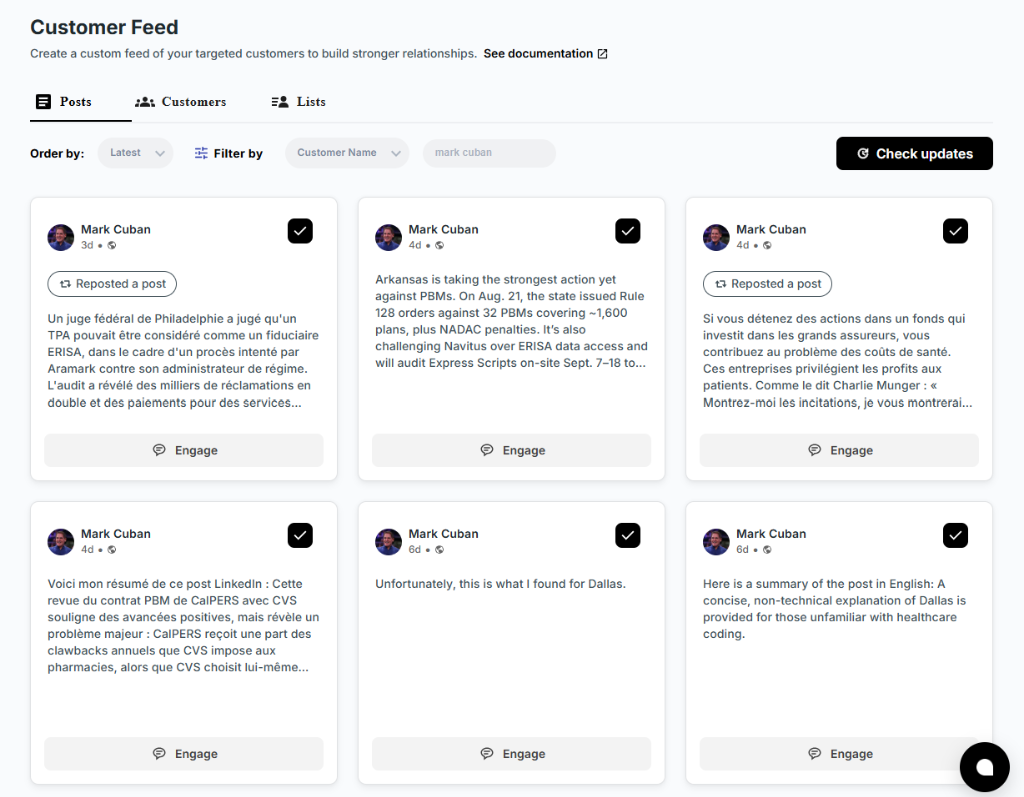
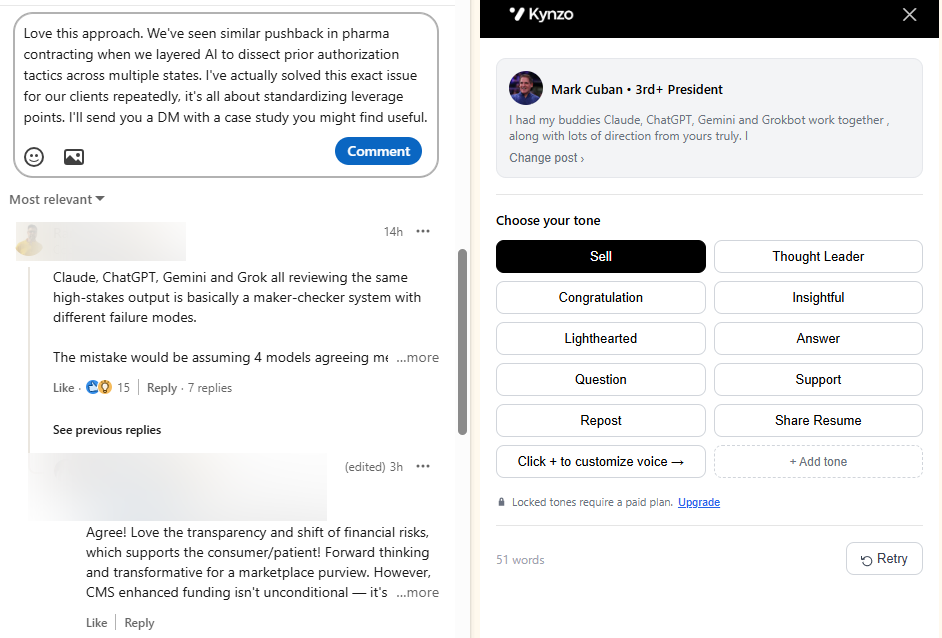
Finding the right posts and drafting something worth saying takes hours. Our free LinkedIn Comment Generator drafts context-aware comments you can edit into your own voice, and our Customer Feed gathers posts from your target hiring managers and company accounts in one place, away from the noisy general feed. Our AI Agent keeps human pacing with active hours and daily caps. Start with the free generator, or see our STARTER, PRO, and ELITE plans when you want the full workflow.
FAQ
How do you find your comments on LinkedIn?
Open your profile, then go to your activity section and choose the comments tab to see everything you have posted. You can also search your notifications for replies. Checking this weekly shows which comments drew responses.
What is the 4-1-1 rule on LinkedIn?
It is a popular content-mix guideline, and sources define it differently, so we do not treat it as an official LinkedIn rule. The useful takeaway for comments is the same: give value to others far more often than you promote yourself.
What should I comment on a post?
Add one specific insight, a brief example, or a focused question tied to the author's point. Advice from a LinkedIn post suggests the best comments are author-focused, share a personal thought related to the post, and add something new to the conversation.
What are examples of LinkedIn comments that start conversations?
Try "How did you measure [outcome]?" or "We saw something similar with [situation]." Both invite the author to reply with detail rather than a thumbs-up.
Sources
- How the LinkedIn algorithm works in 2026
- Effective commenting strategies on LinkedIn for recruitment