

LinkedIn Engagement Signals: A Recruiter's Guide to Warm Outreach
LinkedIn engagement signals are the visible actions a hiring manager or target account takes: comments, reactions, profile views, connection accepts, replies and direct questions. For an agency recruiter, they answer one question: is this person warming up to a conversation about external search help, or is this just noise? This guide covers which signals matter, how to weigh them, how fast to act, and how to build a routine that turns them into discovery calls without blasting InMail.
Key takeaways
- *One signal is noise, a stack is intent. A like means little. A comment, then a profile view, then a connection accept inside a short window is a reason to reach out.
- *Timing decides value. Research on social selling points to a 24 to 48 hour window in which signals predict the most. After that, context decays.
- *Track accounts, not just individuals. When two stakeholders at one company engage with similar hiring content, the account is likely moving.
- *Watch a curated list, not the general feed. A dedicated feed of target hiring managers shows you signals the algorithm buries.
Table of Contents
- What counts as an engagement signal for a recruiter
- The signals worth tracking, ranked by strength
- Signal stacking: how to separate warm from curious
- Why timing matters more than most recruiters assume
- Account-level signals: look at the whole company
- The 95-5 rule: use signals to listen, not to push
- Build a signal workflow you can run in 20 minutes a day
- Why the general LinkedIn feed hides your best signals
- Mistakes that wreck good signals
- How Kynzo turns signals into a workflow
- Putting it together: a worked example
- FAQ
- Sources
What counts as an engagement signal for a recruiter
Most articles on this topic are written for people who post content and want reach. They describe how LinkedIn's algorithm weighs early likes, comments and shares. That is a different problem from yours.
As an agency recruiter or search consultant, you care about signals in two directions:
- *Outbound signals: what your target hiring managers do on their own posts and on other people's posts. This tells you what they care about right now.
- *Inbound signals: what they do in response to you. A reply to your comment, a like on your comment, a profile view, a connection accept, an inquiry.
The same logic applies to both. A useful signal, as Trigify's breakdown frames it, shows fresh activity, hints at a real business problem, and gives you a practical next action. If a signal fails any of those three tests, log it and move on.
The signals worth tracking, ranked by strength
Not every action carries the same weight. Here is how we rank them for recruitment business development, from weakest to strongest.
| Signal | What it usually means | Strength | Recommended response | |---|---|---|---| | Reaction to your post | Passing attention | Low | Log it, keep commenting on their content | | Hiring manager posts about hiring, growth or a stalled search | Active problem, not yet a requisition | Medium | Add a useful, specific comment within hours | | Like on your comment | They read it and approved | Medium | Comment again on their next post | | Reply to your comment | Two-way conversation has started | Medium-high | Continue the thread, then consider a connection request | | Profile view after you commented | Curiosity about who you are | High | Check that your headline and featured section explain what you do | | Connection accept | Permission to talk privately | High | Send a short, specific note, not a pitch | | Direct question or inquiry | They are asking for help | Highest | Offer a call |
The top three rows of this table are inbound signals. They are the ones that justify moving from public commenting to a private message.
Frustration signals come before job orders
Some of the most valuable posts are not about hiring at all. A hiring manager venting about a search that has dragged on, an unfilled role, or agency fees is showing what Linked API's guide to buying signals calls frustration signals. They tend to appear before any formal job opening. If you only watch for posted jobs, you arrive at the same time as every other agency.
Behavior that is not a signal
Be honest with yourself about what you are reading. A reaction from someone who reacts to everything tells you nothing. A profile view can be a competitor, a candidate or a bot. That is why single events should never trigger a pitch.
Signal stacking: how to separate warm from curious
Most recruiters treat engagement as a volume metric: how many likes, how many views. The better approach is stacking.
Here is a concrete pattern. A decision-maker at a target account likes a post about hiring bottlenecks. Two days later, they view your profile. The next day, they accept your connection request. Any one of these is ambiguous. All three within about 48 hours is a lead that deserves a personal message rather than a generic one.

Trigify describes this same logic: one like is noise, while several linked behaviors inside a short window justify high-value outreach.
A simple scoring sheet
You do not need a data science project. Use a points sheet in your CRM or a spreadsheet:
- Reaction to your content: 1 point
- Like on your comment: 2 points
- Reply to your comment: 3 points
- Profile view: 3 points
- Connection accept: 4 points
- Direct question about hiring or fees: 6 points
Set a threshold, for example 7 points inside seven days, as the trigger for a personal message. These weights are our working suggestion, not an industry standard. Adjust them against your own reply rates after a month.
Why timing matters more than most recruiters assume
The research here is consistent. Analysis cited by Trigify says the most predictive signals fall within a 24 to 48 hour window , and older signals lose value quickly because the buyer's context changes.
Academic work points the same way for content generally. A 2025 study of 991 LinkedIn posts found that older posts generate lower engagement across reactions, comments and reposts . In practice, a comment on a post that is three hours old gets seen. A comment on a post from last week gets buried.
The implication for your day: you cannot check LinkedIn once on Friday afternoon. You need a short, repeatable check of the right people, ideally twice a day.
Account-level signals: look at the whole company
The most common mistake in signal tracking is watching only one person. Linkedify's guide separates person-level signals, where one buyer is warming up, from company-level signals, where a whole account is in motion.
Here is what that looks like for a search consultant:
- The CTO comments on a post about engineering hiring.
- The Head of People likes a post about slow time-to-hire.
- The VP of Product follows a recruiting thought leader.
None of these is a request for help. Together they suggest an organization feeling the same pain. That justifies an executive-level introduction, and it tells you which stakeholder to approach first.
If you want a closer look at how the executive side works, see our guide to executive search on LinkedIn .
The 95-5 rule: use signals to listen, not to push

A common idea in social selling is the 95-5 rule: at any moment, only about 5% of your target market is in-market, and the other 95% are not ready. Linkedify's guide describes signals as a listening tool for nurturing that 95% until they cross over. Treat it as a practitioner heuristic, not a measured law.
For recruiters, this changes the job. Instead of forcing a discovery call on everyone, you:
- Build a list of target hiring managers and company accounts.
- Show up consistently with thoughtful comments.
- Watch for the spike in activity that signals a change.
- Reach out when the signal justifies it.
This is the opposite of mass messaging and cold InMail. It is slower at the start and cleaner at the end, because the person you message already knows your name.
Build a signal workflow you can run in 20 minutes a day
Here is a routine you can adopt this week. Times are examples; use your own.
- *Morning (10 minutes): Open your curated list of target hiring managers. Read what they posted in the last 24 hours. Leave two or three specific comments that add a point of view, not praise.
- *Midday (5 minutes): Check your inbound log: replies to your comments, likes on your comments, new profile views, connection accepts.
- *Afternoon (5 minutes): Apply your scoring sheet. Anyone over threshold gets a personal message that references the thread you already had.
- *Friday: Review which accounts went quiet and which are heating up. Update your CRM.
What a good follow-up looks like
Skip the pitch. Reference the exchange:
"Your point about engineering offers being declined after final rounds stuck with me. I've seen the same pattern in a few searches this quarter. Happy to share what has worked if useful."
That message works because it is specific, short and offers value first. It does not ask for 30 minutes of their calendar in line one.
Why the general LinkedIn feed hides your best signals
LinkedIn's main feed is ranked by what it thinks you want to see, not by who you need to watch. A hiring manager's post can easily slip past you. Linked API's guide makes the case for watching a defined list instead of the general feed , so you act as an observer of specific people rather than a passive consumer.
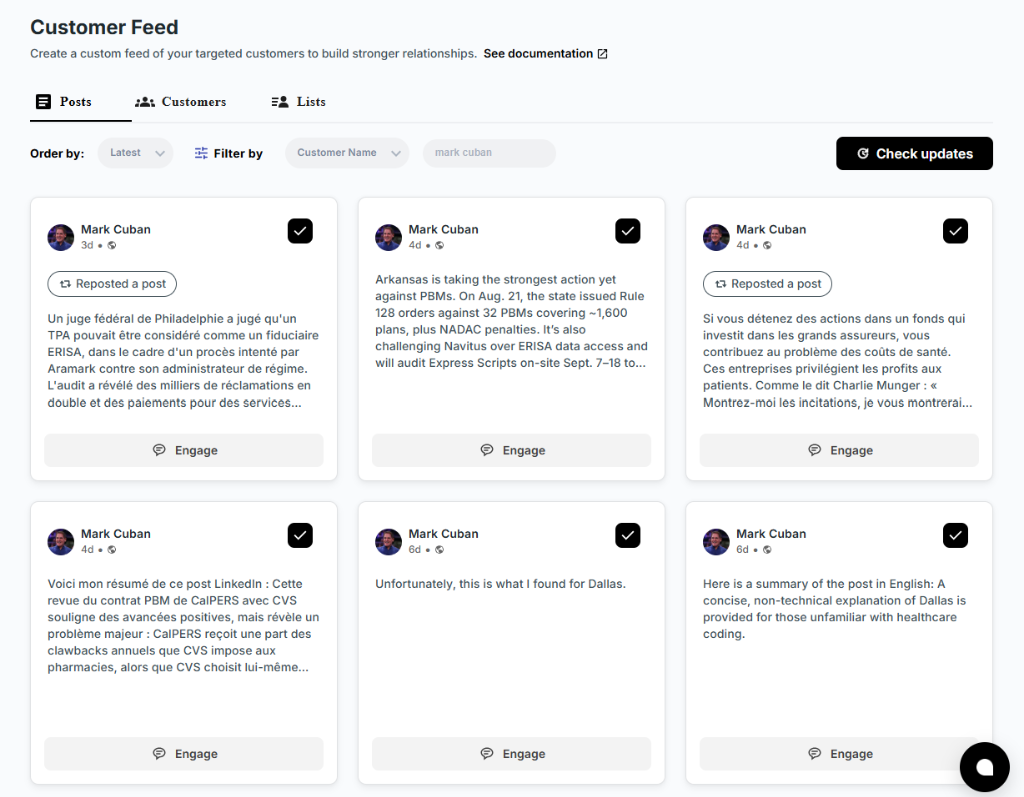
The practical fix is a dedicated list. You can build one manually with saved searches and lists, but it gets harder to maintain once you follow dozens of accounts across several clients and sectors. That is the problem we built Kynzo's Customer Feed to solve.
If you also sell to technology buyers, this buyer engagement alerts playbook shows how revenue teams think about turning buyer activity into timely follow-up. The principle carries over to recruitment business development.
Mistakes that wreck good signals
- *Pitching on a single like. It reads as surveillance and burns the relationship.
- *Generic comments. "Great post!" is invisible to the author and tells them nothing about you.
- *Ignoring pacing. Posting dozens of comments in a burst looks automated and risks your account. Spread activity across the day.
- *Waiting too long. A signal older than two days has likely lost its context.
- *Tracking only candidates' activity. Your revenue comes from hiring managers and decision-makers.
- *Never closing the loop. If signals do not reach your CRM, your team cannot act on them. Our guide on how to connect LinkedIn to your CRM covers the setup.
For a wider look at which numbers deserve your attention, read our piece on LinkedIn engagement metrics .
How Kynzo turns signals into a workflow
Kynzo is a LinkedIn engagement platform built for agency recruiters. It gives you a Chrome extension and a Customer Feed that follows posts and activity from your target hiring managers and company accounts, without the noise of LinkedIn's general feed.
Here is what it covers for the signal workflow described above:
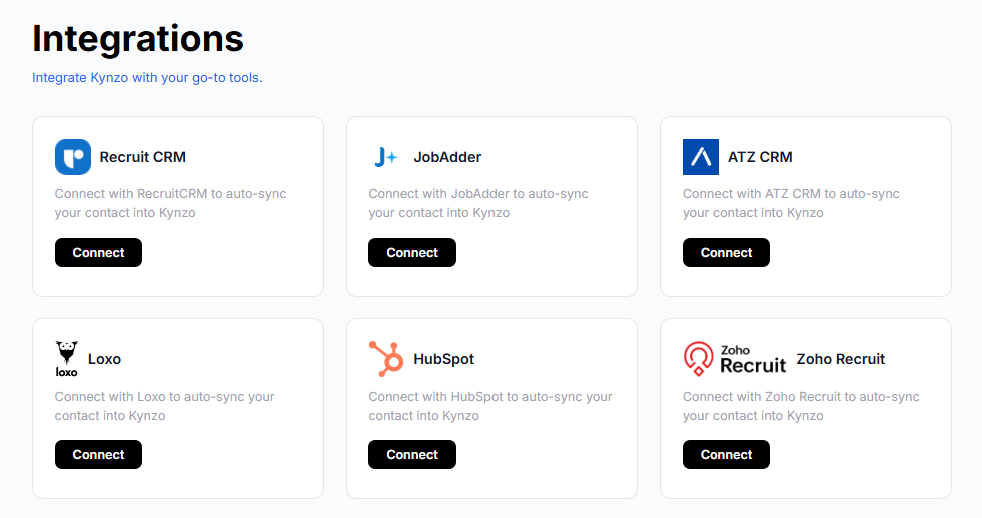
- *Account sync: pull target accounts from Recruit CRM, JobAdder, Zoho Recruit, HubSpot, Crelate or Loxo, or save profiles and posts manually.
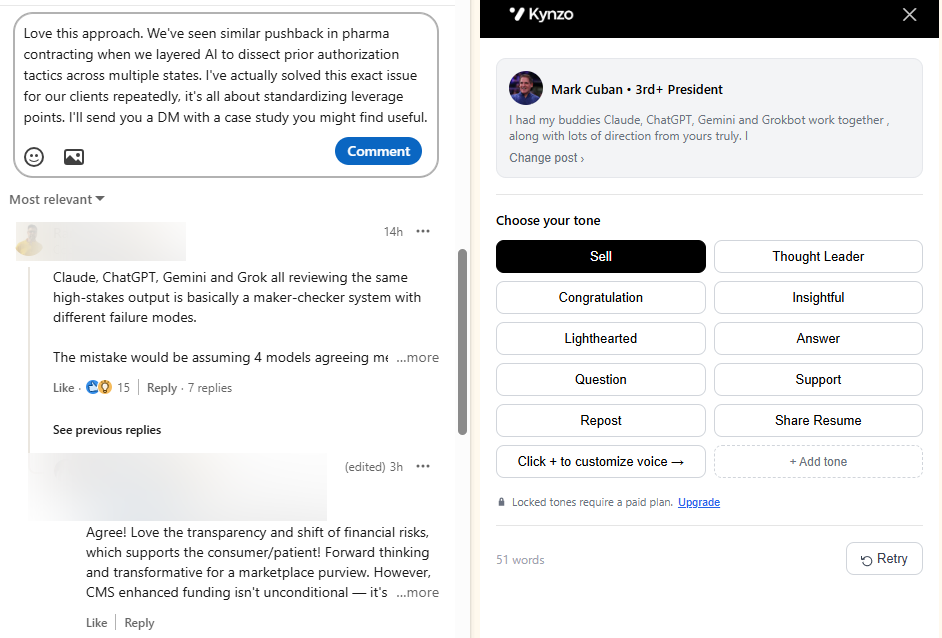
- *AI Agent: drafts or publishes context-aware comments in your own voice, with tone options, active hours, daily caps and randomized delays for human pacing.
- *Signal tracking: logs replies, comment likes, profile views, connection accepts and inquiries so you can see when to start warm outreach.
Plans are published at kynzo.io/pricing : Starter at $12.90 per month, Pro at $30 per month and Elite at $50 per month. The Chrome extension installs free. You can also try the free LinkedIn comment generator to see how context-aware comments read before you commit to anything.
If you use a specific system, the walkthroughs for HubSpot and Zoho Recruit show the sync step by step.
Putting it together: a worked example
Imagine you recruit finance leaders for mid-sized software companies. You track 40 target CFOs and VPs of Finance.
- *Monday: a CFO posts about struggling to hire a controller after two failed searches. You comment with a specific observation about why controller searches stall at the offer stage.
- *Tuesday: the CFO likes your comment and replies with a short thanks. Score: 5.
- *Wednesday: the CFO views your profile. Score: 8. You are over threshold.
- *Wednesday afternoon: you send a connection request referencing the thread. It is accepted within hours. Score: 12.
- *Thursday: you send a short message offering to share how you have handled similar searches.
No cold InMail, no template. The CFO already knows your point of view and has signaled interest three separate ways in four days. The same sequence across a second stakeholder, such as the Head of Talent, would make it an account-level signal and a strong reason to ask for a call.
FAQ
What are LinkedIn engagement signals?
They are the visible actions people take on LinkedIn: reactions, comments, shares, profile views, connection accepts, replies and direct questions. For recruiters, the useful ones show a hiring manager's interest in a topic or in you. They matter most when several appear together in a short window.
Are LinkedIn intent signals the same as engagement signals?
They overlap. Engagement signals describe the actions. Intent signals are the subset that suggest someone is moving toward a purchase or a decision, such as a post about a stalled search or a question about fees. Treat intent as an interpretation you build from several engagement signals, not a single event.
How quickly should I act on a signal?
As fast as is natural. Research cited by Trigify points to a 24 to 48 hour window as the most predictive. If you can respond with a relevant comment or message the same day, do it.
How many signals justify a private message?
There is no fixed number. A reasonable rule is two or three distinct signals within about a week, with at least one inbound action such as a reply, profile view or connection accept. A direct question about hiring or fees justifies a reply on its own.
Sources
- 15 LinkedIn Engagement Signals for ABM, Trigify
- LinkedIn Intent Signals: The 10+ Buying Signals to Track, Linkedify
- B2B Buying Signals: The LinkedIn Ones and How to Track Them, Linked API
- What Predicts Engagement on LinkedIn? Usera and Durham, 2025