

LinkedIn Lead Generation for Recruiters: A Warm-Client Playbook
LinkedIn lead generation for recruiters works when you stop treating hiring managers as a list to blast and start treating them as accounts to earn. Pick a short list of target hiring managers, show up in their comments consistently, watch who responds, and only then start a conversation. That sequence produces discovery calls. Mass InMail and templated connection requests mostly produce silence.
This guide walks through that sequence step by step, with a weekly routine, a signal table and the mistakes that get recruiter accounts ignored or restricted.
TL;DR
- Client acquisition on LinkedIn is a relationship problem, not a volume problem. Build a target list of 50 to 150 hiring managers and company accounts, not a list of thousands.
- Comment on their posts for one to two weeks before you connect or message. A familiar name gets a different reception than a stranger.
- Track engagement signals (replies, comment likes, profile views, connection accepts, inquiries) and start warm outreach when two or more stack up.
- Pace everything like a person: daily caps, active hours, random delays, real opinions in every comment.
- Move serious conversations off LinkedIn to email and phone, where deals are actually discussed.
Table of Contents
- Why client-side lead generation is different from sourcing
- Why mass messaging and cold InMail keep failing
- The warm-first sequence
- Your first message after the connect
- A weekly routine that fits around a billing desk
- How to keep automation human
- Our perspective: engagement is the recruiter's pipeline data
- Common mistakes
- Tools for the job
- Where Kynzo fits
- FAQ
- Sources
Why client-side lead generation is different from sourcing
Most LinkedIn advice for recruiters is about finding candidates. Client acquisition is the other half of the desk: the companies that pay your fee. The buyer is a hiring manager, a VP, a founder or a talent leader who gets pitched by recruiters every day and has learned to ignore all of them.
That changes the playbook in three ways:
- *Your audience is small. An agency recruiter or search consultant working a niche needs dozens of right-fit accounts, not an enormous funnel.
- *Trust precedes the pitch. LinkedIn's own research, as reported by one social selling guide , says 73% of B2B buyers prefer working with professionals referred through their network. You will not always get a referral, but you can get recognized.
- *Timing matters more than reach. ZoomInfo's 2026 playbook argues that precise targeting and good timing beat high-volume outreach, and points to trigger events such as funding rounds, new C-suite hires and sustained hiring spikes as the moments budget opens up.
The data on social selling in general points the same direction. Clari reports that professionals using social selling generate 45% more opportunities and are 51% more likely to hit their sales targets than peers who do not. Treat those figures as a B2B sales benchmark, not a promise for recruiting fees, but the direction is clear: relationship-first activity outperforms cold volume.
Why mass messaging and cold InMail keep failing
A hiring manager's inbox is full of near-identical pitches: "I have top candidates for your open roles." Cold InMail blasts and automated connection requests with a pasted pitch are the easiest thing for them to ignore, and for LinkedIn to discourage.
Practitioners discussing LinkedIn's 2026 feed, summarized in this social selling podcast episode , say the platform's so-called 360Brew algorithm leans toward genuine behavior, rewarding saves and personalized contributions over automated activity and generic "AI slop." This is practitioner commentary rather than an official LinkedIn statement, so treat it as a strong signal, not a rulebook. The practical conclusion holds either way: thoughtful, specific comments beat both automated blasts and lazy one-liners.
There is also a hidden cost. Every ignored pitch teaches the buyer to ignore your name. If you later have a real, well-timed opportunity, you have already spent your credibility.
The warm-first sequence
We teach recruiters a four-step loop. Each step is small. The compounding is what matters.

Step 1: Build a target list that reflects real buying power
Start with the people who can sign a search or a preferred supplier agreement. For most agency recruiters, that is:
- Hiring managers in the function you place (engineering, finance, sales, clinical)
- Heads of talent acquisition who run vendor lists
- Founders and COOs at companies growing from 20 to 500 people
- Company pages for target employers
Score the list with trigger events. A company that just raised funding, hired a new CRO or has had the same five roles open for 60 days is a better account than one that matches your industry filter but shows no movement. If you want to sharpen the candidate side of the same accounts, our free Boolean search generator builds clean search strings so your research on a company's talent landscape takes minutes.
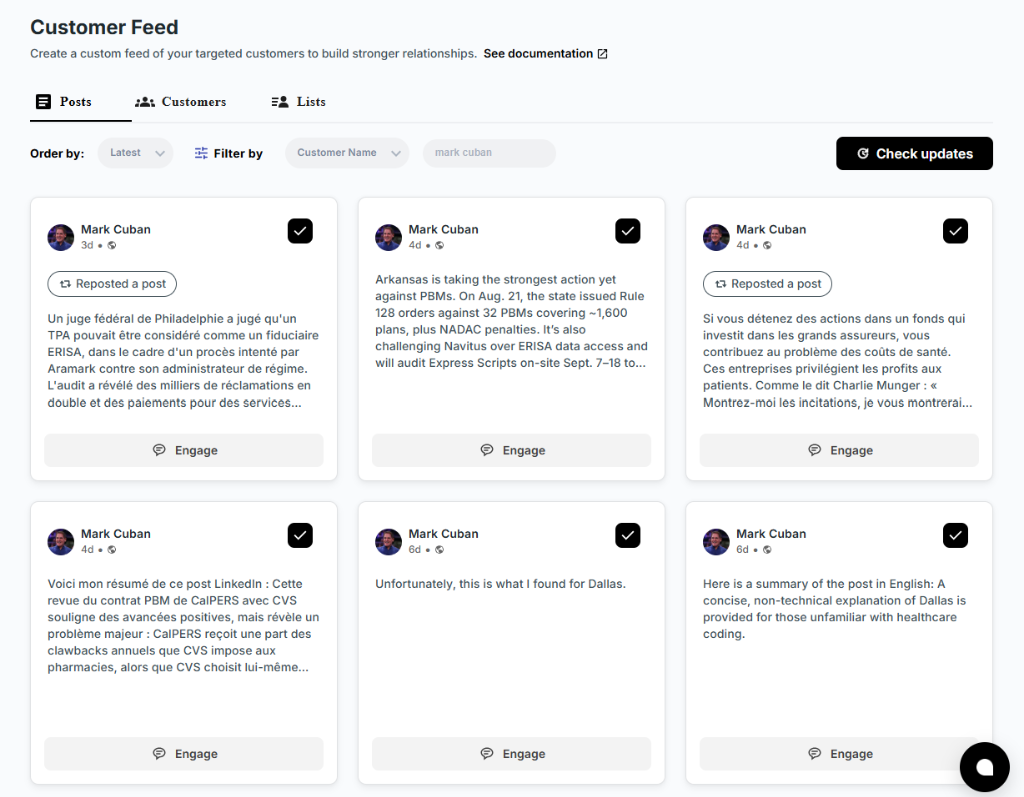
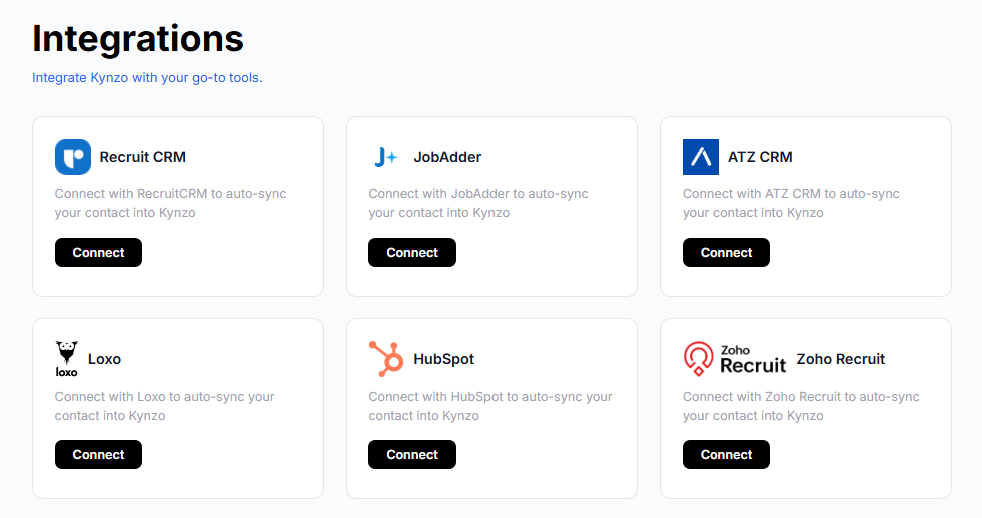
Keep your CRM as the source of truth. Accounts you already work in Recruit CRM, JobAdder, Zoho Recruit, HubSpot, Crelate or Loxo can be synced into Kynzo so the list you monitor on LinkedIn matches the list you manage, and you can also save profiles or posts manually.
Step 2: Watch them in a dedicated feed
LinkedIn's general feed is built to keep you scrolling, not to keep you in front of 100 specific buyers. Recruiters who rely on it miss most of what their targets post. A dedicated feed of only your target accounts fixes that: you open it, see who posted, and engage while the post is still fresh. Early, substantive comments are also more visible than late ones.
Step 3: Comment like a peer, not a vendor
The goal of a comment is to be useful to the author and their audience. A comment that mentions your agency or hints at a pitch tells the author you are prospecting. One that adds a real observation tells them you understand their world.
We use a simple three-part pattern, our *A-A-O comment engine:
- *Acknowledge a specific point in the post (not "Great post!").
- *Add one thing from your own experience: a data point, a counterexample, a short story from a search you ran.
- *Open a door with a light question when it fits, never a pitch.
Here is how that looks under a VP of Engineering's post about losing a senior hire to a counteroffer:
"The counteroffer point is the one most teams miss. In the searches we've run, the candidates who accepted one were usually back on the market within a year, because the reason they started looking never changed. Do you ask about that reason before the offer stage?"
Compare that with "Totally agree, great insights!" The first earns a reply. The second is noise that can read as automation.
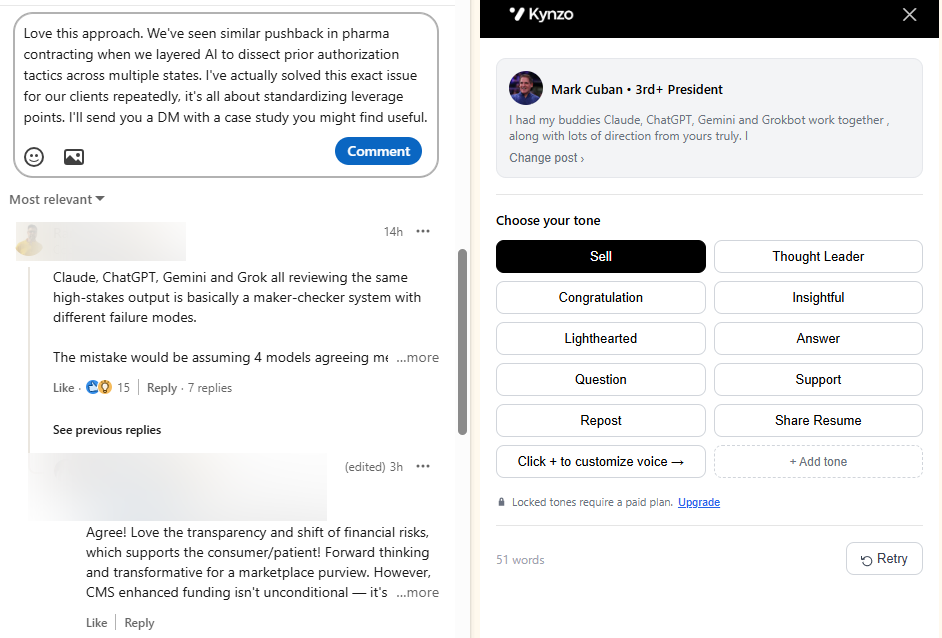
To practice the pattern, the free LinkedIn comment generator drafts options you can edit in your own voice. For a deeper look at the method, see our guide to AI commenting on LinkedIn .
Step 4: Read the signals, then start the conversation
Comment warming only pays off if you notice when it works. Keep a signal log for each target account:
| Signal | What it means | Next move | |---|---|---| | Author replies to your comment | Active recognition | Reply once more, then plan a connection request | | Author likes your comment | Mild positive | Keep commenting; do not message yet | | Profile view from the target | Curiosity about you | Connect with a short, specific note | | Connection accepted | Permission to talk | Send a helpful, low-pressure first message | | Inbound question or inquiry | Open buying window | Offer a call, move to email or phone |
A single like is not a buying signal. Two or three signals within a couple of weeks usually are. Kynzo tracks these signals for you (replies, comment likes, profile views, connection accepts and inquiries), so you do not rebuild the log from notifications.
When it is time to connect, keep the note short and personal. Our connection request checker shows the character limit and a preview, so the note you wrote is the note that arrives, not one cut off mid-sentence.
Your first message after the connect
The first message should reference the shared history, not your services. For example:
"Thanks for connecting, Dana. I enjoyed your thread on onboarding engineers remotely. We recruit for data and platform teams, and I'd like to hear how you're handling the senior hires you mentioned. Open to a 15-minute exchange next week?"
Three rules keep it warm:
- Mention something they said, in their words.
- Ask one question that is easy to answer.
- Do not attach a PDF, rate card or calendar link in message one.
Then move the real conversation off the platform. ZoomInfo's guide notes that most deals close off LinkedIn , so move qualified prospects to email and phone, where reply rates run higher.
A weekly routine that fits around a billing desk
Recruiters do not have two hours a day for business development. Here is a routine that takes about 25 minutes a day:
- *Monday, 15 minutes: Review the target list. Add accounts with new trigger events, remove ones that went dark.
- *Tuesday to Thursday, 20 to 25 minutes: Open the dedicated feed, leave five to eight thoughtful comments on target posts, and reply to anyone who responded to you.
- *Friday, 20 minutes: Review the signal log. Pick the three to five accounts with the strongest stack of signals and send connection requests or first messages.
- *Ongoing: Log every call booked and its source so you know which signals convert.
That is roughly 8 to 10 conversations of real engagement per week with accounts you care about, which is far more useful than 200 anonymous requests.
How to keep automation human
Automation is not the villain. Unsupervised, unpaced automation is. If you use a tool to draft or publish comments, set it up the way a careful person would work:
- *Daily caps. A real recruiter does not leave 80 comments in an hour. Keep totals modest.
- *Active hours. Engage during your time zone's working day, not at 3 a.m.
- *Random delays. Uniform gaps between actions look mechanical.
- *Context-aware drafts. Every comment should refer to the actual post. Generic praise is the quickest way to look automated.
- *Your voice. Train on how you write, including your tone with executives versus peers.
- *Review before you trust. Read drafts for the first weeks, and keep publishing manual for sensitive accounts.
These are the controls Kynzo's AI Agent offers: custom voice, specialized tones, active hours, daily caps and randomized delays. Be aware that LinkedIn's terms restrict some forms of automation, so choose conservative settings and make your own judgment about your account's risk.
Our perspective: engagement is the recruiter's pipeline data
We built Kynzo because the recruiters we talk to describe the same problem. They know client relationships drive high-fee work, but business development always loses to the open req on their desk. Their LinkedIn feed is noisy, their target hiring managers are buried in it, and the only scalable-looking tools on offer are the ones that send more messages.

We think that is backwards. Sending is the cheap part. The hard parts are noticing the right post at the right moment, saying something worth reading, and knowing when a person has actually warmed up. So we focused there: a feed made only of your target accounts, a comment agent that writes in your voice and paces itself like you, and a log of signals so "it feels like they know me" becomes something you can see.
We also hold a firm line on spam. If a tool makes you look like every other recruiter in a hiring manager's inbox, it has failed, however many messages it sends. Warm outreach is slower in week one and faster by week four, and the accounts you win this way tend to stay.
*— Jenny
Common mistakes
- *Pitching in comments. Mentioning your agency under a stranger's post gets you muted.
- *Targeting too wide. Following 2,000 people means you comment on none of them consistently.
- *Ignoring your own profile. Hiring managers will check you. LinkedIn's Social Selling Index scores profiles from 0 to 100, and 75 or more marks a leader. Use it as a diagnostic for your presence, not a revenue metric, since it can reward vanity activity.
- *Skipping the trigger. Outreach with no reason to talk now reads like a pitch, even when polite.
- *No follow-through. Comments without a signal log mean you forget who warmed up.
- *Using only LinkedIn. It is a place to start relationships, not to close them.
Tools for the job
A lean stack covers most agencies: your CRM for accounts and deals, a LinkedIn engagement layer to monitor and warm targets, and a phone and email routine to convert them. Some teams also add AI tools built for recruiting work on the candidate side, such as automated interviewing, which frees desk time for client development.
Outsourcing the whole function to a lead generation agency is another route, but you hand your reputation and your tone of voice to someone else. For recruiters whose edge is relationships, that is usually the wrong trade.
Where Kynzo fits
Kynzo is a Chrome extension and platform for agency recruiters and search consultants. It gives you a dedicated Customer Feed of target hiring managers and companies, syncs accounts from your recruiting CRM, drafts or publishes context-aware comments in your voice with human-pacing controls, and tracks the engagement signals that tell you when to reach out. Installation is free. Paid plans on the pricing page are Starter at $12.90 per month, Pro at $30 per month and Elite at $50 per month. You can also try the free tools on our tools page before you commit to anything.
FAQ
How many hiring managers should I target on LinkedIn?
Start with 50 to 150 accounts you can follow consistently. If you cannot comment on each at least a couple of times a month, the list is too long. Quality of fit and trigger events matter more than size.
How long does comment warming take before I message?
Plan for one to two weeks of consistent, substantive comments, then watch for signals such as replies, profile views or a connection accept. Some accounts warm in days, others never do. Let the signals decide, not the calendar.
Is cold InMail ever worth it?
It can work for a highly specific, well-timed message to someone with a clear trigger event. As a volume strategy it performs poorly, because buyers are used to generic pitches. Warm engagement first makes any later message, InMail or otherwise, more likely to be read.
Can I automate LinkedIn comments safely?
No automation is risk-free, and LinkedIn restricts some automated activity. Lower your exposure by using daily caps, active hours, random delays and drafts that reference the actual post, and by reviewing what goes out under your name.
Sources
- Social Selling | Clari
- LinkedIn Lead Generation: The 2026 Playbook for B2B Teams | ZoomInfo Pipeline
- Best of LinkedIn: Social Selling CW 31/32 (podcast)
- What Is Social Selling? The Complete B2B Guide for 2026 | Intentamplify
- LinkedIn profile tool and social selling overview | The IN Academy