

LinkedIn Mass Messaging Risks for Recruiters and What to Do Instead
Mass messaging on LinkedIn puts three things at risk: your account, your response rates and your reputation with the hiring managers you want as clients. LinkedIn does not permit third-party tools that automate activity on its site, it restricts accounts that send many invitations quickly, and recipients can tell when a message was sent to a list. For agency recruiters building high-fee client relationships, the safer path is to become familiar first, through relevant engagement, and message second.
This guide covers what LinkedIn's rules say, what triggers restrictions, how bulk sending hurts replies and brand, the privacy angle, and a practical way to warm up client conversations without a blast.
Key Takeaways
- LinkedIn's own Help Center says it does not permit third-party software, including bots and browser extensions, that automates activity on the site. Volume and speed are the usual triggers for restrictions.
- LinkedIn does not publish a universal message or invitation allowance, so "staying under the limit" is a guess, not a safeguard.
- Bulk InMails get fewer responses than individually sent ones, and generic outreach to hiring managers costs you credibility that is hard to rebuild.
- Business development outreach to clients is a relationship game: a few relevant, well-timed touches beat hundreds of templated ones.
- Engaging with a target hiring manager's posts before you message creates context, so your first message is not a cold one.
Table of Contents
- What LinkedIn's rules say about sending messages at scale
- How LinkedIn restricts accounts
- What mass messaging does to your response rates
- The reputation cost
- Privacy and marketing rules to keep in mind
- A warmer way to start client conversations
- How Kynzo supports the lower-spam approach
- Safer habits for any LinkedIn outreach
- FAQ
- Sources
What LinkedIn's rules say about sending messages at scale
Start with the source. LinkedIn's Help Center page on prohibited software and extensions says LinkedIn does not permit third-party software, including crawlers, bots, browser plug-ins or browser extensions, that scrape, modify the appearance of, or automate activity on its website. It also rules out fake accounts and fake engagement, and ties these prohibitions to Section 8.2 of the User Agreement.
That section is where mass messaging tools run into trouble. Among the things members agree not to do is to use bots or automated methods to access the services, add or download contacts, or send or redirect messages. The page also warns that members using prohibited tools risk having their accounts restricted or shut down.
Two practical points follow for a recruiter:
- *There is no exception for going slowly. Pacing a tool at a modest volume changes how likely a pattern is to be noticed. It does not change what the policy says. Policy summaries from tooling vendors make the same point: the rules do not carve out small senders.
- *Spam rules apply to humans too. LinkedIn's community standards separately bar repetitive, promotional messages to people you do not know. A recruiter copying and pasting the same pitch to 100 hiring managers by hand is not automating anything, yet still sends the kind of message the platform and its members dislike.
If you take one habit from this section, make it this: treat every outreach workflow as something you would be comfortable explaining to the recipient. If the message only makes sense because it went to a list, it is a mass message, whoever or whatever pressed send.
How LinkedIn restricts accounts
LinkedIn does not post a neat table of daily caps. What it describes are behaviors. According to a safety explainer from Doreach , the reasons LinkedIn lists for temporary invitation restrictions include many invitations in a short period, invitations that are ignored or left pending, invitations marked as spam, and suspected automation. Repeated suspensions may lead to permanent restriction.
A tracker of LinkedIn's help documentation, Hublead's invitation limit guide , notes that the help pages describe these triggers but do not state a number. The roughly 100 invitations per week that many people quote is an observed ceiling, not a published rule. That matters because round numbers feel safe, and they are not. Your acceptance rate, how many invitations sit pending and how often people mark you as spam all feed into the same picture.
What a restriction costs an agency recruiter
For a recruiter, a restricted account is not a minor inconvenience. Think about what sits inside it:
- Years of connections, including past candidates and client contacts.
- Open conversations with hiring managers who have not replied yet.
- The visible track record that makes a new client trust you before the first call.
A week without sending invitations in the middle of a business development push can stall a pipeline. A permanent restriction can erase the asset. The upside of a blast, a few extra replies, rarely justifies that exposure.
The scale of spam enforcement
LinkedIn is not casual about this. Its Community Report for the second half of 2025, as summarized by Omentir , says spam and scams were the most common violations it acted on, including repetitive communications and invitations, and that automated defenses stopped 98.6 percent of the spam and scam content it removed. Systems built to catch that volume also pick up recruiters who happen to look like spammers: identical text, bursts of activity, low acceptance.
What mass messaging does to your response rates
The risk is not only enforcement. Bulk messaging simply works worse on the people you most want to reach.
LinkedIn's own data on InMail, reported by Social Media Today , found that individually sent InMails had response rates roughly 15% higher than InMails sent in bulk. The same report found the shortest InMails had response rates 22% above average, while the longest were 11% below average. Those figures cover recruiter InMail to candidates, but the lesson carries over to client outreach: personal and short beats templated and long.

Hiring managers and talent leaders are the hardest audience for a template. They already receive staffing agency pitches weekly. A message that opens with a generic compliment and a list of services is indistinguishable from the last ten. They do not reply, and some mark it as spam, which feeds back into the restriction triggers above.
Why client outreach is different from candidate outreach
Candidates may welcome a relevant role. A hiring manager has no reason to answer a stranger who sells a service. For fee-based recruiting relationships you need:
- A reason to be noticed before you ask for anything.
- Evidence that you understand their hiring problem.
- A low-pressure first step.
A blast gives you none of these. It produces a pile of unanswered messages, a drop in acceptance rate and, occasionally, a reply telling you to stop.
The reputation cost
Recruitment is a small world. Hiring managers talk to each other, change companies and join new leadership teams. Pursue Networking's guide to ethical outreach argues that aggressive mass DMs and relentless follow-ups can burn bridges, while relevant and respectful messaging builds trust and referrals.
That plays out in specific ways for a recruiter:
- *You become "that agency." One careless blast to a target account list can attach a label to your name that outlasts the campaign.
- *You spend goodwill you cannot see. The people who do not reply do not tell you why. They simply file you as noise, and your next, better message lands in that file.
- *Your team's brand takes the hit. If several consultants at an agency blast the same accounts, the client sees one firm contacting them repeatedly with the same pitch.
The same logic argues against heavy follow-up sequences. The Pursue Networking guidance suggests one initial message and one follow-up at most for cold outreach. For warmer outreach it suggests one message and two follow-ups, spaced at least a week apart, and immediate respect for opt-outs. Our own notes on outreach cadence take the same view: spacing is what separates persistence from pressure.
Privacy and marketing rules to keep in mind
Outreach to business contacts is also a data protection question, and it differs by country. A 2026 overview of LinkedIn message rules across the EU, UK and US lists the habits that usually matter: documenting a lawful basis for contacting someone, explaining where you got their data when required, identifying yourself clearly, giving an easy way to object, and suppressing future outreach once someone does.
Specific obligations depend on where the sender and recipient are. If you recruit across borders, check the rules for each market rather than assuming one standard. As one example of how regional guidance looks, recruitment AI compliance guidance for Australia walks through data handling duties that apply to recruiters using AI tools there. The practical habits travel everywhere: keep a record of why you contacted someone, honor an opt-out the same day, and avoid collecting more data than you need.
For questions about your own situation, talk to a lawyer who handles data protection and marketing law in your jurisdiction.

A warmer way to start client conversations
If blasting is out, what replaces it? The answer most experienced business development recruiters give is the same: earn recognition before you pitch.
Step 1: Pick a short target list
Choose the hiring managers, talent leaders and company accounts where a placement would be worth a real fee. A list of 50 well-chosen accounts is more useful than 5,000 scraped profiles. Pull the names from your CRM so the list reflects accounts you have already qualified.
Step 2: Watch their activity in one place
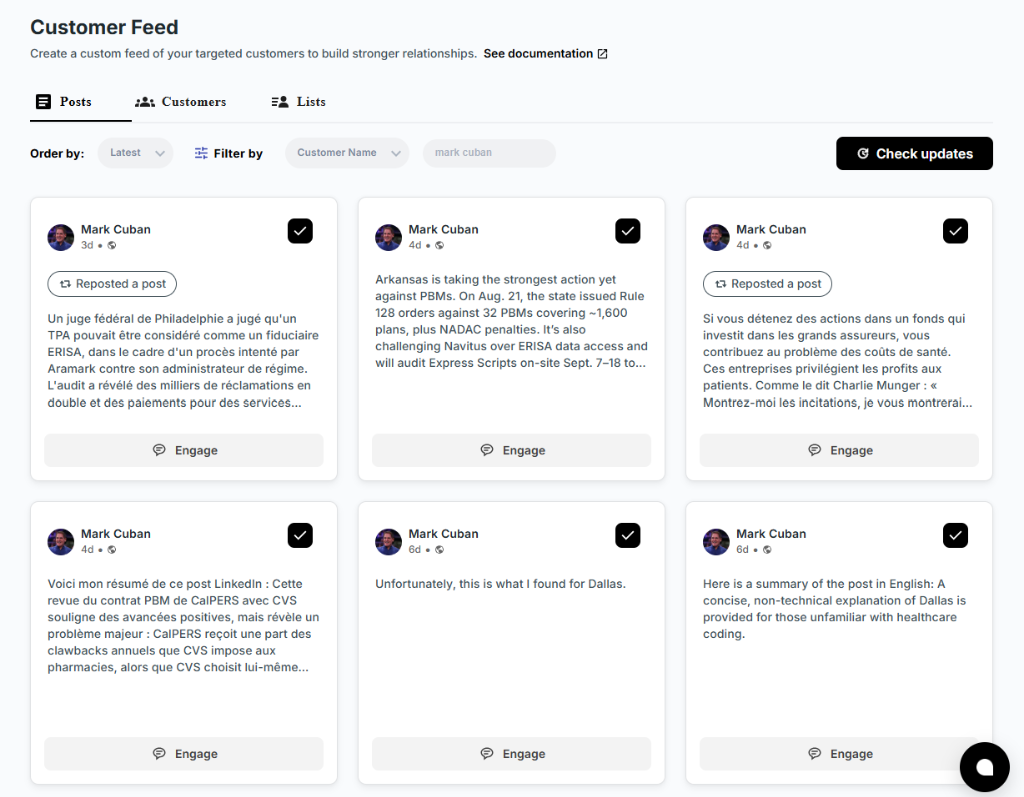
LinkedIn's general feed buries the posts that matter. Following target accounts in a dedicated view means you see a hiring manager's post about a new team, a funding round or a difficult search while it is still fresh.
Step 3: Comment with substance
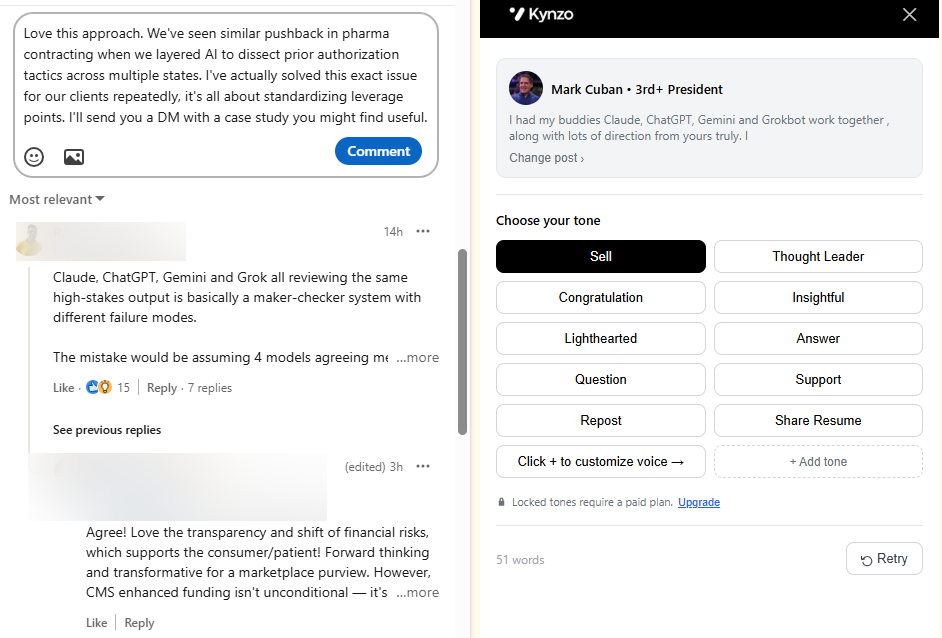
A useful comment adds an observation, a data point or a question. It is visible to the manager and to everyone who reads the thread. Two or three thoughtful comments over a few weeks make your name familiar without asking for anything. For ideas on what good looks like, see our LinkedIn comment examples .
Step 4: Watch for signals
When the same manager replies to your comments, likes them, views your profile or accepts a connection request, you have a reason to reach out. That is a warm opening, not a cold one.
Step 5: Send one relevant message
Reference the thread or post you both engaged with, say briefly what you do for teams like theirs, and offer a small next step. If they do not reply, one follow-up a week or more later is enough.
The following table puts the two approaches side by side.
| Factor | Mass messaging | Engagement-led outreach | |---|---|---| | Volume | Hundreds of messages per campaign | A short list of target accounts | | First impression | A template from a stranger | A comment they have already seen | | Account exposure | High: repetitive, low acceptance, spam reports | Lower: activity looks like normal professional participation | | Reply quality | Few replies, many of them opt-outs | Replies from people who recognize you | | Reputation | Risk of being filed as noise | Builds familiarity over time | | Time to first call | Fast to send, slow to convert | Slower to start, warmer when it lands |
How Kynzo supports the lower-spam approach
Kynzo is a LinkedIn engagement platform built for agency recruiters, recruitment agencies and search consultants who develop high-fee client relationships. It was designed around the sequence above rather than around volume.
- *A dedicated Customer Feed. The Chrome extension collects posts and activity from your target hiring managers and company accounts, so you do not rely on LinkedIn's noisy general feed.
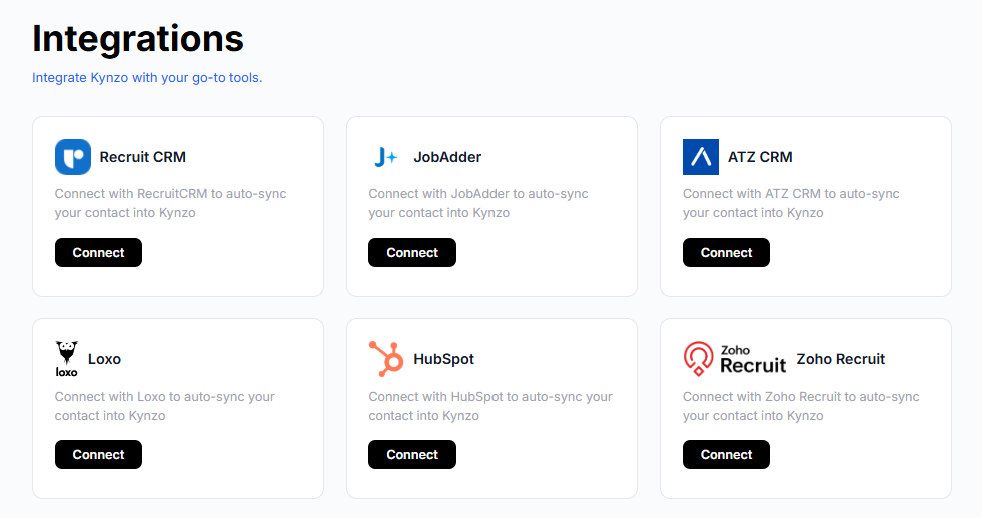
- *CRM sync. Target accounts can be synchronized from systems such as Recruit CRM, JobAdder, Zoho Recruit, HubSpot, Crelate and Loxo, or saved manually from profiles and posts.
- *The AI Agent. It drafts or publishes context-aware comments in your voice, with tone options, active hours, daily caps and randomized delays that keep the pace human. Our notes on comment automation and automation delays explain the thinking.
- *Engagement signals. Kynzo tracks replies, comment likes, profile views, connection accepts and inquiries, so you can see when a conversation is warm enough to begin outreach.
The point is to replace the mass message with a context-rich presence in the feed. You stay in control of voice, pace and which accounts you engage with, and you review how each account responds before deciding to message.
If you want to see how that fits your agency, the Kynzo pricing page lists three plans: Starter at $12.90 per month, Pro at $30 per month and Elite at $50 per month. Installing the Chrome extension is free.

You can also try our free LinkedIn comment generator to see how a comment can be shaped around a hiring manager's post, or build a candidate search with the recruiter Boolean search generator .
Safer habits for any LinkedIn outreach
Whatever tools you use, these habits lower risk and raise replies:
- *Keep your invitations targeted. Connect with people you have a reason to know. Ignored and pending invitations are one of the triggers LinkedIn lists.
- *Write each first message by hand or edit it until it is yours. Mention something specific to the person.
- *Keep it short. Shorter InMails performed better in the LinkedIn data cited above.
- *Space your follow-ups. One follow-up for cold contacts, and at least a week between touches for warmer ones.
- *Honor opt-outs immediately and keep a suppression list in your CRM.
- *Watch for warning signs. If acceptance rates drop or you see an invitation limit notice, stop and reduce activity rather than pushing through. Our guide to LinkedIn rate limits and our piece on how to avoid LinkedIn spam flags go deeper on pacing.
- *Read the current rules yourself. Policies change, so review LinkedIn's Help Center and User Agreement for what applies to your account and the tools you use.
For more on building a pipeline from the platform, see our lead generation guide for recruiters and our overview of AI for LinkedIn outreach .
FAQ
Can LinkedIn ban you for mass messaging?
Yes. LinkedIn can restrict or shut down accounts that break its rules, and its Help Center states that members who use prohibited tools risk exactly that. Many invitations in a short time, ignored or spam-marked invitations and suspected automation are the triggers LinkedIn lists for temporary restrictions, and repeated suspensions may become permanent.
How many LinkedIn messages can you send per day?
LinkedIn does not publish a universal number. Figures such as roughly 100 invitations a week come from observation, not from LinkedIn. Your acceptance rate, pending invitations and spam reports all affect how your account is treated, so quality and relevance matter more than any fixed cap.
Is mass messaging effective for recruiters?
It tends to work poorly for client development. LinkedIn data reported by Social Media Today shows individually sent InMails outperform bulk ones by roughly 15%. Hiring managers who receive templated pitches rarely reply, and a blast can harm your reputation with the exact people you want to win.
What should recruiters do instead of mass messaging?
Build a short list of target accounts, engage with their posts through thoughtful comments, and watch for signals such as replies, profile views and connection accepts. Then send one relevant message that refers to that shared context, with at most a small number of well-spaced follow-ups.
Do privacy laws apply to LinkedIn outreach?
They can. Rules differ by country, but common themes include having a lawful basis, identifying yourself, offering an opt-out and honoring it promptly. Check the rules in each market you contact, and ask a data protection lawyer when you are unsure.
Sources
- LinkedIn Help: Prohibited software and extensions
- Can you automate LinkedIn messages? What LinkedIn's rules say (Spaces OS)
- Is LinkedIn automation safe? (Doreach Help)
- LinkedIn Invitation Limit 2026 (Hublead)
- LinkedIn Spam Filters: What They Catch (Omentir)
- LinkedIn Shares New Insights into InMail Response (Social Media Today)
- Ethical Outreach on LinkedIn (Pursue Networking)
- Cold LinkedIn Messages: The Three Rulebooks (gtm-api.com)
- Recruitment AI Compliance in Australia (LogicBranch)