

LinkedIn Outreach Cadence for Agency Recruiters
A good LinkedIn outreach cadence for client development is not a faster message sequence. It is a slower one with a warm-up in front: a few weeks of public engagement with the hiring manager's posts, then a short four-touch sequence over roughly 10 to 14 days, stopping the moment they reply. Below is the full schedule, the pacing rules that protect your account, and how to run it without leaning on InMail.
Key takeaways
- *Warm up before you send anything. Comment on a target's posts for a few weeks, so the connection request lands on a familiar name.
- *Keep the sequence short. Four touches (connect, context message, value message, soft ask) over 10 to 14 days beat a long drip of "just checking in" notes.
- *Let signals set the timing. Replies, profile views and connection accepts tell you when to move from engagement to a conversation.
- *Pace like a person. Irregular timing and a healthy acceptance rate matter more than staying one request under a daily ceiling.
- *Stop on reply. Every touch should pause the moment the prospect answers.
Table of Contents
- Why cadence matters more for recruiters than for SDRs
- The full cadence at a glance
- Phase 1: Warm-up (three weeks before the request)
- Phase 2: The connection request
- Phase 3: The three messages after they accept
- How many touches is the right number?
- Pacing and account health
- Using signals to time the ask
- Stop-on-reply and what to do with answers
- LinkedIn outreach without InMails
- Where Kynzo fits in this cadence
- A sample two-week calendar
- Common mistakes
- FAQ
- Sources
Why cadence matters more for recruiters than for SDRs
An SDR can burn through thousands of prospects. You cannot. An agency recruiter or search consultant works a short list of hiring managers, talent acquisition heads and founders, and each one is worth a high fee over years. Burning one with a templated pitch costs real revenue.
Buyers have also changed. One 2026 write-up reports that 73% of B2B buyers avoid irrelevant outreach and 61% prefer a rep-free experience . The same piece describes the model replacing cold outreach: build visibility first, then contact people who have already shown interest. For a recruiter, that means your cadence begins before the first connection request.
There is a second reason to slow down. Buyers do much of their thinking before they talk to anyone. The same source cites research that buyers complete up to 57% of a purchase decision before engaging a representative . If your first appearance is a pitch, you have arrived after the criteria were set. If your name has been under their posts for weeks, you were part of the conversation.
The full cadence at a glance
Here is the schedule we recommend for a single hiring manager. Day 0 is the day you send the connection request.
| Phase | Timing | Action | Goal | |---|---|---|---| | Warm-up | Days -21 to -1 | 3 to 5 thoughtful comments on their posts, plus the company page | Become a familiar name | | Touch 1 | Day 0 | Connection request, no pitch | Pre-qualify, give context | | Touch 2 | Day 1 to 2 after accept | Context message tied to a specific trigger | Show you read their work | | Touch 3 | Day 4 to 5 | Value message: a insight, market data point or resource | Earn attention | | Touch 4 | Day 8 to 9 | Soft ask for a short call | Open the discovery conversation | | Rest | After Day 14 | Return to commenting only | Stay visible without pressure |
The four-touch spine follows a published framework: connect, context DM, value DM and ask DM over 10 to 14 days , with the connection request carrying no pitch. The same source reports reply rates of 25 to 35% for top-performing B2B sequences. Treat that as a ceiling reached by well-targeted lists, not a number to expect from a cold list.
The warm-up phase is our addition, and it is the part most sequences skip. Practitioners describe warming the account with public interaction, such as commenting, liking and sharing, well before a connection request so the outreach feels familiar instead of intrusive.
Phase 1: Warm-up (three weeks before the request)
Pick your target list first: 20 to 50 hiring managers and company accounts you would genuinely like to work with. Then follow their activity daily, in one place rather than your general feed.
The rules for warm-up comments:
- *Add something. A data point from your desk, a counterpoint, or a question that shows you understand their hiring problem.
- *Skip the pitch. Never mention your agency or open roles in a comment.
- *Be early. A comment in the first hours of a post is read; one on day four is not.
- *Keep it short. Two to four sentences is enough.
- *Vary your angle. Do not leave the same "Great insight!" under every post.
A weak comment: "Love this! Hiring is so hard right now." A strong one on a post about a new regional office: "Opening in a second city usually splits the hiring plan in two: senior leads you relocate, and a local bench you build fast. Which of the two is harder for your team right now?"
If you want a quick start, our free LinkedIn comment generator drafts comments you can edit. For the full method, see our guide to a LinkedIn comment strategy .
Phase 2: The connection request
Send the request after you have commented at least two or three times. The note has one job: context. It is not a place to pitch. The practitioner view is that the note should only provide context and pre-qualify you, and that messages that sound even slightly like templates are flagged as spam by modern buyers .
A working example:
Hi Dana, I've been following your posts on the Dallas expansion, especially the point about hiring ahead of the facility opening. I work with engineering and operations leaders in manufacturing. Happy to connect.
No ask, no link, no "I'd love to pick your brain." If you want help writing notes that read as one professional to another, this guide on recruiter-backed connection requests for executives walks through the approach. Our free connection note auditor can also check your draft for pitch language before you send it.
If the target does not accept, do nothing for now. Keep commenting. Many acceptances arrive weeks later because the person finally recognizes your name.
Phase 3: The three messages after they accept
Touch 2: the context message (day 1 to 2)
Reference one specific, public trigger: a post, a funding announcement, a leadership change, a job opening. Thank them for connecting, make one observation, and ask nothing.
Thanks for connecting, Dana. Saw the plant manager role you posted last week. That's usually a hard one to fill in the Dallas corridor. Curious how the search is going.
One question at most. If they answer, the sequence is over and the conversation has started.
Touch 3: the value message (day 4 to 5)
Give something real. It could be a short note on salary movement for the role they are hiring, how long similar searches are taking in your market, or an article you actually found useful. Rotate the angle. Gartner's guidance on sales development says that a touch with no value, such as a "just checking in" note, is often detrimental, because it trains prospects to ignore you . Every touch should bring a fresh perspective, not repeat the last request.
Touch 4: the soft ask (day 8 to 9)
Now, and only now, ask. Keep it low-friction and easy to decline:
Dana, if it's useful, I can share what we're seeing on offers and counteroffers for plant leadership in the region. Would a 15-minute call next week work, or should I just send the notes over?
Offering a no-call option keeps the door open. After this message, stop. Do not send a fifth and sixth nudge. Go back to commenting.
How many touches is the right number?
General sales research points to persistence. Gartner's sales development guidance puts the average at 8 to 12 touches per lead over a set period , and one benchmark roundup claims 92% of salespeople give up by the fourth attempt .
That does not mean sending eight direct messages. On LinkedIn, a comment, a like, a profile view and a reply to their story all count as touches the prospect sees. Our cadence is four messages, but the full picture is closer to 10 to 12 touches once the warm-up is included. You get persistence without a pile of DMs in someone's inbox.

Pacing and account health
The mechanics matter as much as the script. Third-party sources put the connection request cap at around 100 invitations per week for most accounts , and they say a low acceptance rate, often below roughly 20%, can trigger warnings. Those figures come from vendors, not from LinkedIn itself, and the limits change, so check your own account's behavior.
The larger point comes from a 2026 analysis of LinkedIn automation: detection has moved from browser fingerprints toward behavior, and what protects you is the cadence and the health of the account, not the tool . The same piece stresses that the user, not the vendor, carries the consequences of breaching LinkedIn's User Agreement. Plan accordingly.
Practical pacing rules for any approach, manual or assisted:
- Spread activity across the working day instead of firing in one burst.
- Vary your daily volume. A flat 30 actions every day looks mechanical.
- Cap your comments per day well below what you could physically do.
- Withdraw old pending requests rather than letting them pile up.
- Prioritize accounts that fit your ideal client profile, so acceptance stays high.
Using signals to time the ask
A fixed calendar is a starting point. Signals should override it. Practitioners of signal-based outreach monitor triggers such as hiring news or executive moves and move when those appear.
Signals worth logging for each target:
| Signal | What it suggests | Next move | |---|---|---| | Reply to your comment | Open to dialogue | Connect or send context message now | | Like on your comment | Mild interest | Keep commenting, no DM yet | | Profile view | Curiosity | Send the connection request if not yet connected | | Connection accepted | Permission to talk | Start Touch 2 | | Inbound question | Active need | Move directly to a call | | Job posting or leadership change | Hiring pressure | Bring forward Touch 3 with relevant market data |
We go deeper on this in our piece on LinkedIn engagement metrics .
Stop-on-reply and what to do with answers
The 2026 best practice cited by one sequence guide is stop-on-reply across all channels . Nothing damages credibility faster than an automated follow-up arriving after the prospect has already answered. Whether you run the sequence by hand or with software, build in a check before each touch: has this person replied, liked, or visited my profile since the last step?
When they reply, answer as a person. Respond to what they said, not to your next scheduled step.
LinkedIn outreach without InMails
You do not need InMail credits for this cadence. InMail requires a paid plan and goes to strangers, which is exactly the cold dynamic buyers avoid. The route above works through public engagement and accepted connections instead.
- *Comment first. It is visible to the target and costs nothing.
- *Connect with context. The request note replaces the InMail subject line.
- *Message after accept. First-degree messages need no credits.
- *Use your CRM list. Start from accounts you already want, such as past clients, lapsed clients and companies where you have placed before.
One study-style write-up on social selling makes the point well: outreach from someone a buyer has been reading for three months is not cold. The relationship already exists, even if only one side knows it.
Where Kynzo fits in this cadence
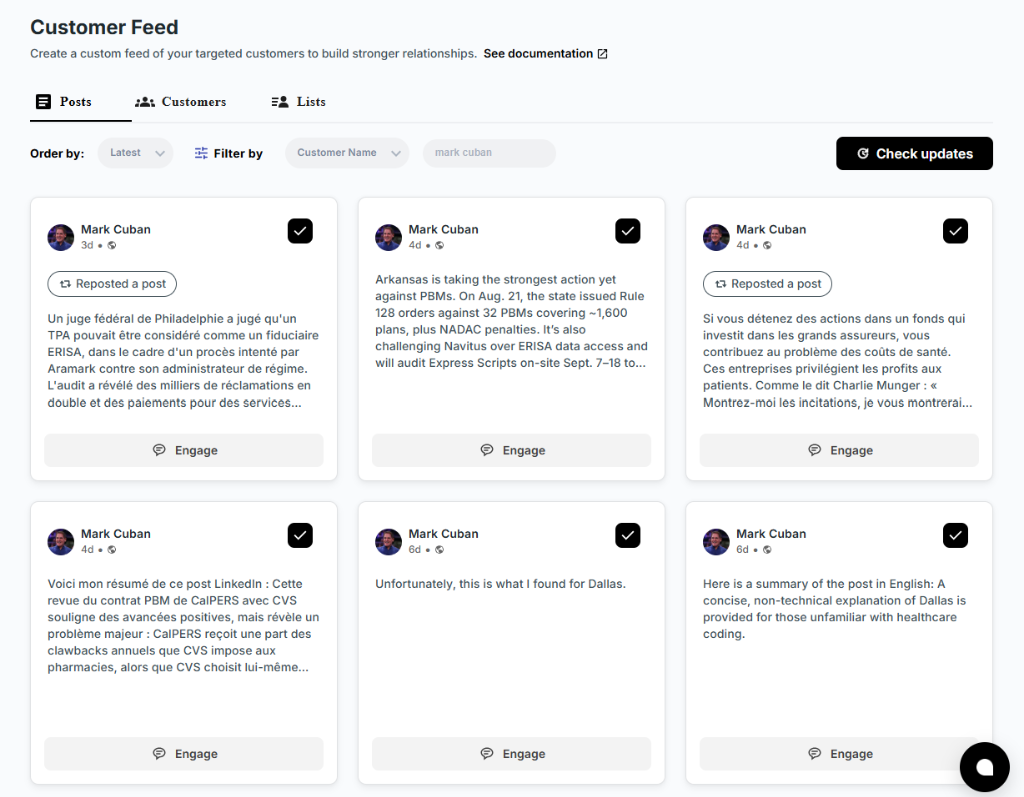
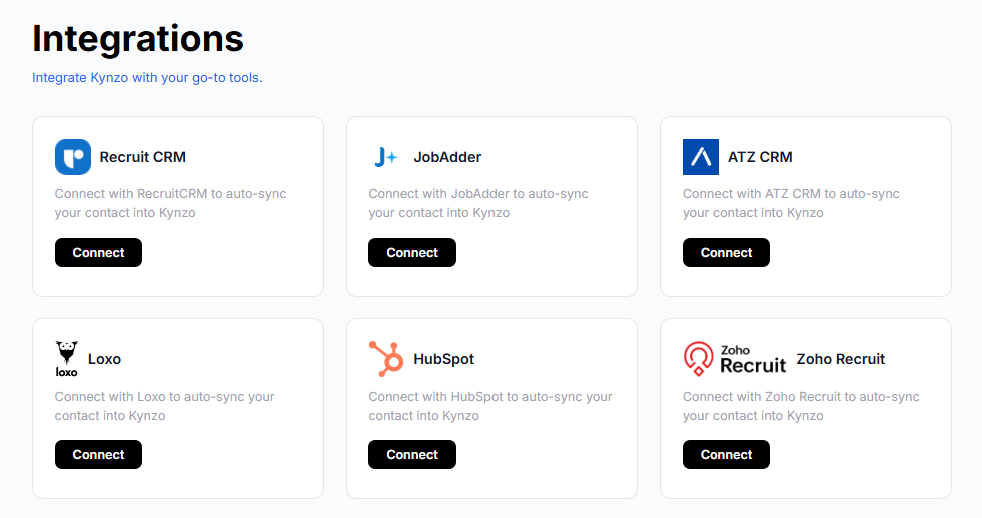
The warm-up phase is where recruiters fall off. Tracking 40 hiring managers in the general feed means scrolling through noise and missing the posts that matter. Kynzo is built for this step. Its Chrome extension and Customer Feed show posts and activity from your target hiring managers and company accounts in one place. You can sync accounts from recruiting systems and CRMs such as Recruit CRM, JobAdder, Zoho Recruit, HubSpot, Crelate and Loxo, or save profiles and posts manually. See how in our guide to connecting LinkedIn to your CRM .
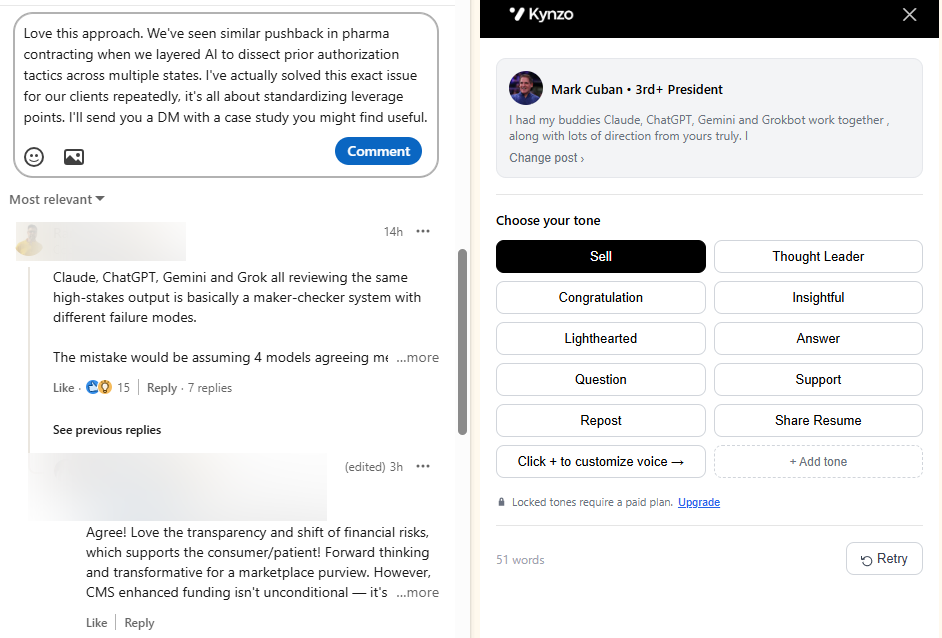
The AI Agent then drafts or publishes context-aware comments in your own voice, with tone options, active hours, daily caps and randomized delays. Kynzo also tracks replies, comment likes, profile views, connection accepts and inquiries, so you see when a target is warm enough for Touch 1. Installing the extension is free, and paid plans are STARTER at 12.90 USD per month, PRO at 30 USD per month and ELITE at 50 USD per month . You can also explore how AI supports LinkedIn outreach or start on the Kynzo home page .
As with any assisted LinkedIn activity, you stay responsible for compliance with LinkedIn's terms. Set conservative caps and review what is published.

A sample two-week calendar
For a single target, starting after three weeks of warm-up:
- *Monday, Day 0: Send the connection request with a context note.
- *Tuesday to Wednesday: Keep commenting on their posts. If they accept, send the context message.
- *Friday, Day 4: Send the value message (market data or a short insight).
- *Following Monday to Tuesday, Day 7 to 8: Send the soft ask.
- *Day 9 to 14: Say nothing new unless they reply. Keep commenting.
- *Day 15 onward: Stay in the comment loop. Re-engage with a new value message in 6 to 8 weeks or when a trigger appears.
Run 5 to 10 targets at different stages at once, so you always have people at warm-up, mid-sequence and re-engagement.
Common mistakes
- *Pitching in the connection note. It turns an easy accept into a decline.
- *Skipping the warm-up. You send to strangers and wonder why acceptance is low.
- *Repeating the same ask. Rotate the angle at every step.
- *Ignoring replies to comments. A reply under your comment is a warmer signal than most DMs.
- *Volume over fit. A smaller, better list beats a large, loose one.
FAQ
How many follow-ups should I send on LinkedIn?
After the connection request, send three messages: context, value and a soft ask. Beyond that, keep the relationship alive with comments rather than more DMs. Revisit with a fresh angle after a few weeks.
How long should a LinkedIn outreach sequence last?
Plan on 10 to 14 days for the message sequence, after a warm-up of about three weeks. Published guidance on four-step sequences uses the same 10 to 14 day window.
Can I do LinkedIn outreach without InMail?
Yes. Comment on the target's posts, send a connection request with a context note, and message after they accept. First-degree messages do not use InMail credits.
Should I automate my LinkedIn cadence?
Automate the monitoring and the drafting, and keep your hands on the judgment. If you use any tool that acts on your account, set conservative daily caps and human-like timing, because the user bears the risk of breaching LinkedIn's terms.
Sources
- B2B LinkedIn Lead Gen 2026: What Actually Works Now
- LinkedIn Outreach Sequence: The 2026 4-Step Cadence
- LinkedIn Best Practices, Briefcase Coach
- 11 Sales Development Strategies for High-Growth Companies, Gartner
- B2B Sales Benchmarks 2025
- The Ultimate Recruiter's Guide to Scalable LinkedIn Outreach
- Automatiser LinkedIn : quotas réels et risque de ban, ATTA
- B2B buyers aren't on LinkedIn to be sold to, DUO