

Recruiter Business Development on LinkedIn: A Practical Playbook
Recruiter business development on LinkedIn works when you stop pitching strangers and start earning familiarity with a short list of hiring managers. Define the clients you want, build a profile that speaks to them, show up in their feed with useful comments, and start outreach only after they respond. This playbook walks through each step, the platform rules you need to respect, and the numbers that tell you whether it is working.
Key Takeaways
- Start with a tight target client profile and a named list of hiring managers, not a broad search. Trigger events tell you who needs you now.
- Your profile is a sales page for clients. State who you help, which hiring outcome you improve, and back it with proof.
- Thoughtful comments on target accounts' posts build recognition before you ever send a message, so first outreach lands warm.
- LinkedIn restricts third-party automation, so any tooling should run with human pacing, daily caps and your review of what goes out.
- Measure conversations, not activity: replies, profile views, connection accepts and inbound inquiries that become discovery calls.
Table of Contents
- Why LinkedIn Business Development Fails for Most Agency Recruiters
- Step 1: Define Your Target Client Profile
- Step 2: Make Your Profile Work for Clients, Not Just Candidates
- Step 3: Build Familiarity With Hiring Managers Through Comments
- Step 4: Know the Platform Rules Before You Automate Anything
- Step 5: Turn Engagement Into a Warm Conversation
- Step 6: Measure Whether It Is Producing Client Conversations
- How Kynzo Fits Into This Workflow
- FAQ
- Sources
Why LinkedIn Business Development Fails for Most Agency Recruiters
Most recruiters treat LinkedIn as a broadcast channel. They send a connection request with a pitch, follow it with a message, and then try cold InMail when nothing comes back. Decision makers have seen all of it. The result is a feed full of ignored messages and a pipeline that depends on whoever happens to reply.
The alternative is slower at the start and faster later. Instead of asking for a meeting, you give a hiring manager repeated, low-pressure reasons to know your name. Industry commentary points the same way: one recruiting-software podcast write-up reports that referral-based leads convert at 3 to 5 times the rate of other channels , and that most B2B revenue traces back to a referral as the first step. Treat those as directional, not as a guarantee. The lesson holds regardless: warmth beats volume.
A warm approach has four moving parts, which the rest of this article covers in order: who you target, how your profile reads, how you build familiarity, and how you move from engagement to conversation.

Step 1: Define Your Target Client Profile
Before you open LinkedIn search, write down the client you want. A usable target client profile covers:
- *Sector and function: for example, fintech engineering or manufacturing finance leadership. Pick the niche where you can already place people.
- *Company size and growth stage: a 60-person Series A hires differently from a 5,000-person enterprise.
- *Hiring authority: who signs the agency terms, and who feels the pain of an open role.
- *Fee potential: roles where a placement fee justifies the effort.
One company target list guide suggests qualifying companies by growth and financial health, industry and products, size, culture and location, then watching for trigger events such as funding, leadership changes, product launches, customer wins, office openings and fast-growing teams. Those events are your timing signal: a company that just raised money and has several open roles has commercial urgency.
Find the companies and the people
Sales Navigator helps here. Its filters include leads who changed jobs in the last 90 days, accounts with open job opportunities posted on LinkedIn, and accounts with recent activity . A new VP of Engineering who just arrived is a strong candidate for a new agency relationship.
Without Sales Navigator, search by job title and location. Titles differ across companies, so test variants (Head of Talent, Director of People, VP Engineering) and combine them with Boolean logic, as the Knak guide recommends. If Boolean strings are not your strength, our free recruiter Boolean search generator builds them for you.
Map more than one contact per account
One contact is a single point of failure. Mapping hiring managers, founders and functional leaders across an account protects your pipeline when someone changes roles or leaves. For each target account, aim to save:
- The hiring manager for the roles you could fill.
- The executive sponsor (founder, COO or functional head).
- The internal talent lead, who may be a gatekeeper or an ally.
Keep a list of 50 to 150 people, not thousands. A list you can actually follow is the foundation of everything below.
Step 2: Make Your Profile Work for Clients, Not Just Candidates
Hiring managers will check your profile after you comment or connect. Many recruiter profiles speak only to candidates ("passionate about connecting talent"). A client-facing profile answers three questions fast.
According to one recruiter profile guide , a strong profile works like a conversation with your ideal client: who you help, the specific hiring outcome you improve, and why you are uniquely qualified, supported by verifiable achievements.
| Profile element | Weak version | Client-ready version | |---|---|---| | Headline | Senior Recruiter at ABC Search | I help Series A to C SaaS companies hire their first 10 engineers | | About section | Passion for people | Roles you fill, typical time to shortlist, who you work with | | Featured | Empty | A hiring-market note, a case summary, a booking link | | Recommendations | None | Specific notes from hiring managers on a placement |
Recommendations deserve extra effort. The same guide describes recommendations from candidates and hiring managers as a powerful trust signal and advises asking for specific feedback right after a successful placement. Ask the hiring manager to mention the role, the speed and the quality of the shortlist.
If your profile needs a deeper rewrite, a specialist can help you build a high-impact LinkedIn profile that communicates your specialty and results clearly. Only include claims you can verify: placement counts and time-to-fill numbers should be real and current.
Step 3: Build Familiarity With Hiring Managers Through Comments
This is where most recruiter business development is won. A hiring manager who has seen your thoughtful comment three or four times already recognizes you when the connection request arrives. A cold message asks for attention. A comment gives something first.
What a good comment does
A useful comment adds one of three things: a specific observation from your market, a relevant question, or a respectful extension of their point. It does not mention your agency, and it does not end with "let's connect." Compare:
- *Weak: "Great post! Congrats on the funding."
- *Better: "Congrats on the round. In our experience with Series B teams, the first senior data hire usually takes longer than planned because the role is still being defined. How are you scoping it?"
The second shows market knowledge, asks something the author may want to answer, and costs nothing to read. For more on structure, see our guide to a LinkedIn comment strategy for recruiters .
A simple weekly routine
Consistency matters more than intensity. A realistic routine for one recruiter:
- *Monday: review your target list and add new trigger-event accounts.
- *Tuesday to Thursday: 10 to 15 minutes a day on your curated feed, leaving 5 to 8 comments on target contacts' posts.
- *Friday: review who replied, viewed your profile or accepted a connection, and decide who is ready for a message.
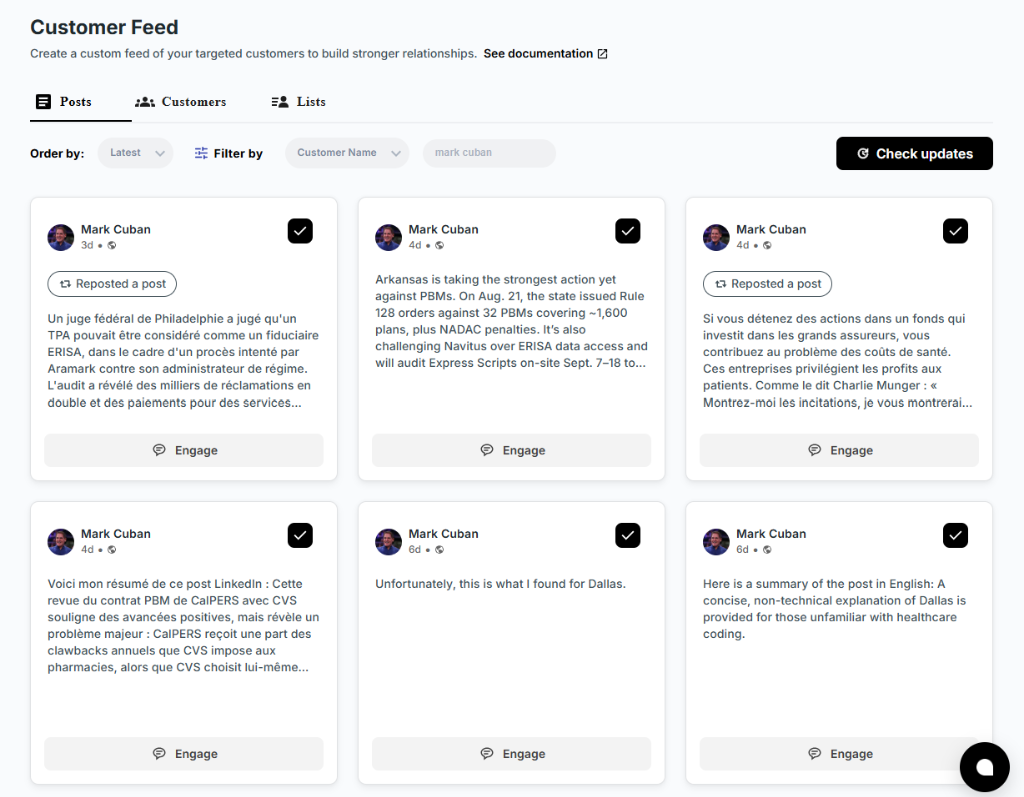
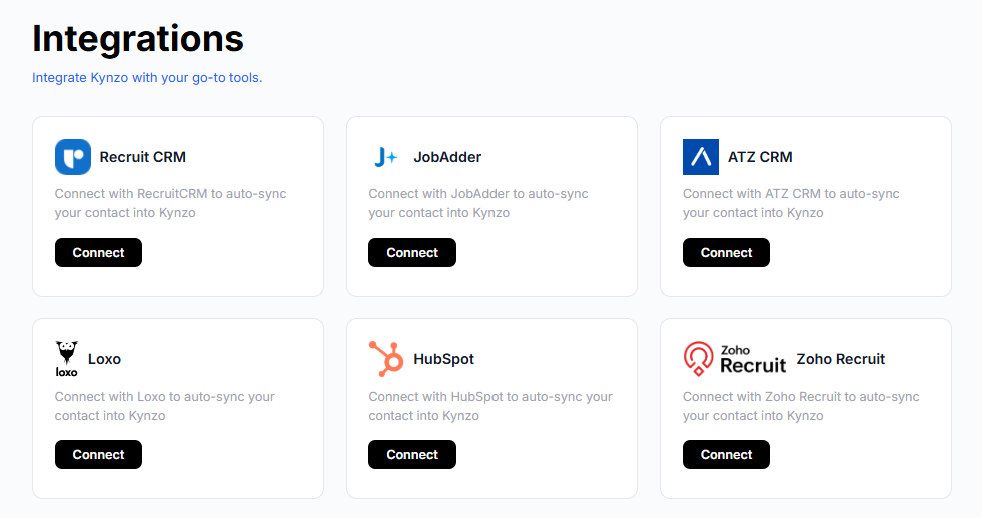
The key phrase is curated feed. LinkedIn's general feed is full of noise, and your targets' posts get buried in it. Following a dedicated list of people keeps your effort pointed at the right accounts. That is the reason we built the Customer Feed in Kynzo: it shows posts and activity only from the hiring managers and company accounts you care about, and it can sync those accounts from systems like Recruit CRM, JobAdder, Zoho Recruit, HubSpot, Crelate and Loxo, or you can save profiles and posts manually.
Where AI fits
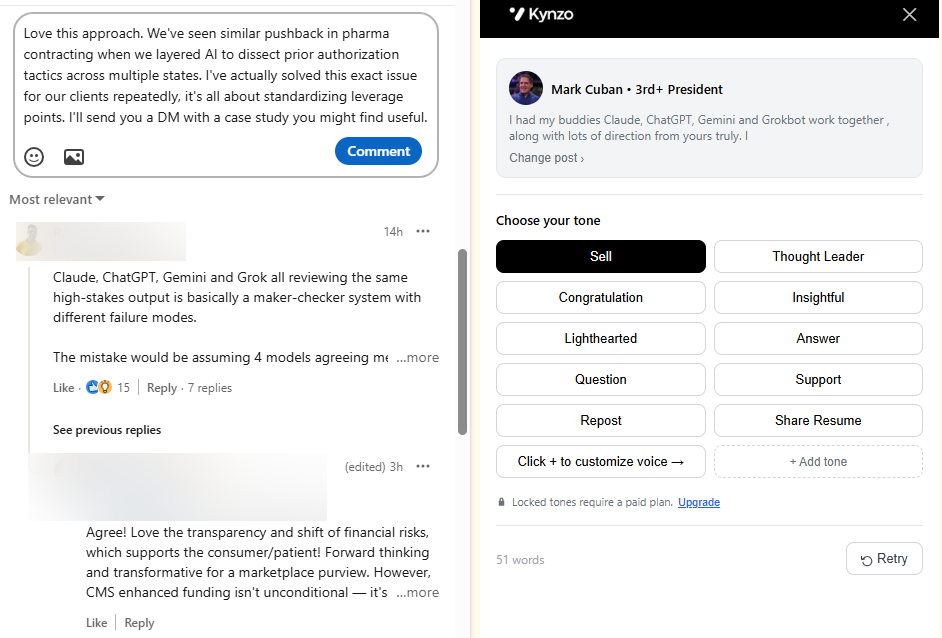
Writing 30 considered comments a week is hard to sustain while also running searches and client calls. Kynzo's AI Agent drafts or publishes context-aware comments in your own voice, using tones you choose. It reads the post it is responding to, so the comment relates to what the author actually said. You decide how much runs automatically: drafts you approve, or publishing within limits you set. We cover the mechanics in our post on LinkedIn comment automation .
Step 4: Know the Platform Rules Before You Automate Anything
Any honest discussion of LinkedIn automation has to start with LinkedIn's own position. Its help page on prohibited software and extensions states that third-party software, including bots and browser plug-ins or extensions that scrape, modify or automate activity on the site, is not permitted, and it also rules out fake engagement and tools that try to manipulate the content algorithm. Accounts can be restricted if rules are broken.
That is a reason to be deliberate, not a reason to avoid a systematic routine. Safe use looks like this:
- *Keep volume human. A person comments on a handful of posts a day. Set a daily cap well below what you could do by hand on a busy morning.
- *Pace actions. Randomized delays and active hours that match your real working day avoid unnatural bursts.
- *Say something real. Generic praise is both ineffective and the kind of activity that looks like manipulation. Review drafts, edit them, and reject any that miss the point.
- *Skip mass messaging. Bulk connection notes and templated InMail are where recruiters most often get restricted and ignored.
- *Check invitation limits. Connection request volume is a common trigger; a separate breakdown of weekly LinkedIn invite limits explains why staying conservative is safer.
Kynzo includes daily caps, active hours, randomized delays and other pacing controls for this reason, and we explain the thinking in our LinkedIn rate limits guide . You remain responsible for how you use any tool on your own account, so read the current LinkedIn terms and set conservative limits.
Step 5: Turn Engagement Into a Warm Conversation
Comments are the warm-up, not the goal. The goal is a discovery call about a role the client needs filled. You are looking for engagement signals that show someone is aware of you:
| Signal | What it suggests | Next move | |---|---|---| | Reply to your comment | Active interest in the topic | Reply again, then connect | | Like on your comment | Light recognition | Keep commenting, no message yet | | Profile view | Curiosity about who you are | Send a short connection request | | Connection accept | Permission to talk | Wait for a natural trigger, then message | | Direct inquiry | Buying intent | Book a call quickly |
We go deeper in our write-up on LinkedIn engagement signals . Kynzo logs replies, comment likes, profile views, connection accepts and inquiries per contact, so you can see when a hiring manager has moved from stranger to familiar.
The first message
Once someone has interacted with you, reference the interaction and keep the ask small. For example:
"Thanks for the reply on the hiring-freeze thread. You mentioned the platform team is still short. I place senior platform engineers for Series B companies and can share what candidates are asking for right now. Worth a 15-minute call this week?"
It names a shared context, shows relevance, and asks for a short call rather than a commitment. If there is no reply after one follow-up, go back to commenting rather than escalating. For executive-level roles, adapt the tone with the ideas in our guide to executive search on LinkedIn .
Step 6: Measure Whether It Is Producing Client Conversations
Activity numbers flatter you. Ten comments a day looks productive, but only conversations pay. Track a short funnel for your target list each week or month:
- *Reach: number of target contacts you engaged with at least once.
- *Recognition: replies, comment likes, profile views and connection accepts from those contacts.
- *Conversation: messages exchanged and inbound inquiries.
- *Qualified calls: discovery calls with a hiring manager who has a live role and authority to sign terms.
- *Outcomes: signed terms, job orders received, placements and fees.
The two ratios worth watching are engaged contacts to conversations, and conversations to qualified calls. If engagement is high and conversations are low, your comments may be pleasant but not distinctive, or you may be waiting too long to reach out. If you get conversations but few qualified calls, revisit your target profile: you may be engaging people without hiring authority.
Give it a fair window. Warm approaches build over weeks, so compare a 60 to 90 day period against your previous cold-outreach baseline rather than judging day to day. Record the source of each new client conversation in your CRM (comment, inbound, referral) so you can see which behaviors repeat.
How Kynzo Fits Into This Workflow
If you want this routine without managing it in a spreadsheet, Kynzo is built for agency recruiters. The Chrome extension is free to install and lets you comment in-feed. The platform adds the Customer Feed, CRM sync, the AI Agent with your voice and pacing controls, and the engagement signal tracking described above.

Plans are published on our pricing page : Starter at $12.90 per month, Pro at $30 per month and Elite at $50 per month. You can see how the full workflow runs on the Kynzo homepage , and for a longer treatment of process, read our guides on scaling agency recruitment BD and agency recruitment business development strategies .
FAQ
How long does LinkedIn business development take to produce client calls?
Plan on several weeks of consistent commenting before expecting steady conversations. Results depend on your niche, your target list and how often you show up. Compare a 60 to 90 day period with your cold-outreach baseline instead of judging single weeks.
Is Sales Navigator required?
No. Sales Navigator adds useful filters such as recent job changes and accounts with open roles, but you can build a good list with standard LinkedIn search, title variants and Boolean strings. What matters is a defined target profile and a list you follow every week.
Is it safe to use automation for LinkedIn comments?
LinkedIn's rules do not permit third-party tools that automate activity on the site, so you should act carefully and stay responsible for your own account. Keep volume low, use human pacing such as daily caps, active hours and delays, review drafts, and avoid mass messaging. Read LinkedIn's current terms before you start.
Should I send InMail or comment first?
Comment first with targets you want a long-term relationship with. Familiarity makes the first message easier to answer. InMail still has a place for time-sensitive outreach to someone who has not seen you, but it is the colder option.
How many hiring managers should I target?
Start with 50 to 150 named contacts across your best-fit accounts, with two or three people per company. That is enough to find patterns and small enough that you can engage with each contact regularly.
Sources
- LinkedIn Help: Prohibited software and extensions
- How to Use LinkedIn to Find Recruitment Clients
- 2025 Guide to LinkedIn Sales Navigator Search Filters
- How to Build a Company Target List on LinkedIn
- Recruiter LinkedIn Profile: How to Attract Candidates and Clients
- Crelate: Monetizing Trust, Revenue Runs on Relationships