

Recruiter LinkedIn Comments: How to Win Client Conversations
The best LinkedIn comments from a recruiter add something the post did not contain: a market observation, a concrete example, or one sharp question. Made consistently on a short list of hiring managers and company accounts, they build familiarity, so your first direct message lands as a continuation of a conversation rather than a cold pitch. This guide covers who to comment on, what to write, how often, the platform rules, and when a comment thread is ready to become a DM.
Key Takeaways
- Pick a small, relevant list of hiring managers and accounts, then comment on what they actually post. Volume across random posts builds nothing.
- Write a short comment that names a specific point, adds one insight, and asks one focused question. Generic praise and templates hurt you.
- Move to a DM only on a real signal: a substantive reply, repeated interaction around a live problem, or a direct question. A single like is not a reason.
- LinkedIn's rules restrict automated engagement, so keep a human reviewing every comment and keep your pacing modest.
- Track replies and qualified conversations, not comment counts.
Table of Contents
- Why comments work better than cold outreach for client development
- Choose whose posts you comment on
- What to write in a recruiter comment
- How often and when to comment
- Stay within LinkedIn's rules
- Turn a comment exchange into a warm conversation
- Measure what matters
- Where Kynzo fits
- FAQ
- Sources
Why comments work better than cold outreach for client development
Agency recruiters selling to hiring managers face the same problem as everyone in B2B sales: inboxes are full of connection requests and InMail that read like templates. A comment sits in a different place. It is public, it is attached to something the hiring manager already cares about, and it shows how you think before you ask for anything.
The guidance from practitioners lines up. PromiseClick's B2B guide says to contribute before converting : add evidence or a useful question, build familiarity over time, and move to DMs only when context supports it. Forbes contributor Jodie Cook makes a similar case, framing thoughtful comments as public demonstrations of expertise rather than a place to insert a pitch.
There is also a reach argument. RecruitBPM's 2026 write-up says LinkedIn's algorithm currently favors posts that teach or spark conversation and that comments count twice as much as likes in its engagement weighting. Treat that as a company's reading of the platform rather than a published LinkedIn formula, but the direction is clear: substantive comments get noticed by the author and by their network.
For a recruiter, that network is the point. Every comment you leave under a VP of Engineering's post is visible to the people who follow that VP, which often includes your next three prospects.
Choose whose posts you comment on
The most common mistake is commenting wherever the feed happens to show you something. LinkedIn's general feed is noisy, and you end up engaging with whoever posts most, not whoever hires most.
Start from a target list of 20 to 50 hiring managers and companies. Forbes' guide recommends selecting a focused set of target accounts , studying what they post, and commenting early when possible. Good candidates for an agency recruiter:
- Hiring managers and department heads who have opened or are likely to open roles in your niche
- Talent acquisition leaders and HR heads at companies you want as clients
- Founders at growth-stage companies who own hiring directly
- Past clients you want to reactivate
Many of your best targets rarely post. The National Association of Legal Search Consultants' 2026 guide suggests widening the net: comment on firm pages, practice-group leaders, client companies, professional associations, industry media, and senior leaders when the target themselves is quiet. A hiring manager who never posts may still read and react to a thread on their company page or in their industry's trade press.
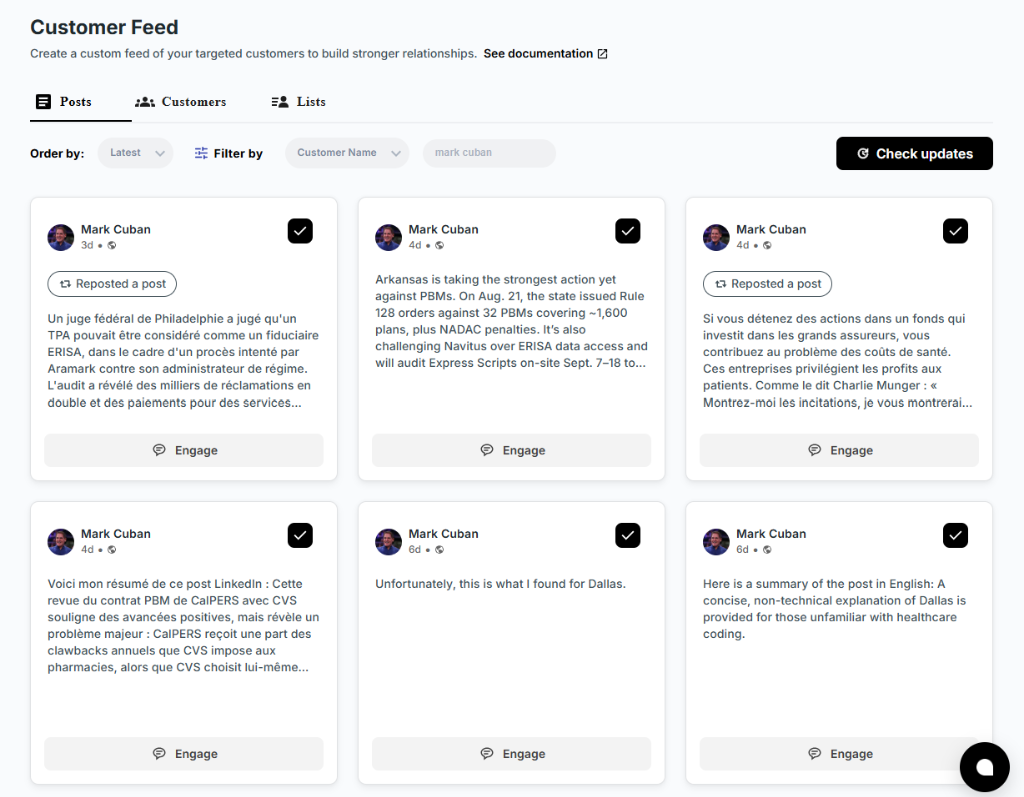
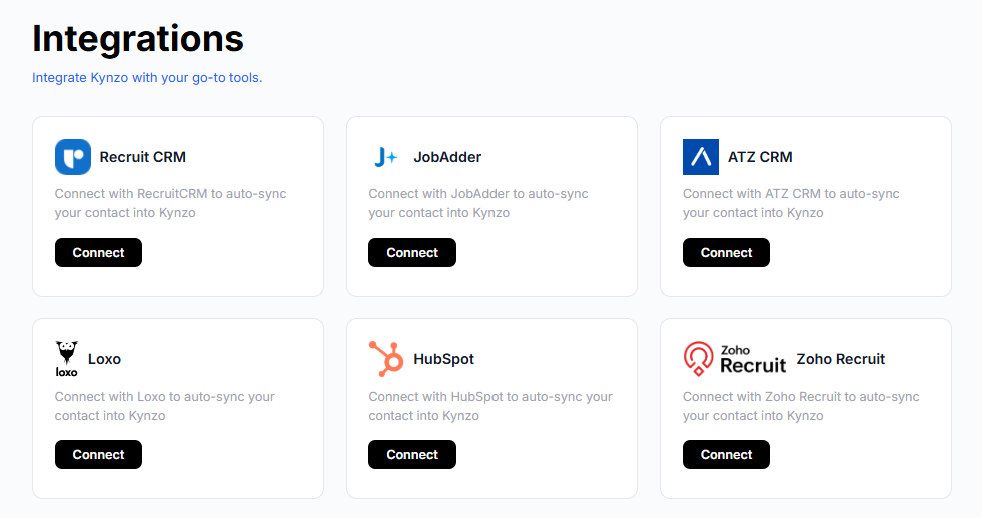
To keep this list out of the general feed, we built the Kynzo Customer Feed. It shows posts and activity only from the hiring managers and company accounts you saved, either manually or by syncing accounts from systems like Recruit CRM, JobAdder, Zoho Recruit, HubSpot, Crelate, and Loxo. If you are choosing your own tooling for selecting targets, engagement tracking tools can also help you decide which accounts deserve attention.
Prioritize posts where you have something real to add
Not every post from a target is worth a comment. Rank them like this:
- *Posts about a live hiring problem: a team scaling, a role that has been open for months, a reorg. You can add market data or a view from the candidate side.
- *Posts about their market or product: you can add a perspective from conversations you have with candidates in that space.
- *Personal milestones: a short, warm, specific congratulations is fine, but it is relationship maintenance, not business development.
Growtempo's recruiting-content perspective is useful here: recruiters should claim what they uniquely know , such as process, screening, market patterns, and candidate experience, and leave first-hand descriptions of the work to the hiring manager. Do not pretend to know what it is like to run their team. Do know what candidates say about it.
What to write in a recruiter comment
The NALSC guide offers a simple structure that works for recruiters outside legal search too: name a specific point from the post, add one relevant insight or brief example from the market, and ask one open but focused question . It recommends roughly 35 to 120 words, and warns that generic praise and templated phrasing can reduce replies and visibility.

SDR GROW puts the craft in one idea: a good comment adds a data point, a counterexample, a sharper question, or a view from your corner of the market . For a recruiter, that knowledge is the product you are demonstrating.
A useful test is whether the comment could be pasted under a different post. If it could, rewrite it.
Weak versus strong: a worked example
Say a VP of Engineering posts about struggling to hire senior backend engineers who will accept a hybrid schedule.
| | Comment | Why it works or fails | |---|---|---| | Weak | "Great post! So true. Hiring is hard these days." | Could sit under any post. Adds nothing. Invisible. | | Weak | "We specialize in backend engineers. DM me, we have candidates ready." | A pitch in a public thread. Signals spam. | | Strong | "The hybrid point matches what we hear from senior backend candidates: the in-office day matters less than whether it is fixed or flexible. Teams that name the anchor days upfront seem to lose fewer people at offer stage. Have you tested that in your own process?" | Names a specific point, adds a market observation, asks one question, makes no pitch. |
The strong version is still only about 50 words. Notice what is absent: no link, no mention of your agency, no request. Your name and headline already tell the author what you do.
Keep your own voice
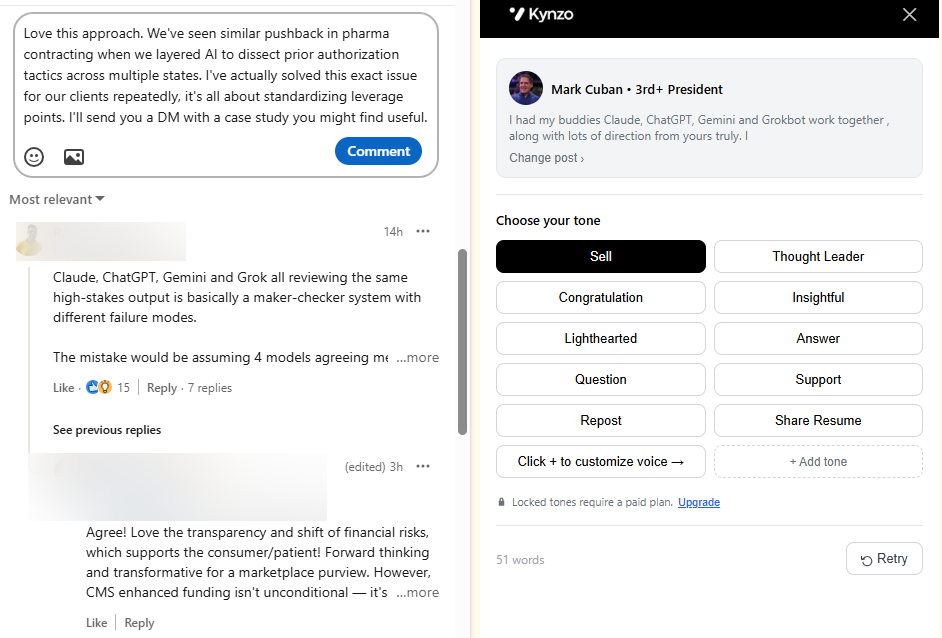
Hiring managers read many comments. The ones that stand out sound like a specific person with a specific point of view. If you use AI for a first draft, the draft should be trained on how you write, then edited by you. Our free LinkedIn comment generator is a quick way to try drafting before committing to a workflow, and our guides on LinkedIn comment examples and AI LinkedIn comments go deeper on phrasing.
What to leave out
- Job descriptions, links, and agency offers, unless the thread makes them genuinely relevant. PromiseClick's advice is to vary the substance by post rather than rotating templates .
- Confidential details about candidates or other clients. NALSC specifically advises avoiding unsupported claims or confidential details .
- Disagreement for its own sake. A respectful counterpoint can stand out. A takedown of a prospect in public does not.
How often and when to comment
Consistency beats bursts. NALSC recommends 8 to 12 meaningful comments per day across 4 to 7 distinct profiles , which keeps you visible to a handful of people repeatedly rather than to many people once. That is a guideline from one professional association, and quality should override the number. If you only have four good things to say today, say four.

On timing, the same guide points to the first 0 to 90 minutes around a post: respond quickly to replies on your own posts, add related comments 15 to 45 minutes before publishing, and keep adjacent engagement going for 30 to 90 minutes after. Early comments on a target's post are also more likely to be seen, since the thread is still short.
A realistic daily routine for a recruiter running a 30-account target list:
| Time block | Task | Minutes | |---|---|---| | Start of day | Scan your target feed, pick 3 to 5 posts worth a comment | 10 | | Mid-morning | Write and post comments, answering replies from yesterday | 15 | | After lunch | Second pass: new posts from targets, quick replies | 10 | | End of day | Log signals: replies, profile views, accepted connections | 5 |
That is 40 minutes. Our post on comment strategy lays out the routine in more detail, and the guide to commenting before you connect covers the sequence for new targets.
Stay within LinkedIn's rules
Any recruiter using software to help with commenting should understand the platform's position first. LinkedIn's User Agreement, Section 8.2, prohibits using bots or other unauthorized automated methods to create, comment on, like, share, or otherwise drive inauthentic engagement . LinkedIn's prohibited-software guidance adds that third-party bots, plug-ins, and browser extensions that scrape or automate activity can lead to account restriction or shutdown , and that such tools may stop working without notice.
LinkedIn has also moved on visibility. In August 2025 it updated its comment rules to say that if it detects excessive comment creation or an automation tool, it may limit the visibility of those comments .
What does that mean in practice for a recruiter? The safest posture, according to Perkins Growth's summary of the rules, is to use AI for research or drafting, keep a human responsible for review, and decide and post the final comment yourself . Heyoo makes the same point about AI-assisted content generally: it should follow LinkedIn's Professional Community Policies and be reviewed, edited, and approved before publication . For a wider view of reviewing automated drafts before they go live, see this guide to social posting with human review .
Here is how to apply that when you use a tool like ours:
- *Read every draft before it goes out. If you would not say it to the hiring manager at a conference, edit it.
- *Use pacing controls conservatively. Kynzo's AI Agent includes active hours, daily caps, and randomized delays. Set caps well below the guideline numbers above, especially on a newer account.
- *Stay on your target list. Commenting on a focused set of relevant accounts is both better strategy and a lighter footprint than blanket engagement.
- *Keep your account history natural. Post your own content, reply to people who comment on it, and do not let comments be the only thing you do on LinkedIn.
We cover the mechanics in our posts on LinkedIn comment automation , automation delays , rate limits , and how to avoid LinkedIn spam . Read them, then check LinkedIn's current User Agreement and help pages yourself, since the rules can change.
Turn a comment exchange into a warm conversation
A comment is not a conversation until the other person responds. PromiseClick's guidance on this is practical: wait for a substantive reply, repeated interactions around a live problem, a direct question, or a clear buying or change signal . An isolated like alone is not a reason to reach out. Their perspective is also that a public comment should stay public unless a live problem or relevant private context emerges. Not every useful exchange needs converting.
Signals worth acting on
| Signal | Strength | What to do | |---|---|---| | Hiring manager replies with a real answer to your question | High | Reply publicly, then consider a contextual DM | | They reply on two or three of your comments over a few weeks | High | Send a short DM referencing the topics you have both discussed | | They view your profile after a comment | Medium | Keep commenting; send a connection request if not yet connected | | They accept your connection request | Medium | Thank them; reference a recent thread | | They ask you a direct question or mention an open role | Very high | Respond, offer a call | | A single like | Low | Do nothing yet |
These are the same signals Kynzo tracks: replies, comment likes, profile views, connection accepts, and inquiries. They help you see when the relationship has moved from awareness to a reason to talk. Our guides to LinkedIn engagement signals and engagement metrics explain how to read them.
A warm DM that follows a comment thread
Hi Dana, I enjoyed our exchange on the hybrid schedule point under your post last week. I work with a number of senior backend engineers who have a clear view on what makes a hybrid offer land. If it would help your team, I would be glad to share what I am hearing in a 15-minute call. No pressure if the timing is wrong.
It references a real exchange, offers something specific, and makes the next step easy to decline. Compare that with a cold InMail that starts from nothing.
Measure what matters
It is tempting to count comments. Count conversations instead. PromiseClick recommends tracking replies and qualified conversations, not just activity volume . A simple weekly log works:
- Comments posted
- Replies received from target accounts
- New profile views and connection accepts from targets
- DMs sent after a signal, and how many got a response
- Discovery calls booked, with the source thread noted
After a month or two, you will see which accounts respond, which topics earn replies, and which comment styles get ignored. Drop accounts that never engage and add new ones. If you sync your CRM, you can see these signals next to the account record, so the business development conversation stays tied to the client relationship.
Where Kynzo fits
Kynzo is built for agency recruiters, recruitment agency owners, and search consultants who want warmer client conversations without resorting to mass messaging. The free Chrome extension and Customer Feed keep your target hiring managers in one place. The AI Agent drafts context-aware comments in your own voice, with specialized tones and the pacing controls described above. Engagement tracking shows when a conversation is ready for outreach. You can also try our free Boolean search generator and comment generator before you decide.

Plans on our pricing page are Starter at $12.90 per month, Pro at $30 per month, and Elite at $50 per month. You can learn more about the platform at kynzo.io .
FAQ
How many LinkedIn comments should a recruiter post per day?
NALSC's 2026 guide recommends 8 to 12 meaningful comments per day across 4 to 7 distinct profiles. Treat that as a ceiling for a well-targeted routine, not a quota. Fewer comments that each add something will serve you better than filling a number.
Should a recruiter mention their agency in a comment?
Usually no. Your name and headline already show who you are, and a pitch in a public thread tends to read as spam. Add insight first, and bring up your services only if the thread makes them genuinely relevant or the author asks.
When is it okay to DM a hiring manager after commenting?
When the exchange gives you a reason: a substantive reply, repeated interaction around a live problem, a direct question, or a clear change signal. Reference the thread in your message. A single like is not enough.
Can I use AI to write recruiter LinkedIn comments?
AI is useful for drafting and research, but LinkedIn's rules restrict automated engagement, so a human should review, edit, and approve each comment. Set conservative caps and active hours, and keep your comments specific to each post. Check LinkedIn's current User Agreement before you set up any tool.
Sources
- LinkedIn Comment Strategy for Warm B2B Conversations, PromiseClick
- Write LinkedIn Comments That Become High-Ticket Leads, Forbes
- LinkedIn Commenting: The New Cold Outreach for 2026, NALSC
- LinkedIn Profile Optimization for Recruiters in 2026, RecruitBPM
- LinkedIn Posts That Attract Candidates, Growtempo
- How to Comment on Prospect Posts Without Sounding Fake, SDR GROW
- LinkedIn Automation Rules, gtm-api.com
- LinkedIn Web Scraping: What Section 8.2 Prohibits, RevenueFlow
- LinkedIn Outlines New Measures To Combat Fake Engagement, Social Media Today
- LinkedIn Outreach Automation Tools, Perkins Growth
- LinkedIn AI Slop Crackdown and Employee Advocacy, Heyoo
- Safely automate social posting for small teams with human review, Soclo
- Engagement Tracking Tools for Social Media, Persona Digital